Ready to Copy
TEXT/PHOTO
2
AUTO
MULTI-SIZE
FEED
USER
PRESET
SORT/
FINISH
ENERGY
SAVER
INTERRUPTMANUAL RESET
1 32
4 65
7 98
#0
A3
FLS•B4
A5
A4
A4
NOTE
ATTENTION
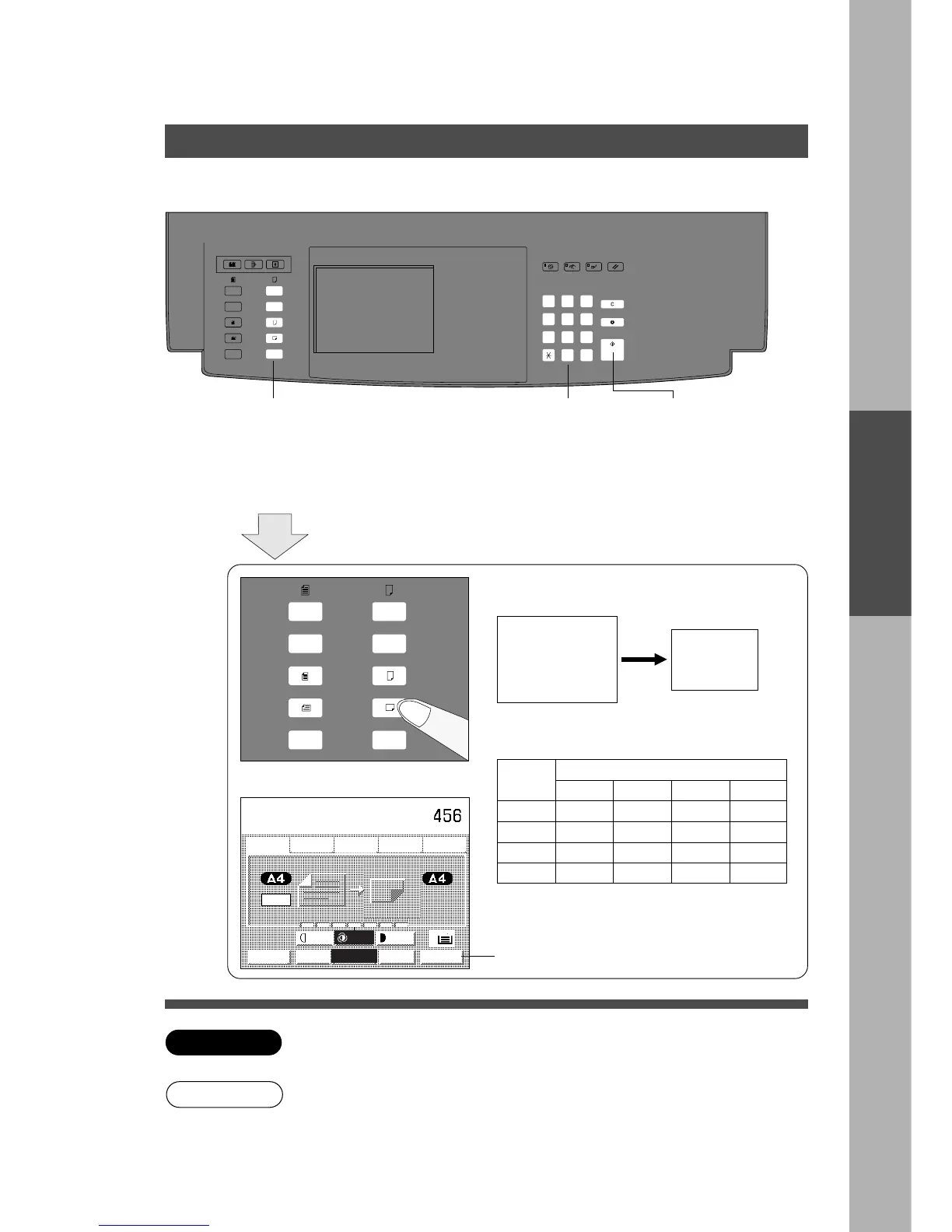
Reduction or Enlargement Copying
■■
■■
■ When copying with preset ratios
There are 5 preset reduction and 5 preset enlargement modes.
Basic Menu
1
Position
original
2
Select the copy size
(Landscape for A4/A5 size)
3
Number of
copies
(Up to 999)
4
Press Start
Example: Reduction
Original size Copy size
A3 A4
Full Size Copying
Reduction or Enlargement
C Part of the image may be deleted if the direction of the original and copy
paper do not correspond.
The correct ratio is automatically selected.
Reduction and enlargement ratios. (%)
Original
size
Copy size
A3 B4 A4 A5
A3
100 87 71 50
B4
115 100 82 58
A4
141 122 100 71
A5
200 173 141 100
C When changing the paper size, touch
Paper Tray key.
Paper Tray (CASSETTE) Key
C If the copy size is different from the paper size you can use the sheet bypass.
This will save you having to change the setting of the paper trays.
65%










 To Next Page