30
Cancel
CANCEL
-
Set width of void
press OK
CancelCANCEL
-
Set width of margin
press OK
CANCEL
Set width of edge
Press OK
MULTI-SIZE
FEED
USER
PRESET
SORT/
FINISH
ENERGY
SAVER
INTERRUPTMANUAL RESET
1 32
4 65
7 98
0
A3
FLS•B4
A5
A4
A4
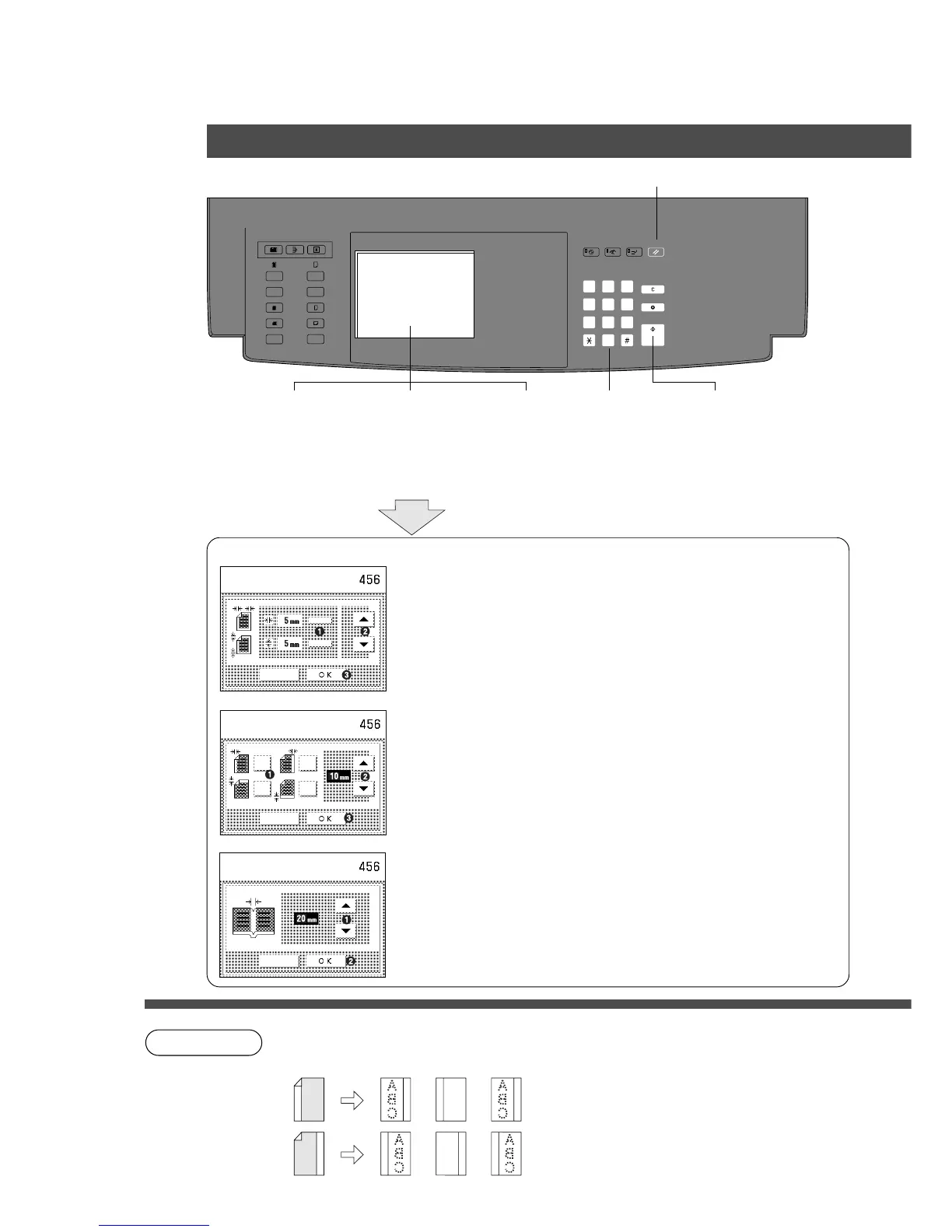
Edge/Margin/Book Mode
■■
■■
■ Procedure
NOTE
C How to place the original when margin mode:
Edge
# Select vertical or horizontal edge
$ Adjust each void width by using the F·G keys.
% Touch OK key.
& When the void areas are both the same for vertical and
horizontal, adjust the void width by using the F·G keys,
then touch OK key.
∗
Initial setting (Factory setting): 5 mm
# Select margin area
$ Adjust each void width by using the F·G keys.
% Touch OK key.
∗
Initial setting (Factory setting): 10 mm
# Adjust each void width by using the F·G keys.
$ Touch OK key.
∗
Initial setting (Factory setting): 20 mm
∗
Initial setting (Factory setting) can be changed by the
User Mode function.
(Please refer to page 42)
Margin
Book
Press
Start
1
Position
original
2
Select Zoom/
Effect mode
3 (4)
Select
paper
5
Number of
copies
(Up to 999)
6
Select Edge
Margin or Book
Zoom/Effects
Reset Key: To reset each mode menu.
A
B
C
A
B
C
Platen i-ADF ADF










 To Next Page