9
MULTI-SIZE
FEED
USER
PRESET
SORT/
FINISH
ENERGY
SAVER
INTERRUPTMANUAL RESET
1 32
4 65
7 98
#0
A3
FLS•B4
A5
A4
A4
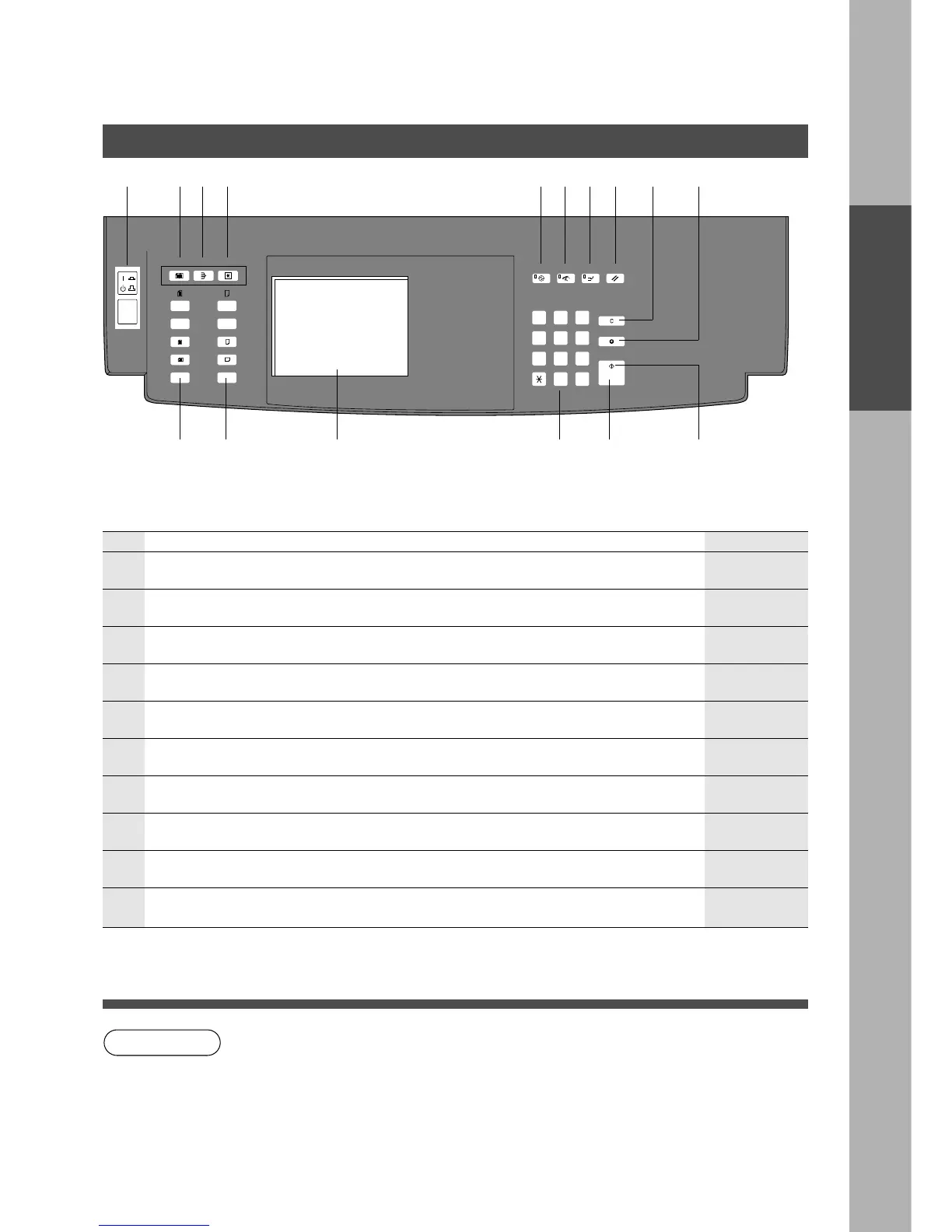
Control Panel
Control Panel
Original Size
Keys
Copy Size
Keys
Touch Panel Display Quantity
Keys
Start Key Ready
Indicator
No Contents Refer to
#
Multi-Size Feed Key
C When Multi-sized originals are copied using i-ADF/ADF (Option).
P.58
$
Sort/Finish Key
C When sorting and stapling with Finisher (Option).
%
User Preset Key
C Changes default modes.
&
Energy Saver Key
C Can save power while the copier is not in use.
(
Manual Key
C After pressing this key, the original size can be selected manually.
)
Interrupt Key
C Interrupts other copy or print jobs while making copies.
*
Reset Key
C Resets all features to the initial power-on state.
+
Clear Key
C Clears the copy count in the display.
-
Stop Key
C Stops the copy run.
NOTE
C The Control Panel displayed above shows only copier functions. Please refer to the
proper operating instructions for Facsimile/Internet/Printer control panel functions.
# $ % &()* + -
P.59 – 72
P.40 – 55
P.38
P.12
P.38
———
———
———
Precautions
Control Panel
.
Operation Switch (FP-D455/D605 only)
C For turning the power On/Off.
———
.










 To Next Page