35
Insertion Job
Job Memory
160
70
220
95
Job memory
Select Mem. in or Mem. #
= more settings
100
B4 B4
Job memory
Select Mem. in or Mem. #
= more settings
160
70
220
95
100
90
95
50 %
B4
A4
A3
B4
A4
A5
MULTI-SIZE
FEED
USER
PRESET
SORT/
FINISH
ENERGY
SAVER
INTERRUPTMANUAL RESET
1 32
4 65
7 98
#0
A3
FLS•B4
A5
A4
A4
Other Features
■■
■■
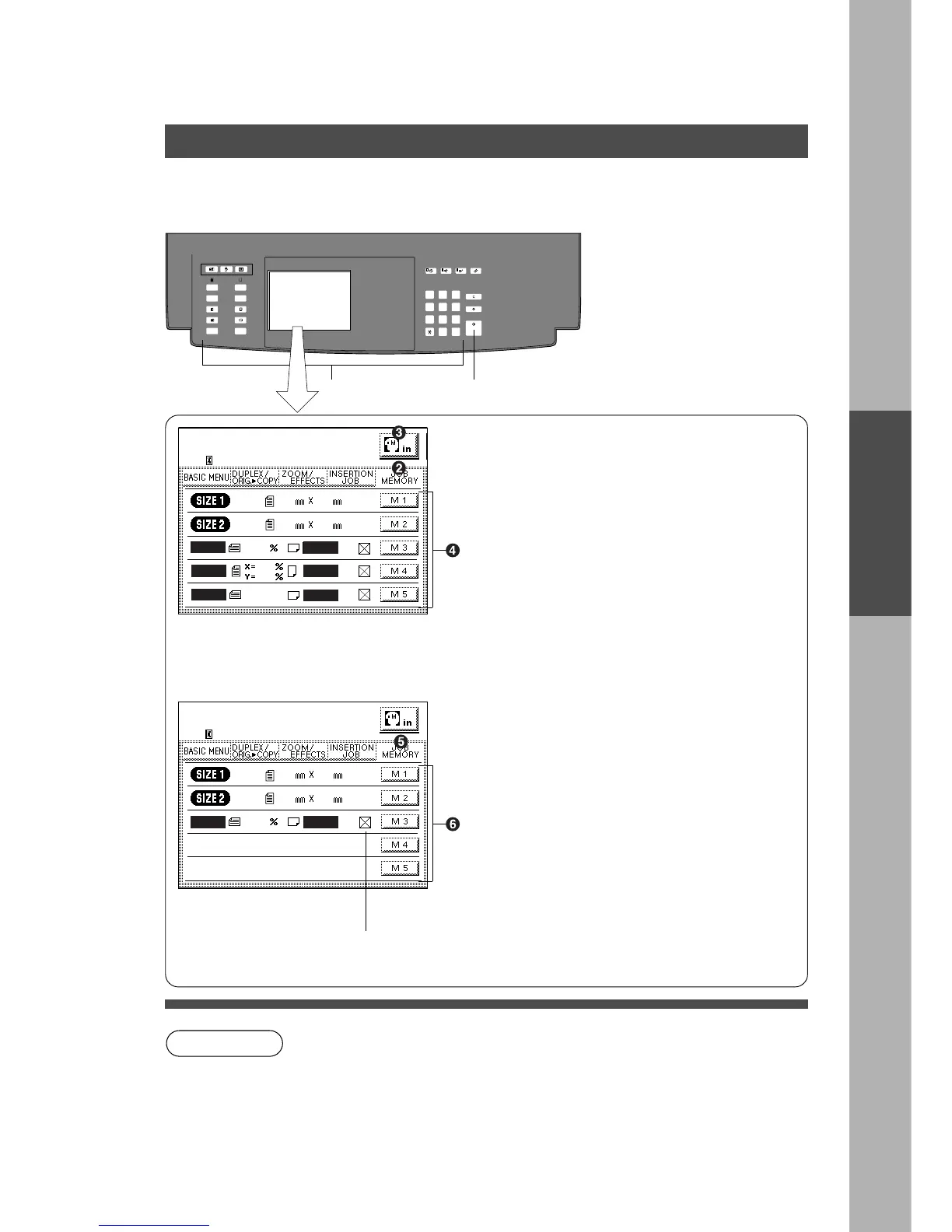
■ Five copy jobs can be programmed in memory (M1 to M5) for recall at a
later time.
Job Memory
NOTE
To store a job into a memory
# Set up the copy job to be stored in memory.
$ Press Job Memory key
% Touch Memory In key. (f)
& Touch M1, M2, M3, M4 or M5 key.
To recall a job from memory mode.
( Press Job Memory key
) Touch M1, M2, M3, M4 or M5 key.
* Press Start
# *
g: Means there are more settings other
than what is indicated on the display.
C Job memory mode will not be deleted even if the Power Switch is turned off.
C When storing a new job, the previously stored job will automatically be
deleted and the current job stored in its place.
C To reset Programming job, press reset key.










 To Next Page