75
Handling
Adding Toner
ATTENTION
1
2
1
Open front panel.
Turn toner hopper assembly.
2
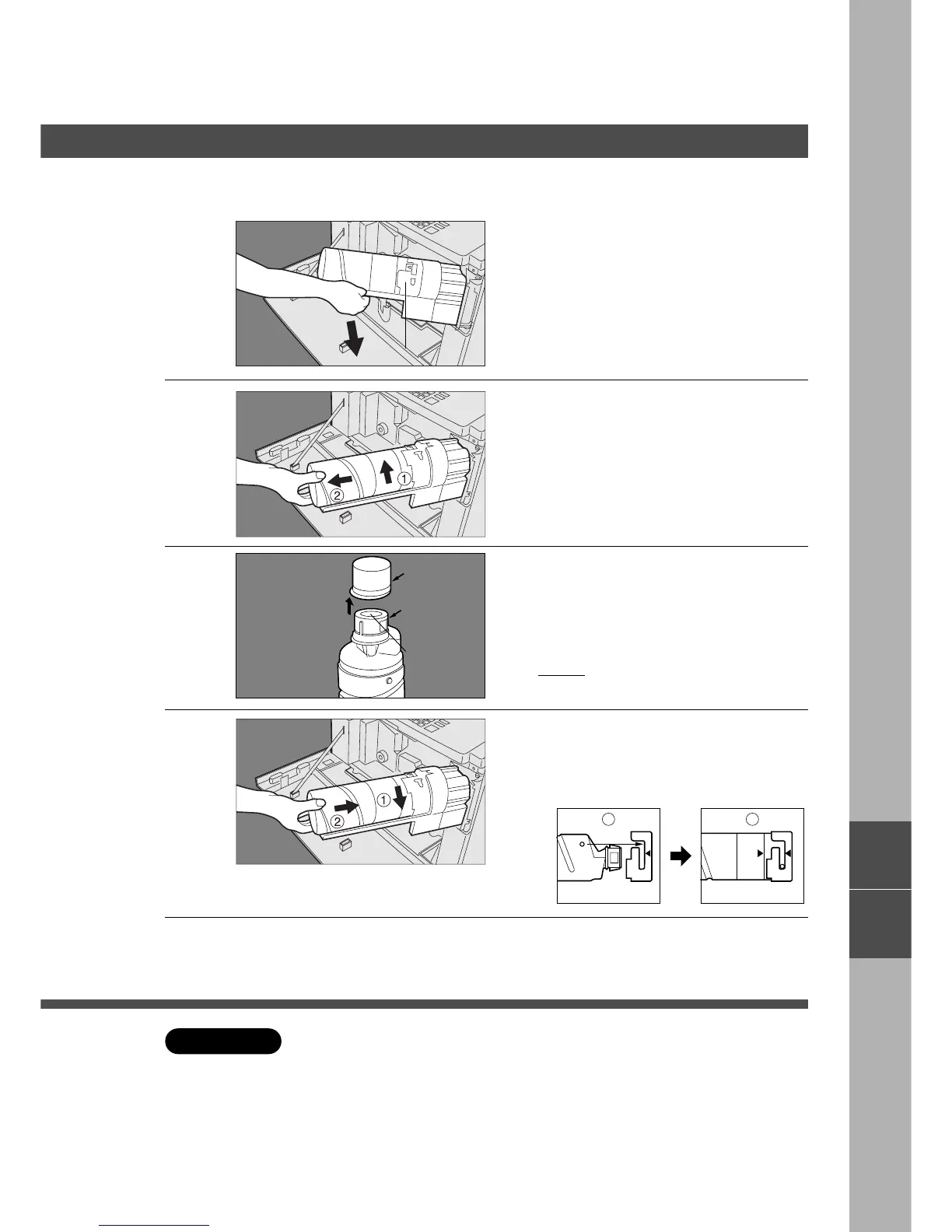
Remove toner bottle
# Turn empty toner bottle until it stops.
$ Slide empty toner bottle towards you
and remove.
3
Shake well before using.
10 – 15 times until the toner inside is
evenly distributed.
Remove the cap from the bottle.
Do not turn the shutter, or remove the
plug.
Toner Hopper
■■
■■
■ When U13 appears
New Toner
Bottle
J
?
Cap
Shutter
Plug
4
# Insert new toner bottle to the hopper
assembly.
$ Turn the bottle until it stops, and arrows
are aligned.
C For optimum copy quality use the recommended Panasonic toner. Store
toner in a cool dark place. Do not unseal toner before use. Use it as fast as
possible after unsealing.
5
Return the toner hopper assembly
to original position.
Close front panel.










 To Next Page