36
User preset mode
Select function
GENERAL FUNCTIONS COPIER SETTINGS
OK
05 Reduce N in 1 for space
06 Digital skyshot setting
07 Manual skyshot setting
08 Paper size priority
09
2/3
User preset mode; copier
select item
(3)
MULTI-SIZE
FEED
USER
PRESET
SORT/
FINISH
ENERGY
SAVER
INTERRUPTMANUAL RESET
1 32
4 65
7 98
0
A3
FLS•B4
A5
A4
A4
NOTE
Other Features
Digital Skyshot Modes
■■
■■
■ To copy from the platen with the platen cover or ADF open.
Two types of skyshot modes can be selected.
Manual Skyshot Mode: Making copies from small originals without dark areas around the
image.
Digital Skyshot Mode: Copies can be automatically adjusted although they are not placed in
parallel to the original guide. (except A3 and A4 B)
■■
■■
■ Setting the skyshot mode
1
A
3
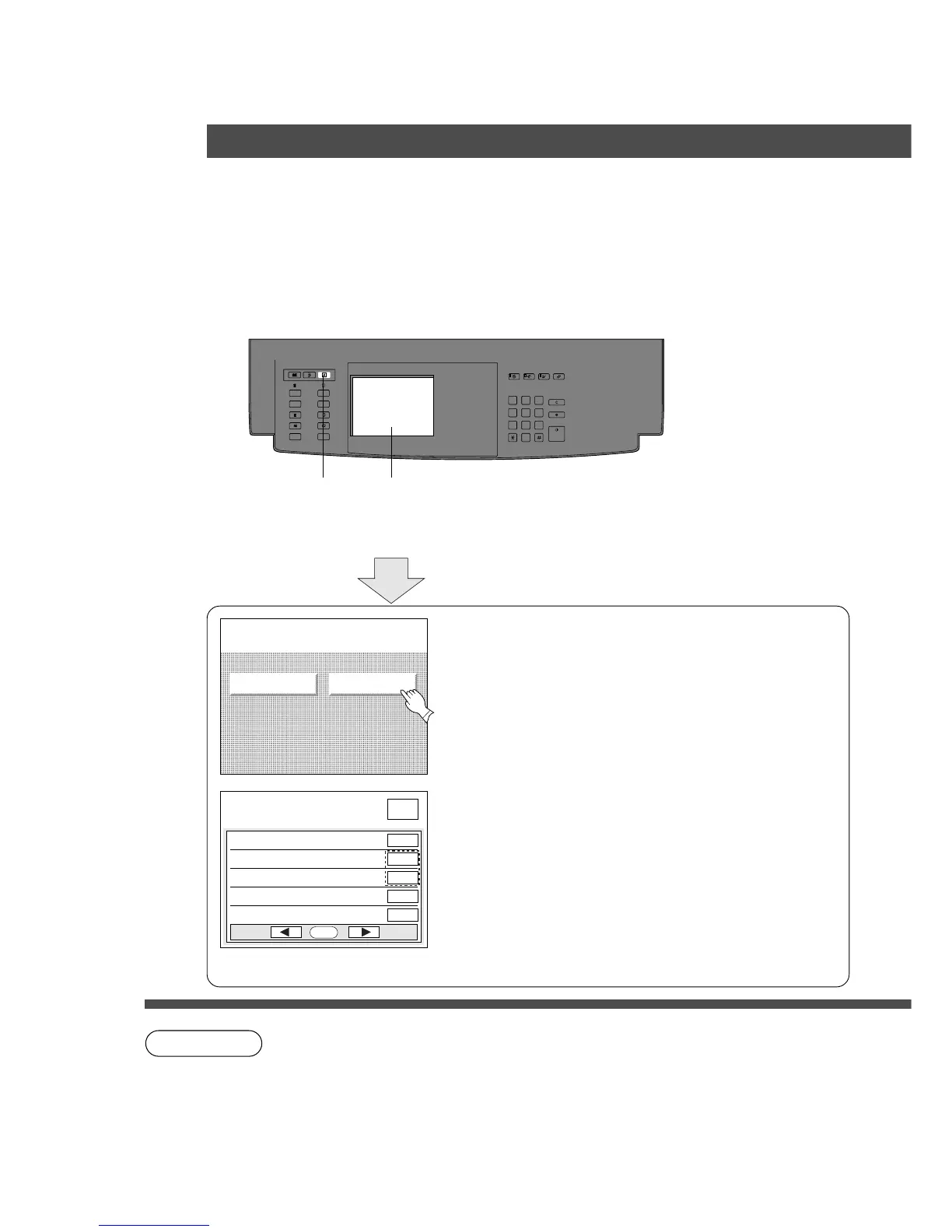
Press User Preset
2
Set the Skyshot Mode
(1) Touch the COPIER SETTINGS key.
(2) Touch the H key to open the 2/3 of Copier settings
menu.
(3) Touch the Digital skyshot mode or Manual skyshot
setting key.
(4) Select the desired function and touch OK key.
Digital Skyshot Mode
None
Free shape: Copy is made with slant.
Parallel: Copy is made to parallel. (within 5 degree)
Manual Skyshot Mode:
OFF, M1 ON, M2 ON, M1&M2 ON
C When changing the M1 or M2 size, please consult the key operator.
C Incorrect erasure may occur if there is a black line at the edge of the original or an
image which the copier is detected as a black pattern in the skyshot mode.
C Incorrect original position detection may occur if any strong light shines onto the platen
glass during skyshot mode.










 To Next Page