92
Handling
1
2
3
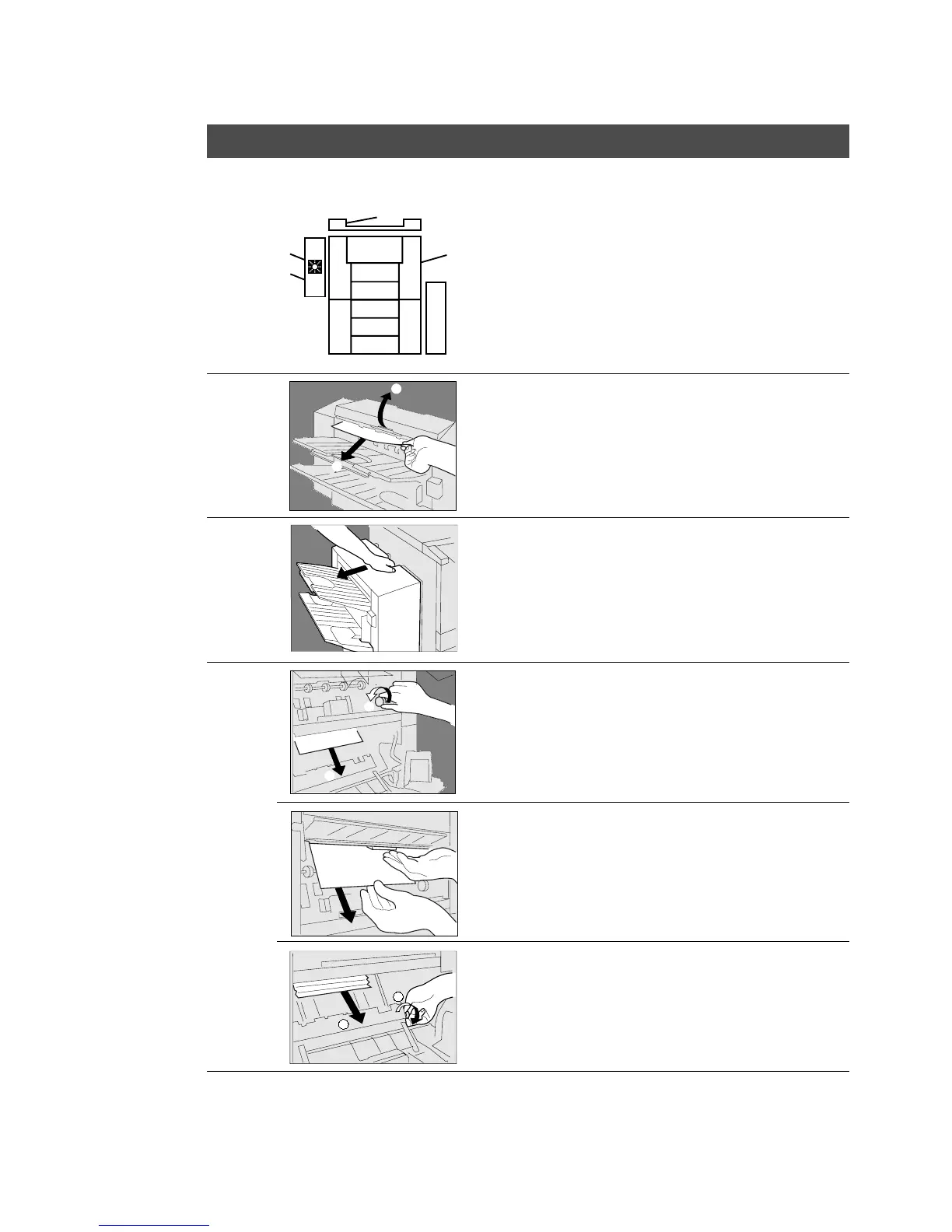
# Lift up the upper cover.
$ Remove misfed paper.
# Pull out the finisher.
$ Pull out the trash box.
(See P.71)
% Open the stapler cover.
(See P.69)
# Turn the paper transport knob A.
$ Remove misfed paper.
When paper cannot be removed:
Lift up the finisher guide and remove
misfed paper.
C Make sure that the misfeed indicator
goes off after removing all misfed
paper.
4
When the misfed paper is not found:
# Turn the paper transport knob B.
$ Remove misfed paper.
# Close the staple cover and install the
trash box.
$ Return the finisher to original position.
$
#
#
$
$
#
G
2 Bin Finisher (FA-F320)










 To Next Page