72
MULTI-SIZE
FEED
USER
PRESET
SORT/
FINISH
ENERGY
SAVER
INTERRUPTMANUAL RESET
1 32
4 65
7 98
0
A3
FLS•B4
A5
A4
A4
Options
Inverting Shift Tray (FA-TR350/TR355)
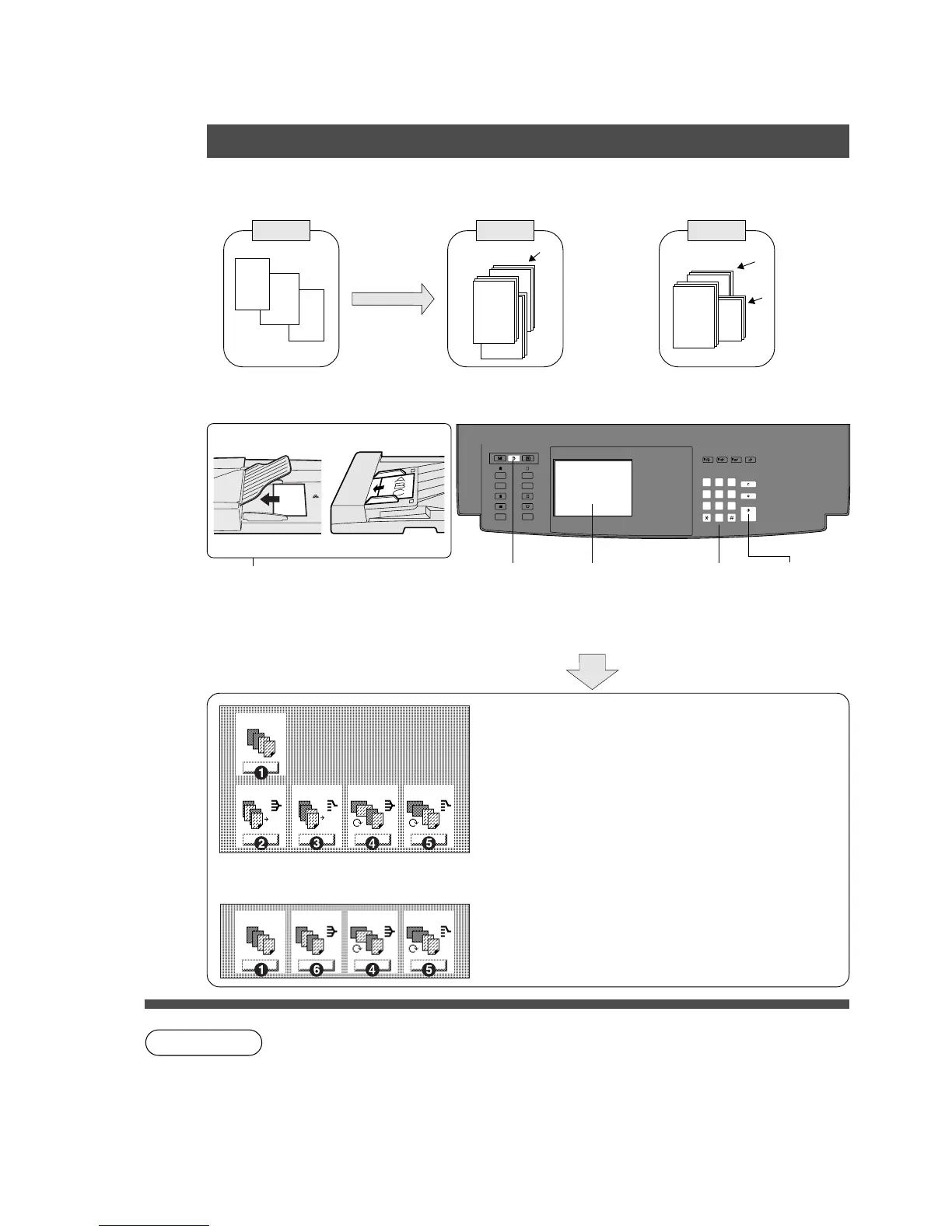
1.Feature
Copies are stacked on the upper bin. (Lower bin is for printer function)
Offset using electronic
sorting
Sort by rotating sets
2.Operation
Original Shift
Rotate
3
2
1
1
3
3
2
ADF i-ADF
NOTE
1
Position
original
2
Press
Sort/Finish
key
3
Select sort
mode
4
Number of
copies
5
Press Start
Select copy output method
# Non-sort*
Copies are exited onto tray.
$ Shift-sort**
Copied sets are offset and exited onto tray.
% Shift-group
Grouped copies are offset and exited onto tray.
& Sort-rotate*
Copied sets are separated by rotation and
exited onto tray.
( Group-rotate*
Grouped copies are rotated and exited onto
tray.
) Sort (Using Exit Tray)*
Copies are exited onto exit tray.
∗
Non-sort, Sort/rotate and Group/rotate are available without the FA-TR350/TR355.
Shift-sort and Shift-group require the FA-TR350/TR355.
∗∗
The Shift-sort is not available in the first set when the memory is full.
C The ADF/i-ADF is required for Sort/rotate and Group/rotate modes.
C Sort/rotate and Group/rotate functions are not available in the double sided copy, 2
page copy and 1 in N modes.
Face-Down Face-Up
2
1
Non-sort
Shift-sort Shift-group Sort/rotate
Group/rotate
Non-sort Sort Sort/rotate
Group/rotate
∗
Following modes are available using
the exit tray.










 To Next Page