12
Job memory
Basic Menu
ZOOM/EFFECTS
INSERTION JOB
Job memory
JOB STATUS
TEXT
PAPER TRAY
PHOTO
BASIC MENU
DUPLEX/
ORIG. --> COPY
ZOOM/
EFFECTS
INSERTION
JOB
JOB
MEMORY
LIGHT
DARK
Ready to Copy
1
AUTO
TEXT/PHOTO
2
AUTO
JOB STATUS
TEXT
PAPER TRAY
PHOTO
LIGHT
DARK
TEXT/PHOTO
2
MULTI-SIZE
FEED
USER
PRESET
SORT/
FINISH
ENERGY
SAVER
INTERRUPTMANUAL RESET
1 32
4 65
7 98
0
A3
FLS•B4
A5
A4
A4
ENERGY
SAVER
INTERRUPT
CLEAR
MANUAL RESET
1 32
Basic Menu
Full Size Copying
■■
■■
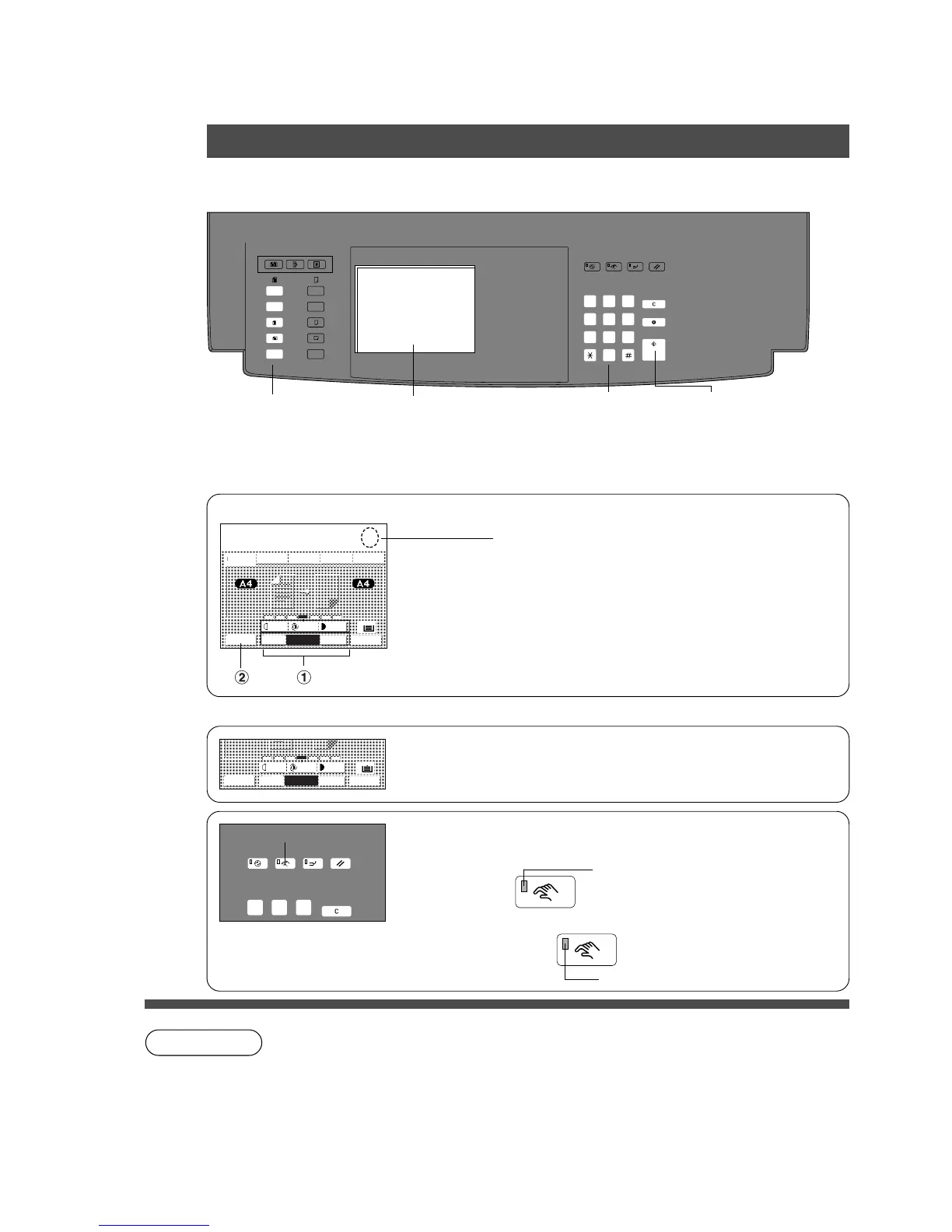
■ When copying the same size as the original (1:1)
Copy size and copy density are automatically selected.
NOTE
1
Position original
Original Size
Keys
Touch Panel Display
2
Number of copies
(Up to 999)
3
Press Start
■■
■■
■ Initial Screen
AUTO
JOB STATUS
TEXT
PAPER TRAY
PHOTO
LIGHT
DARK
TEXT/PHOTO
2
When placing A4 size originals
C Benefits of QUARC (QUAlitative Reasoning based adaptive Controller).
The FP-D355/D355DC/D455/D605 series features exclusive new Panasonic imaging
technology which utilises an advanced form of artificial intelligence to ensure optimal
copy quality and performance under varying environmental conditions, from a wide
range of originals.
∗
The Auto mode cannot be selected in following condition.
(1) The Photo mode is selected.
(2) The Photo mode or Text/Photo mode is selected when FA-A355 is used.
Select original size.
# Select original size with Original Size key.
Input the code number, if x appears.
Select exposure control
C Press the Light or Dark key.
The centre setting is the normal position.
C Touch the Auto key to change the Auto mode.*
$ Job Status Key
C Each setting jobs will be indicated on the display.
■■
■■
■ When manually selecting exposure control or original size:
# Select the original(s)
C Text: Originals are mainly composed of text.
C Photo: Originals are mainly composed of photo.
C Text/Photo: Combined originals with text and photo.
Lights up (Manual mode)
Light turns off
Manual Key
$ To cancel Manual mode
Press Key










 To Next Page