14
1
2
NOTE
Basic Menu
Using the Sheet Bypass
■■
■■
■ To copy on letterhead, mailing labels, transparencies and odd-size paper,
etc., or to use the bypass as an additional paper source.
1
Position original.
2
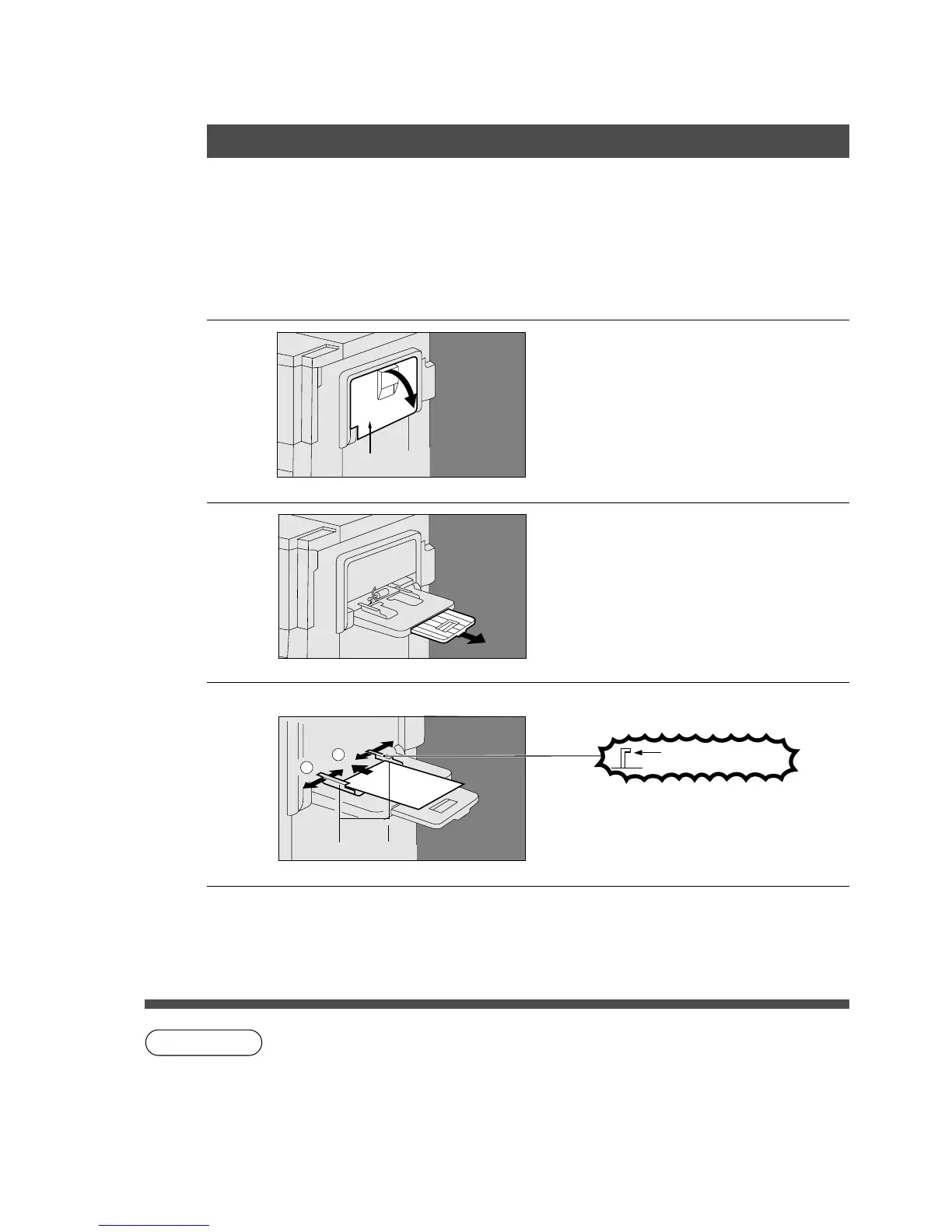
Open the Sheet Bypass.
Sheet Bypass
3
Pull out the Sheet Bypass tray
until it stops.
4
# Place approximately 50 sheets of
paper.
Do not fill above
Insert the paper until it stops.
$ Adjust the side guides.
Incorrect adjustment may cause paper
to wrinkle, misfeed or skew.
Side Guides
5
Press Start.
C The bypass has priority over the paper trays. The copier automatically selects the
Sheet Bypass when paper is placed in the empty bypass tray.
C Some types of mailing labels and transparency film may damage your machine.
Please contact your service provider for advice regarding non-standard paper types.
C Do not feed curled paper through the bypass to avoid misfeed.










 To Next Page