76
1
2
3
NOTE
ATTENTION
1
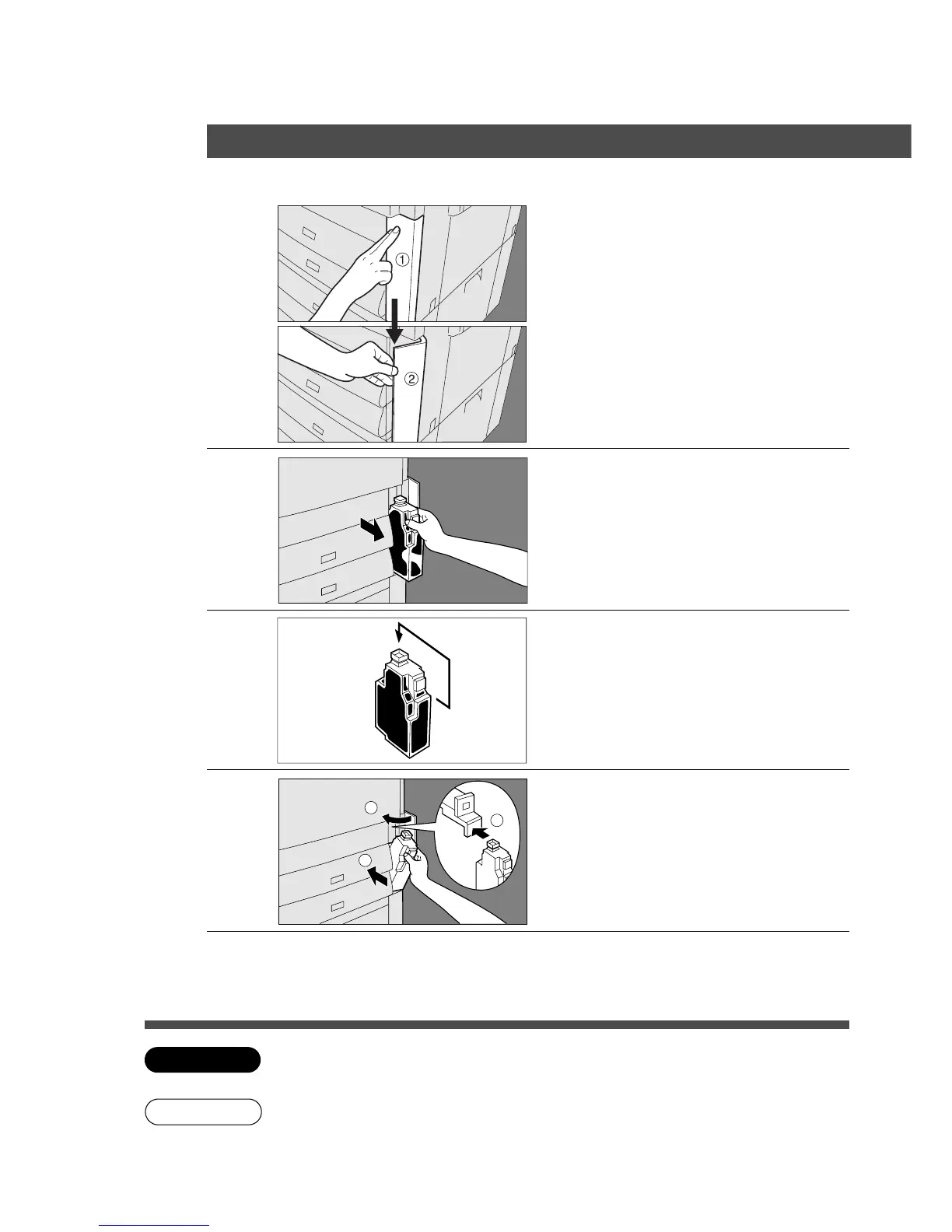
Open the front cover.
2
Slowly pull the waste toner box
straight out.
Do not squeeze the bottle.
3
4
Install a new waste toner box.
Do not insert the bottle from the top.
Close the box with the enclosed
cap.
5
Close the front cover.
Cap
C Do not reuse the toner from the waste toner box.
C If you have no replacement waste toner bottle, please contact your service provider.
■■
■■
■ When U14 appears
Handling
Replacing the Waste Toner Bottle










 To Next Page