81
ATTENTION
C
E
Handling
■■
■■
■ System console/Large Capacity Cassette
2
1
2
1
2
1
1
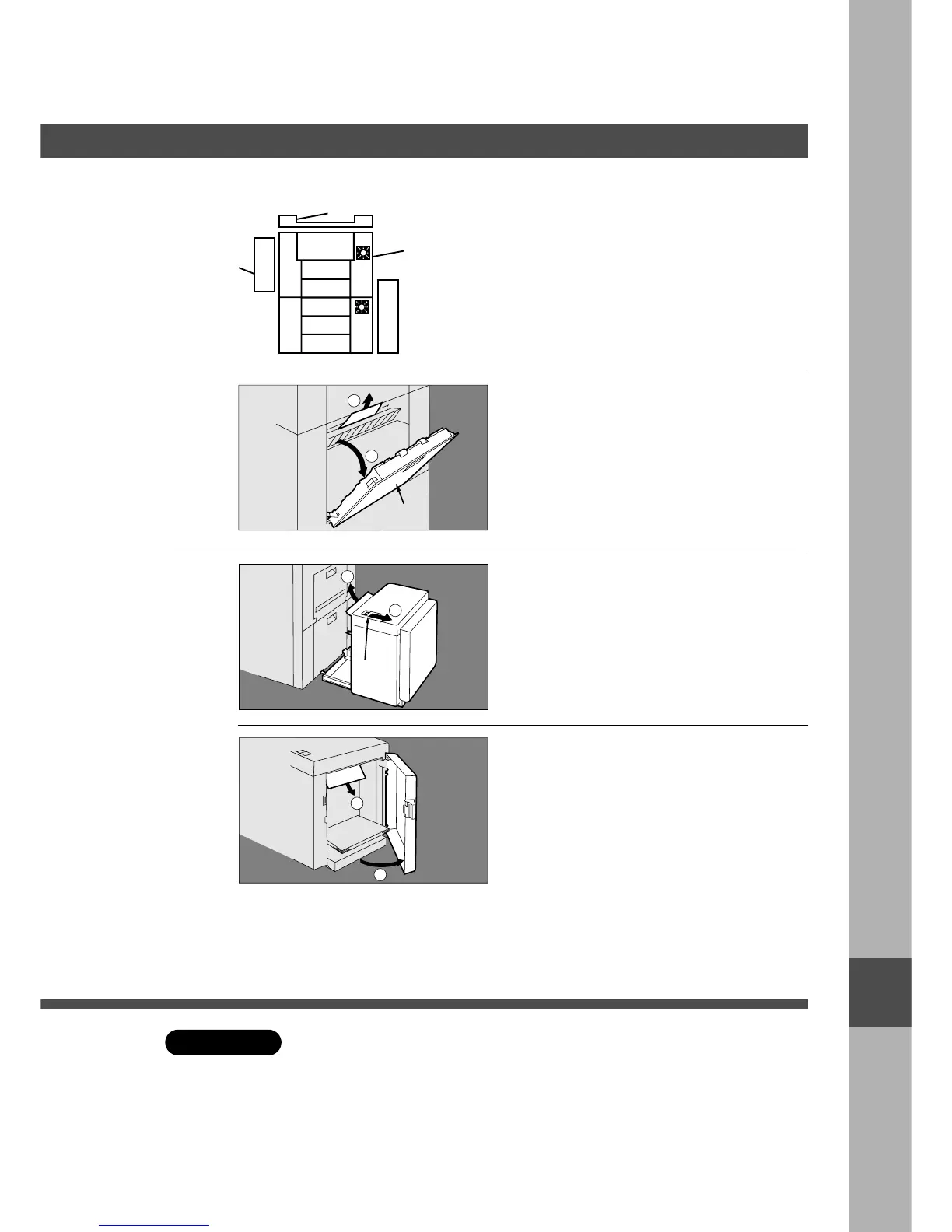
System console
# Open the paper feed cover.
$ Remove the misfed paper.
% Close the paper feed cover.
2
Large Capacity Cassette
# Hold the latch and slide the large
capacity cassette to the right.
$ Remove the misfed paper.
# Open the door.
$ Remove the misfed paper.
% Close the door.
& Return the large capacity cassette to
original position.
Paper Feed Cover
Release Latch
C Make sure that the misfeed indicator goes off after removing all misfed paper.
I










 To Next Page