80
ATTENTION
B
C
Handling
■■
■■
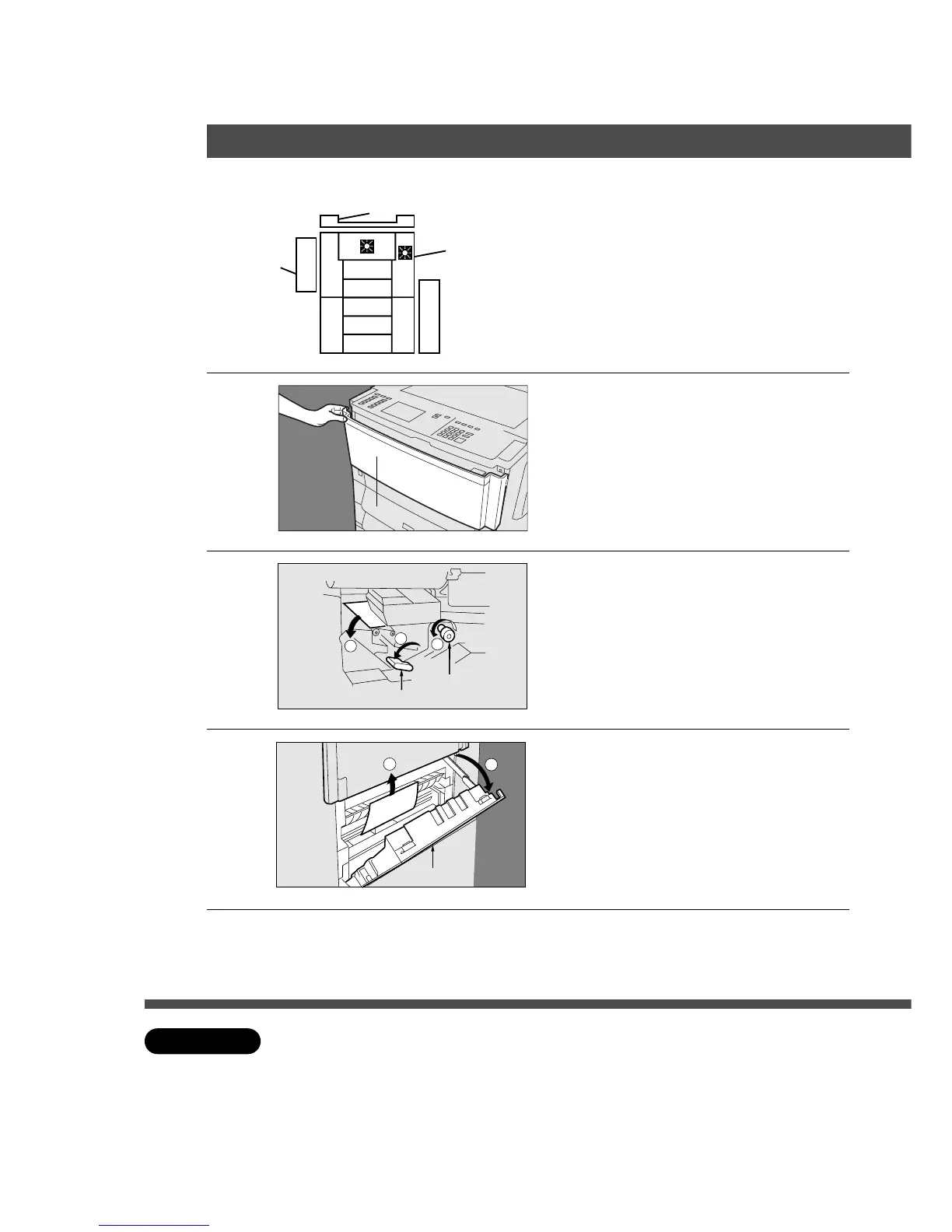
■ Paper transport and paper entry areas
1
3
2
1
2
1
Open front panel.
2
# Lower lever a.
$ If copy paper is fed far into the copier,
turn the right paper clearing knob.
% Remove the misfed paper.
& Raise lever a to original position.
3
# Open the paper feed cover.
$ Remove misfed paper.
% Close entry cover.
4
Close front panel.
Right Paper
Clearing Knob
Entry Cover
Lever
aa
aa
a
C Do not touch or scratch the surface of the drum.
C Make sure that the misfeed indicator goes off after removing all misfed paper.
Front Panel










 To Next Page