28
CANCEL
Set zoom %
press OK
MULTI-SIZE
FEED
USER
PRESET
SORT/
FINISH
ENERGY
SAVER
INTERRUPTMANUAL RESET
1 32
4 65
7 98
#0
A3
FLS•B4
A5
A4
A4
NOTE
ATTENTION
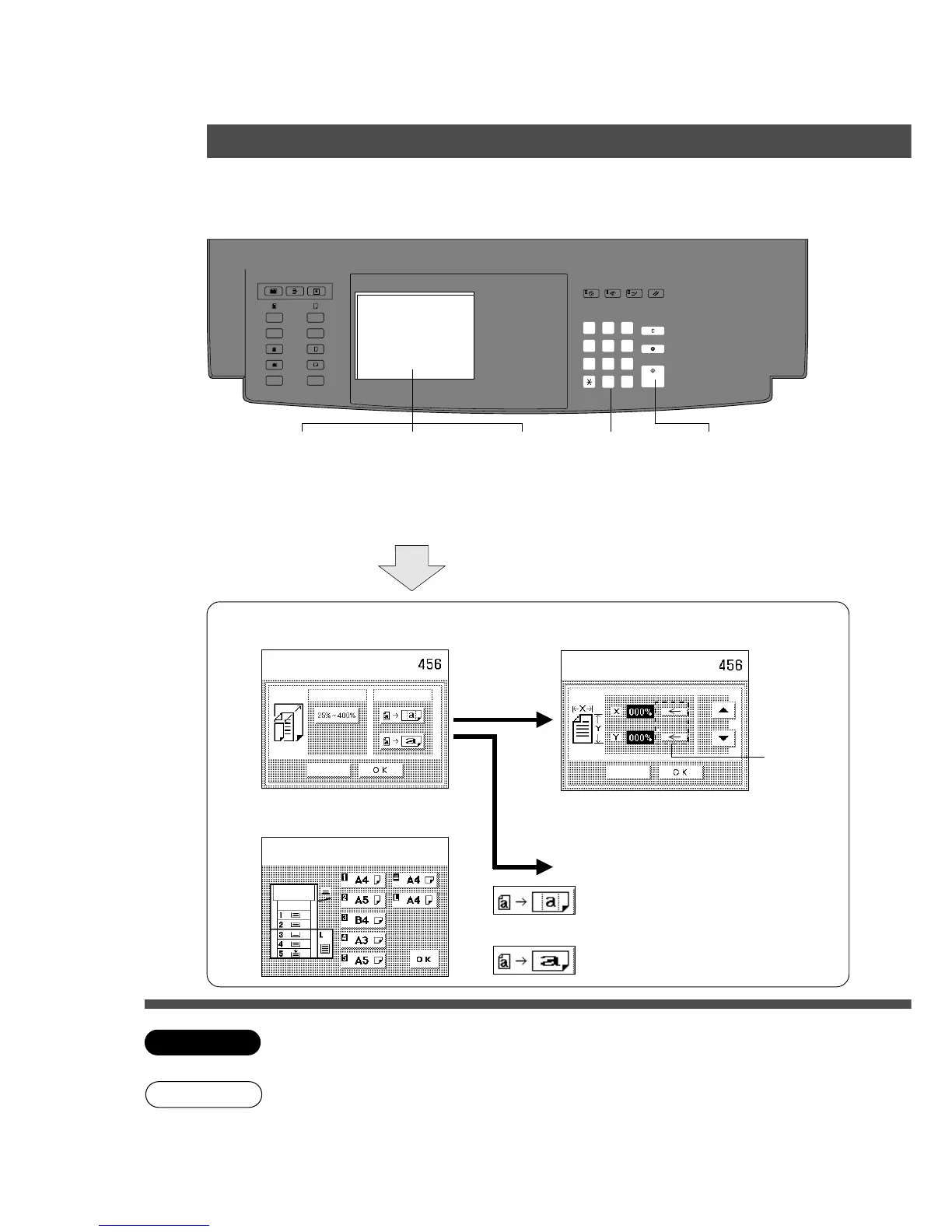
Zoom Copying
■■
■■
■ Zoom
Copies with variable zoom ratios from 25%
to 400% in 1% increments.
■■
■■
■ Auto Zoom
Copy ratio can be selected automatically by
selecting the paper size.
1
Position
original
Zoom/Effects
Select paper tray
Press OK
Cancel
Zoom
Auto zoom
CANCEL
Select function
press OK
2
Select Zoom/
Effect mode
3
Select Zoom
or Auto Zoom
4
Select
paper
5
Number of
copies
(Up to 999)
6
Press
Start.
On the platen
when Auto Zoom
3
Select Zoom or Auto Zoom and
touch OK.
Select copy ratio by using F·G keys and
touch OK.
Zoom
Auto Zoom
Select mode and touch OK.
X·Y key
When setting X, Y zoom ratio individually,
press X, Y key first, then set the zoom ratio
by F·G key.
4
Select paper size and touch OK.
Setting X, Y zoom to same ratio along
with the height or width (whichever
shorter) of the copy paper.
Setting X, Y zoom ratio individually along
with the height and width of the copy paper.
C When changing paper size after setting zoom ratio, please use cassette key.
If you use copy size key, zoom ratio will be changed.
C Remove the originals from the ADF/i-ADF before selecting the auto zoom mode.
C Incorrect original position detection may occur if any strong light shines onto the platen
glass during the auto zoom mode.
C To reset a mode selected using the menu, touch Cancel key on the touch panel.
In Auto Zoom mode, make
copies with ADF/i-ADF or
platen cover open.










 To Next Page