24
N in 1 copy
NOTE
Duplex/Original
HH
HH
H Copy
■■
■■
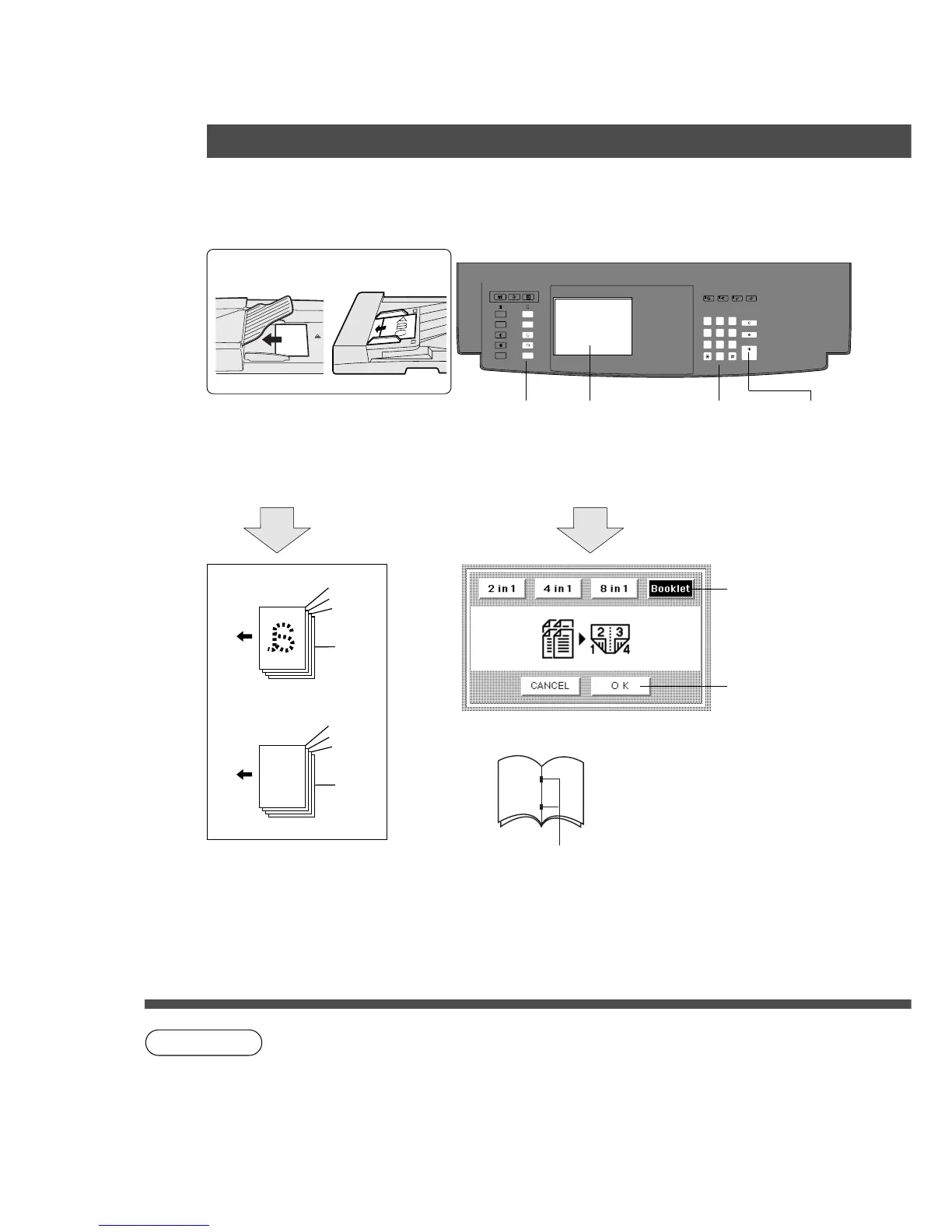
■ Booklet Copy
From plural single sided originals, side by side, to single sided pages.
$ Touch OK key
C The OK key
cannot be
operated
when
originals are
placed onto
ADF/i-ADF.
MULTI-SIZE
FEED
USER
PRESET
SORT/
FINISH
ENERGY
SAVER
INTERRUPTMANUAL RESET
1 32
4 65
7 98
0
A3
FLS•B4
A5
A4
A4
■■
■■
■ Procedure
ADF i-ADF
Face-Down Face-Up
1
Place originals
(A4 size only)
Copy size
2
Touch N in 1 mode
and make selection
3
Number of
copies
(Up to 999)
4
Press Start
# Touch Booklet
key
4
3
2
1
1
2
3
4
a
ADF
i-ADF
When using the FA-F365:
Copies are
sorted,
stitched and
stapled.
When using booklet, the maximum number
of images that can be stored is 60. If the
original capacity you are copying exceeds
50 (ADF capacity), a user intervention
screen will appear that will enable you to
process more originals. If this screen does
not appear, see page 43.
C The ADF/i-ADF is required for N in 1 copy.
C When copying landscape direction, center edge of copied image will be
lacked.
C For FA-F365: when the paper is misfed in the saddle stitcher unit or the inlet
cover/upper cover is opened, re-start copying from the first page.










 To Next Page