15
Duplex/Original
HH
HH
H Copy
■■
■■
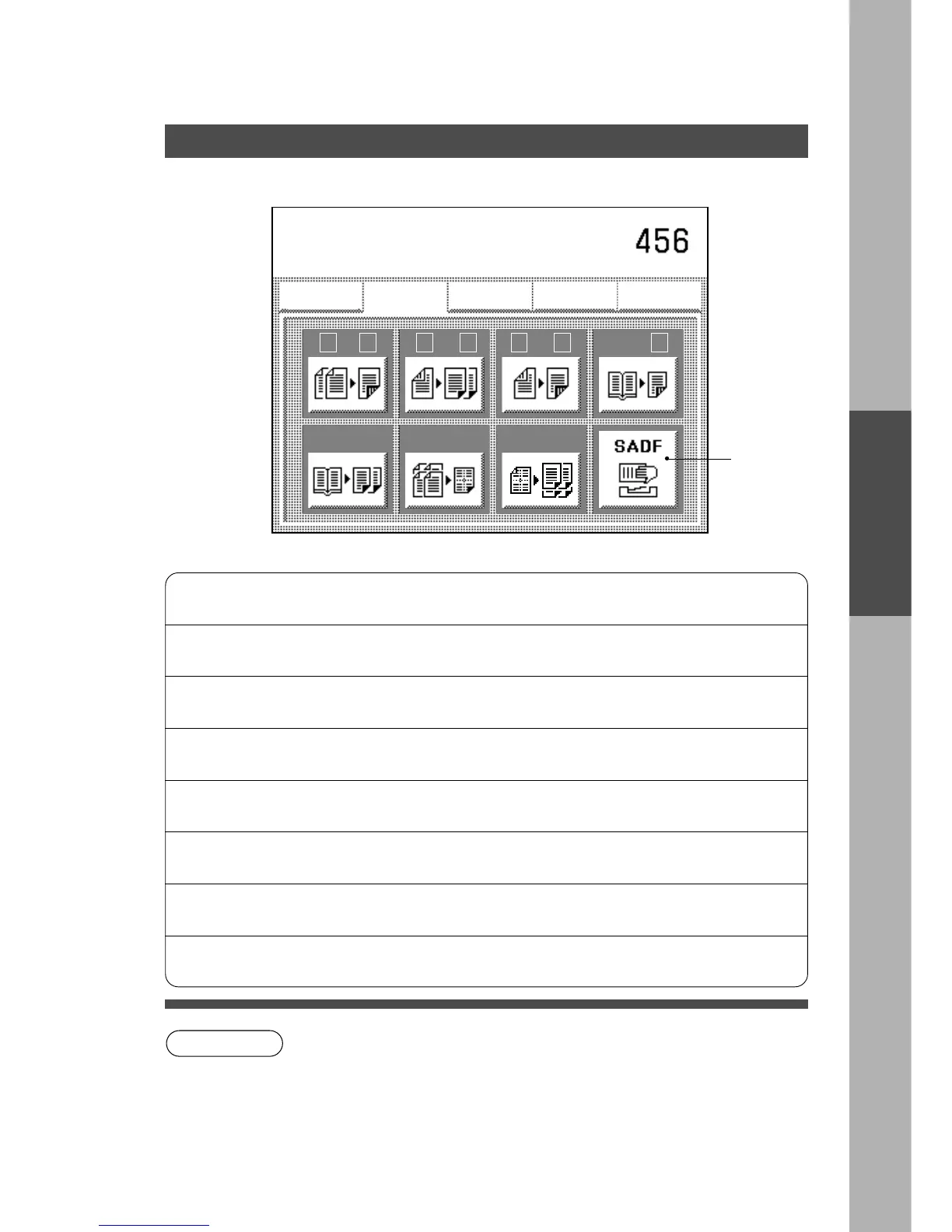
■ Initial Screen
C Touch the desired key to select the function.
∗
Displays when selecting “Yes” with the SADF function. (See P.49)
C To copy double sided originals you can use the i-ADF (FA-A888) or place
double sided originals directly onto the original glass.
C ADU (Automatic Duplex Unit) is required when making a double sided copy.
The ADU FP-D355DC/D455/D605 is standard.
C To reset Duplex/Original H Copy mode, press Reset key.
1 \ 2
From single sided originals to double
sided copies.
⇒ See P.16
2 \ 1
From double sided originals to single
sided copies.
⇒ See P.16
2 \ 2
From double sided originals to double
sided copies.
⇒ See P.16
Book \ 2
From book originals to double sided
copies
⇒ See P.17
2 Page
Copying two facing pages of an A3 size
original on two separate A4 size sheets.
⇒ See P.18
N in 1
From two (or four or eight) single sided
originals onto side by side single sided
copies.
⇒ See P.19
1 to N
From one single sided original to two
(or four) single sided copies.
⇒ See P.25
SADF
A special original (like thin paper etc.,)
can be fed from the ADF/i-ADF original
tray.
⇒ See P.26
Using the Sheet Bypass
Duplex/Original
HH
HH
H Copy
Basic Menu
ZOOM/EFFECTS
INSERTION JOB
Job memory
DUPLEX/
ORIG. --> COPY
ZOOM/
EFFECTS
INSERTION
JOB
JOB
MEMORY
BASIC MENU
1
2
\
2
1
\
2
2
\
Book
2
\
2 page
in
N
1
to
N
1
Select function
∗
NOTE










 To Next Page