26
MULTI-SIZE
FEED
USER
PRESET
SORT/
FINISH
ENERGY
SAVER
INTERRUPTMANUAL RESET
1 32
4 65
7 98
0
A3
FLS•B4
A5
A4
A4
NOTE
Basic Menu
ZOOM/EFFECTS
INSERTION JOB
Job memory
BASIC MENU
DUPLEX/
ORIG. --> COPY
ZOOM/
EFFECTS
INSERTION
JOB
JOB
MEMORY
\\\
2
1
2
2
Book
2
\
2 page
in
N1
1
to
N
1
2
Select function
Job memory
Basic Menu
ZOOM/EFFECTS
INSERTION JOB
Job memory
JOB STATUS
TEXT
PAPER TRAY
PHOTO
BASIC MENU
DUPLEX/
ORIG. --> COPY
ZOOM/
EFFECTS
INSERTION
JOB
JOB
MEMORY
LIGHT
DARK
Ready to Copy
2
AUTO
TEXT/PHOTO
■■
■■
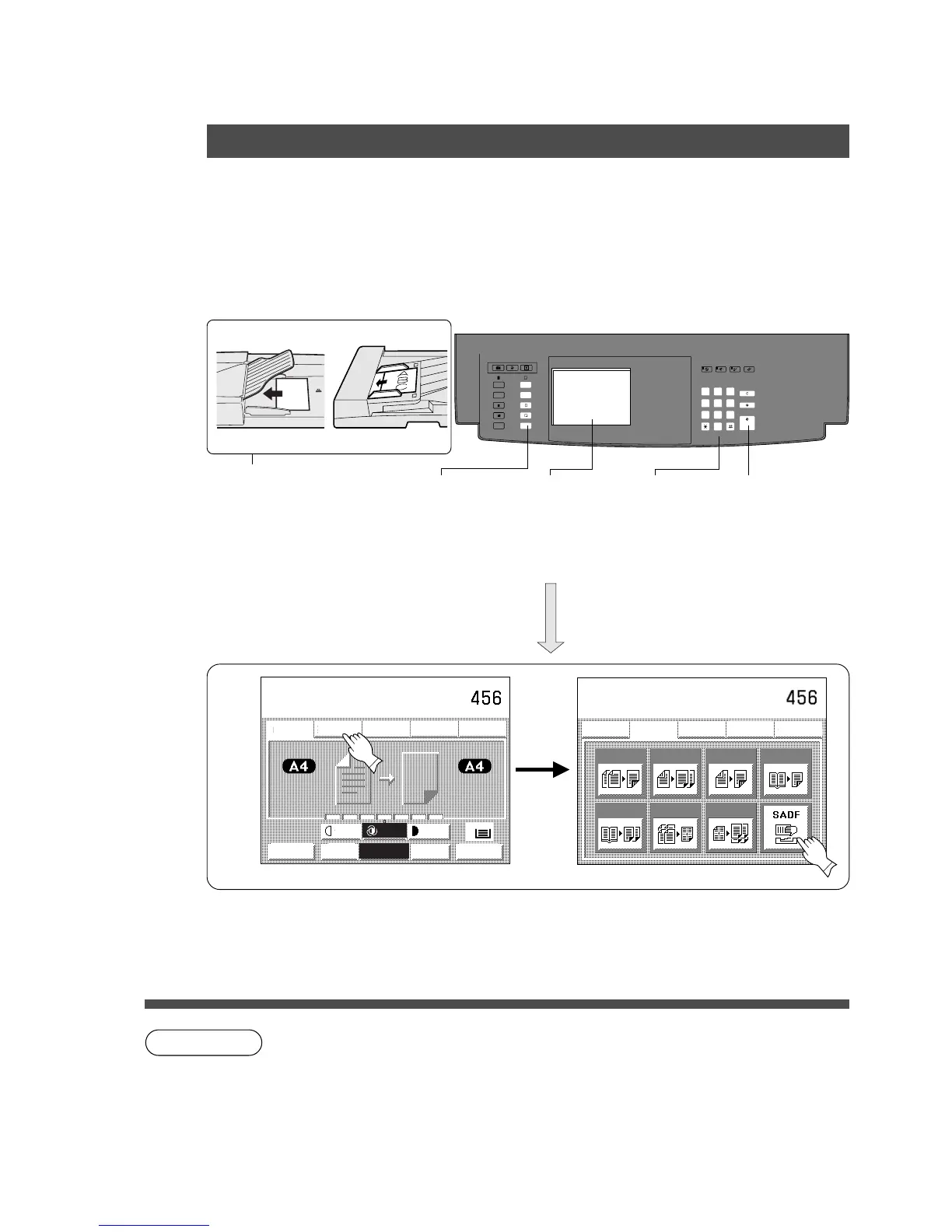
■SADF (Single Automatic Document Feeder) Function
A special original (like thin paper etc.,) can be fed from the i-ADF original tray and copied
continuously with manual operation.
Select SADF setting “Yes” in the user preset mode before using this function. (See page 49)
■■
■■
■ Procedure
SADF MODE
Duplex/Original
HH
HH
H Copy
ADF i-ADF
Face-Down Face-Up
1
A
7
Position original
one at a time
(3)
Copy size
(reduction/
enlargement only)
2
Select [
function
4
Number of
copies
(Up to 999)
5
Press
Start.
6
Timing for next original
C In 5 sec. from last
copy exit.
7
Copy
C SADF function cannot be combined with 2 \ 1, 2 \ 2, N in 1 and Finishing
function (except Non-sort).
C Set the original from the last page in 1 \ 2 copy mode.
C To reset a mode selected using the menu, touch Cancel key on the touch panel.
#$










 To Next Page