31
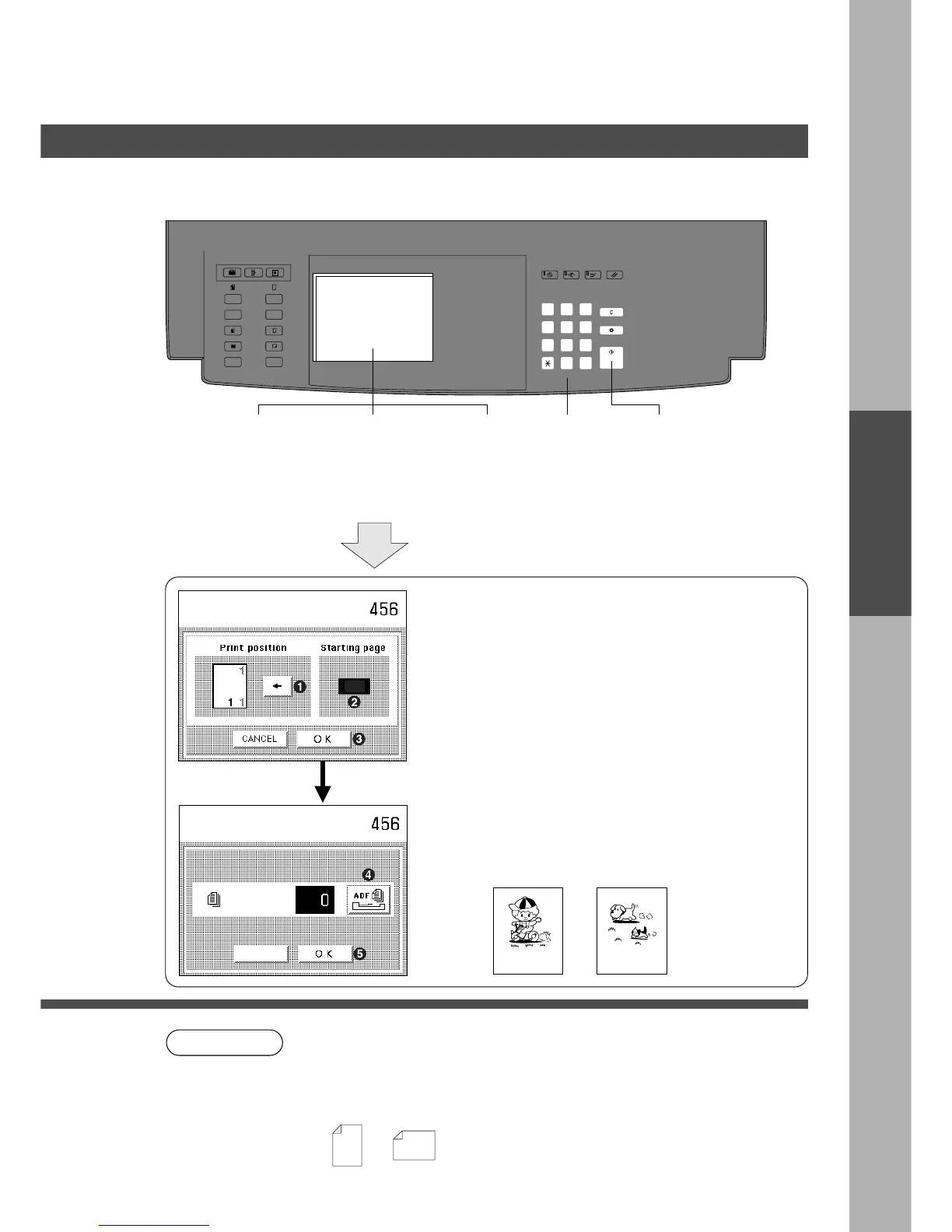
Select position and
start page; press OK
3
MULTI-SIZE
FEED
USER
PRESET
SORT/
FINISH
ENERGY
SAVER
INTERRUPTMANUAL RESET
1 32
4 65
7 98
#0
A3
FLS•B4
A5
A4
A4
Zoom/Effects
Page Numbering
■■
■■
■ Feature
The page number can be automatically printed on each page.
2
Select Zoom/
Effect mode
3
Select Page
Numbering
4
Select
paper
5
Number of
copies
(Up to 999)
6
Press Start
# Select print position for page numbering.
$ Select the first page to begin page numbering
using 10-key on the control panel. Page 1, 2 or
3 can be selected.
% Touch OK key.
& Touch ADF key or input the number of originals
with Key Pad.
( After originals are counted, touch the OK key.
) When the ADF key is touched in the step #,
re-position originals in document feeder.
1
Position
original
(ADF/i-ADF
only)
–1– 1/8
Cancel
Number of Original
CANCEL
Number of
originals
Set number of originals
Press OK
NOTE
Zoom/Effects
C The page numbering format can be changed in user preset mode. (See P.41)
C To reset a mode selected using the menu, touch Cancel key on the touch panel.
C Print position
C Page number is indicated with -n- or n/m form.
(Example)
1 1
1
1 1
1
LandscapePortrait










 To Next Page