27
Duplex/Original
HH
HH
H Copy
Zoom/Effects
NOTE
■■
■■
■ Initial Screen
C Touch the desired key to select the function.
Basic Menu
DUPLEX
PRIG --> COPY
ZOOM/EFFECTS
INSERTION JOB
Job memory
BASIC MENU
DUPLEX/
ORIG. --> COPY
ZOOM/
EFFECTS
INSERTION
JOB
JOB
MEMORY
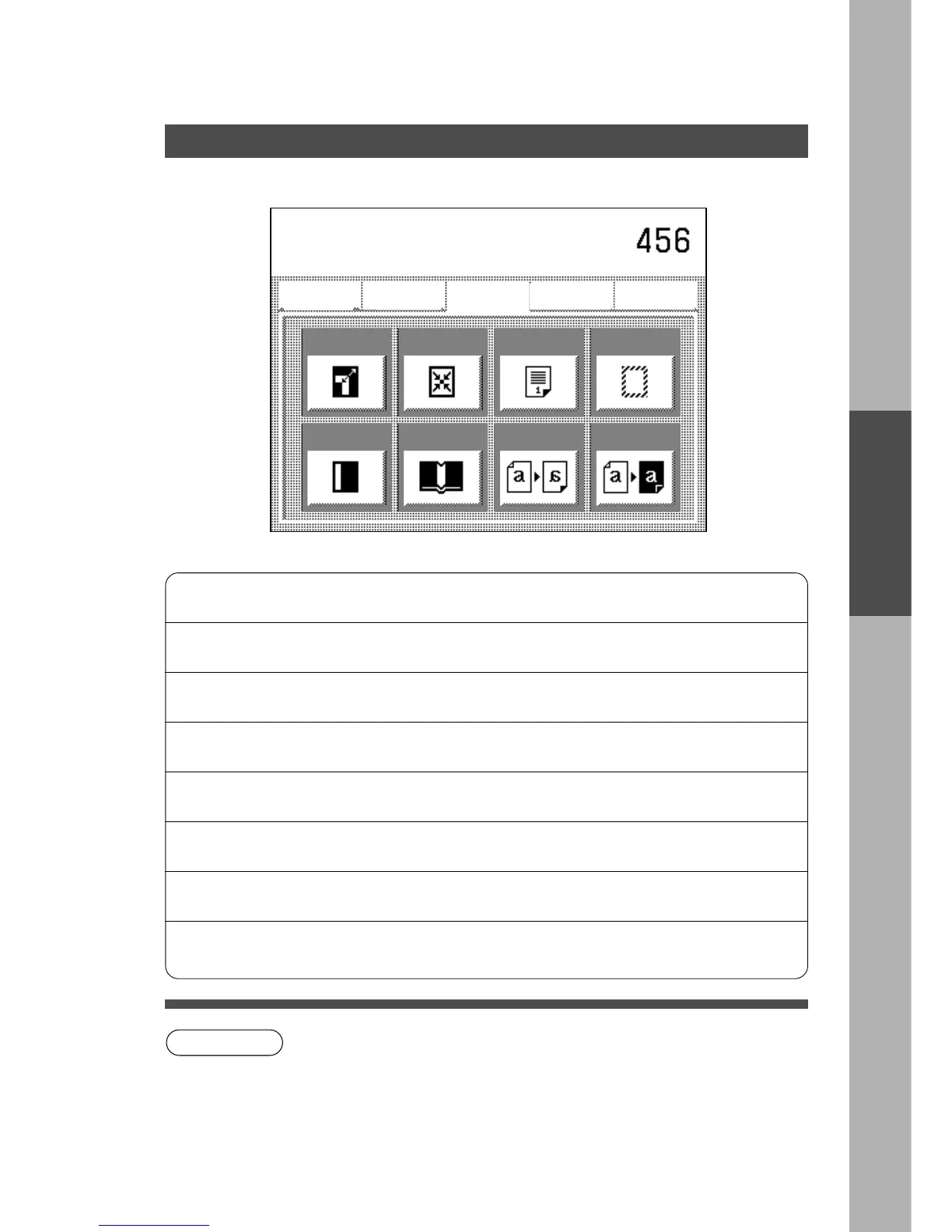
Zoom
Centering
Page
Numbering
Edge
Mirror
Inverse
Book
Margin
Select function
C To reset Zoom/Effects mode, press Reset key.
C For combining Zoom/Edit functions and other functions, see page 39.
C Press the Clear key and re-enter the correct number if you make a mistake.
Zoom
Copies with variable zoom ratios from
25% to 400% in 1% increments.
⇒ See P.28
Centring
Shifts image to centre. ⇒ See P.29
Page Numbering
Prints a page number on the copies. ⇒ See P.31
Edge
Creates a blank edge. ⇒ See P.30
Margin
Shifts image to right or left. ⇒ See P.30
Book
Eliminates dark inner binding shadows. ⇒ See P.30
Mirror
Copies a mirror image. ⇒ See P.29
Inverse
Copies a inverse image.
C Negative to Positive
C Positive to Negative
⇒ See P.29










 To Next Page