62
MULTI-SIZE
FEED
USER
PRESET
SORT/
FINISH
ENERGY
SAVER
INTERRUPTMANUAL RESET
1 32
4 65
7 98
0
A3
FLS•B4
A5
A4
A4
Options
2 Bin Finisher, Exit Guide Unit (FA-F365/FK36/SP30)
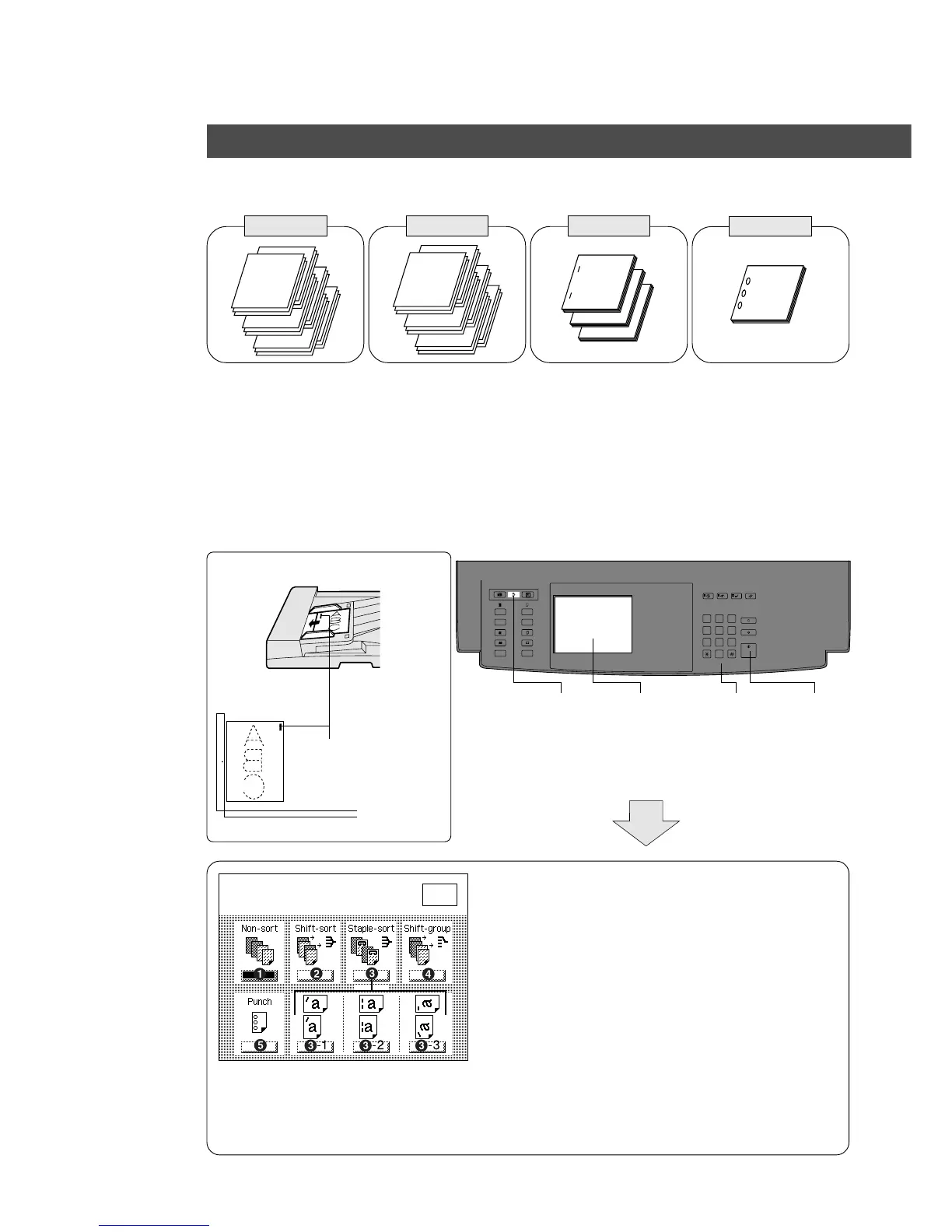
1. Features
FA-F365 (2 Bin Finisher)
C Shift electronic sort copy C Staple electronic sort
copy
C Up to 50 originals
(A4)/30 originals (A3,
B4, A4 C)
C Paper Weight: 64 – 80
g/m
2
FA-FK36 (Exit guide unit)
C Feeds paper to 2 bin finisher
2. How to use
i-ADF
Face-Up
Platen
4
Number
of copies
5
Press
Start
Staple Position
(ex. %-1)
Face-Down
1
Position
original
2 3
Select Sort/
Finish key
Select
sort mode
Select the type of copy group mode into inverting unit
# Non-sort
Copy is stored on the tray
$ Shift-sort*
Multiple copies are sorted automatically and
stacked with shift.
% Staple-sort
Following functions can be selected by
pressing staple-sort key.
%-1: Top left corner (1 position)
%-2: Left (2 positions) (except A4 C)
%-3: Bottom left corner (1 position)
& Shift-group
Multiple copies are stored by shifting
( Punch
Copies are punched and exited onto bin/tray.
∗
The Shift-sort is not available in the
first set when the memory is full.
Select finisher mode(s)
Press OK
O K
C Stack by punch
Staple-sortShift-sort
1
1
1
PunchShift-group
1
4
6
2
3
5










 To Next Page