73
Handling
Adding Paper
■■
■■
■ 550 Sheet Paper Tray
1
4
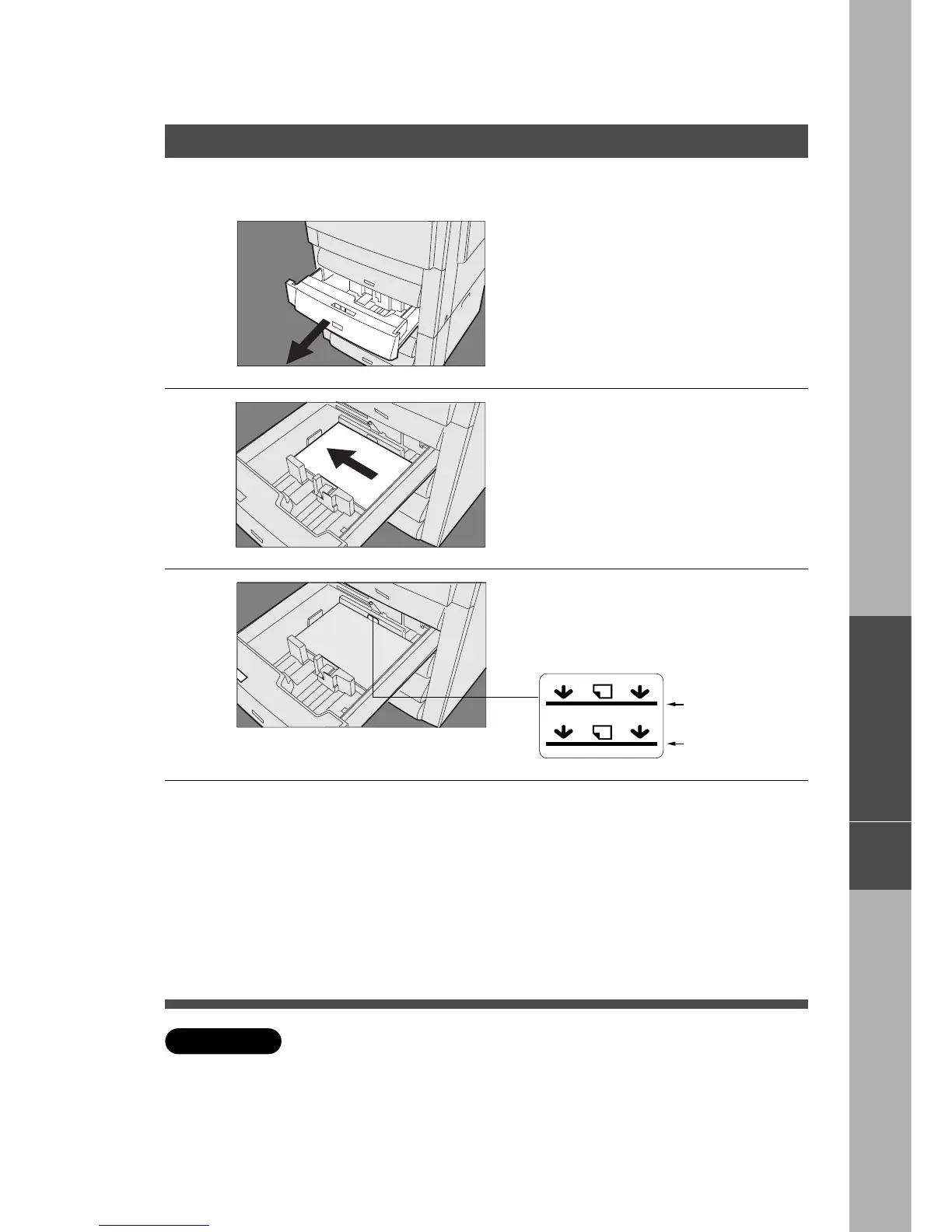
Pull paper tray out of copier.
Do not load ADU with paper. (Option)
2
Place paper into paper tray.
Special papers, like glossy paper, mailing
labels and transparencies cannot be used
in the paper tray. Use bypass for special
paper.
3
Overfill Indicator
Make sure paper is not loaded
above overfill indicator located in
the paper tray.
Single sided copy
Double sided copy*
Push paper tray back into copier.
2
1
∗
When making double sided copies without an automatic duplex unit, place
the copies face-up in the paper tray to the double sided overfill indicator.
C When the staple sorter is used:
Some papers may not be suitable for stapling. Please check with your
service department if you are unsure about the type of paper you are using.
ATTENTION
J
Inverting Shift Tray










 To Next Page