68
MULTI-SIZE
FEED
USER
PRESET
SORT/
FINISH
ENERGY
SAVER
INTERRUPTMANUAL RESET
1 32
4 65
7 98
0
A3
FLS•B4
A5
A4
A4
NOTE
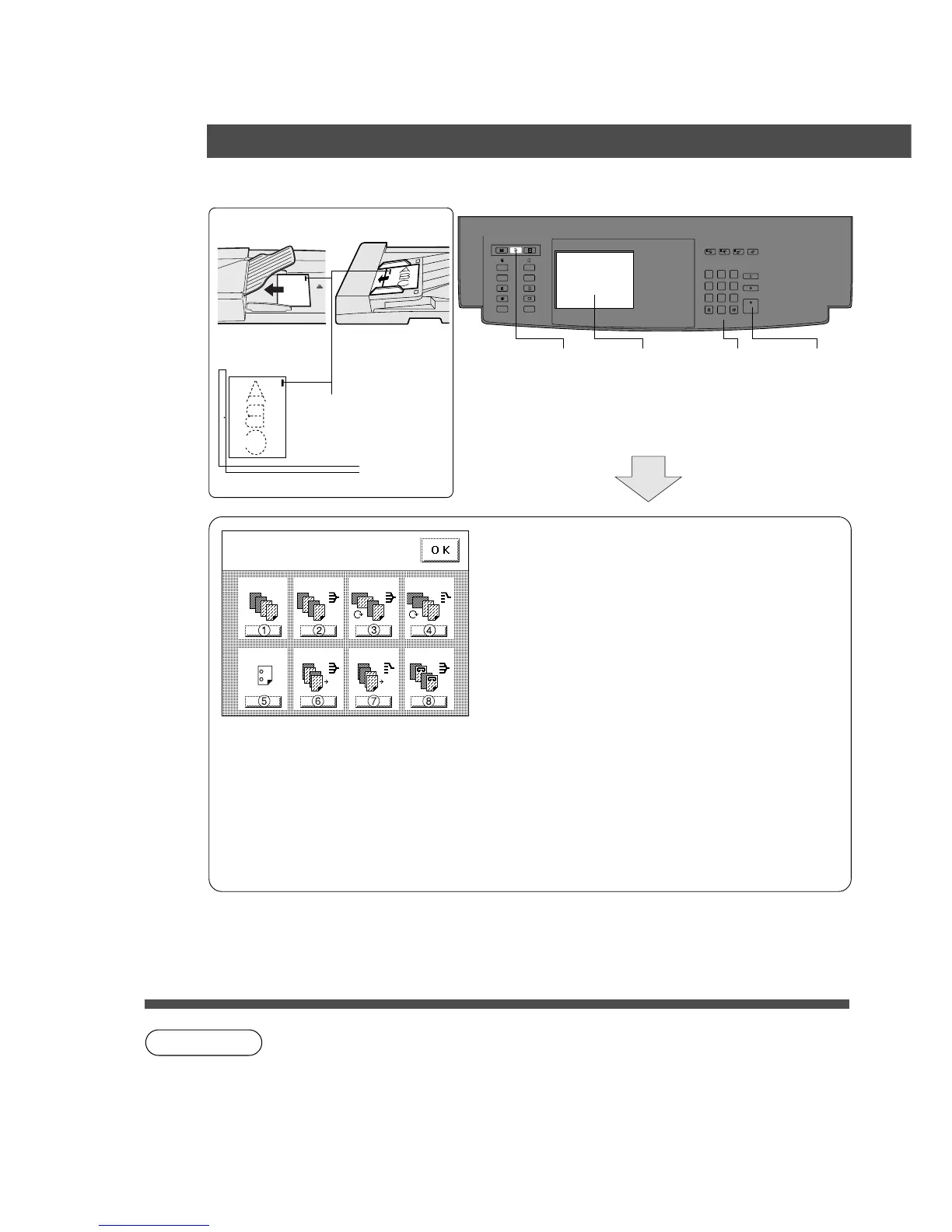
Select finisher mode(s)
Press OK
A4
A4 A4
Punch
Non-sort
Sort Sort/rotate
Group/rotate
Shift-sort Shift-group Staple-sort
2 Bin Finisher, Exit Guide Unit
3. How to use
ADF i-ADF
Face-Down Face-Up
Platen
4
Number
of copies
5
Press
Start
Staple Position
Face-Down
1
Position
original
23
Select Sort/
Finish key
Select
sort mode
Select the type of copy group mode into 2 bin
finisher and press OK.
# Non-sort
Copy is stored on the tray
$ Sort
Multiple copies are sorted automatically and
stacked with shift.
% Sort-rotate (Upper bin only)
Copied sets are separated by rotation and
exited onto tray.
& Group-rotate (Upper bin only)
Grouped copies are rotated and exited onto
tray.
( Punch*
Sorted copies are punched and exited onto tray.
(Except Sort-rotate and Group-rotate modes)
) Shift-sort (Lower bin only)
Copied sets are offset and exited onto tray.
* Shift-group (Lower bin only)
Grouped copies are offset and exited onto tray.
+ Staple-sort (Lower bin only)
Sorted copies are stapled and exited onto tray.
∗
In the punch mode, A3 size and A4 B
size are available. With other sizes,
punch is not enough or lack of the
hole(s).
In the 2 hole punch mode, B4⋅FLS
size and A4 size are available.
C The above sort modes may not work if you are using gray originals, as this may cause
a memory overflow.
In such a case, it is recommended either make copies by separate lots (except staple-
sort) or install optional hard disk (FA-HD13/HD14).










 To Next Page