312
Setting Inspection Conditions
Moving Marker (Inputting Command from External
Device)
Ver. 1.60 or later
The created marker can be moved by inputting commands
(*1) from the external device. It is also possible to read the
current position.
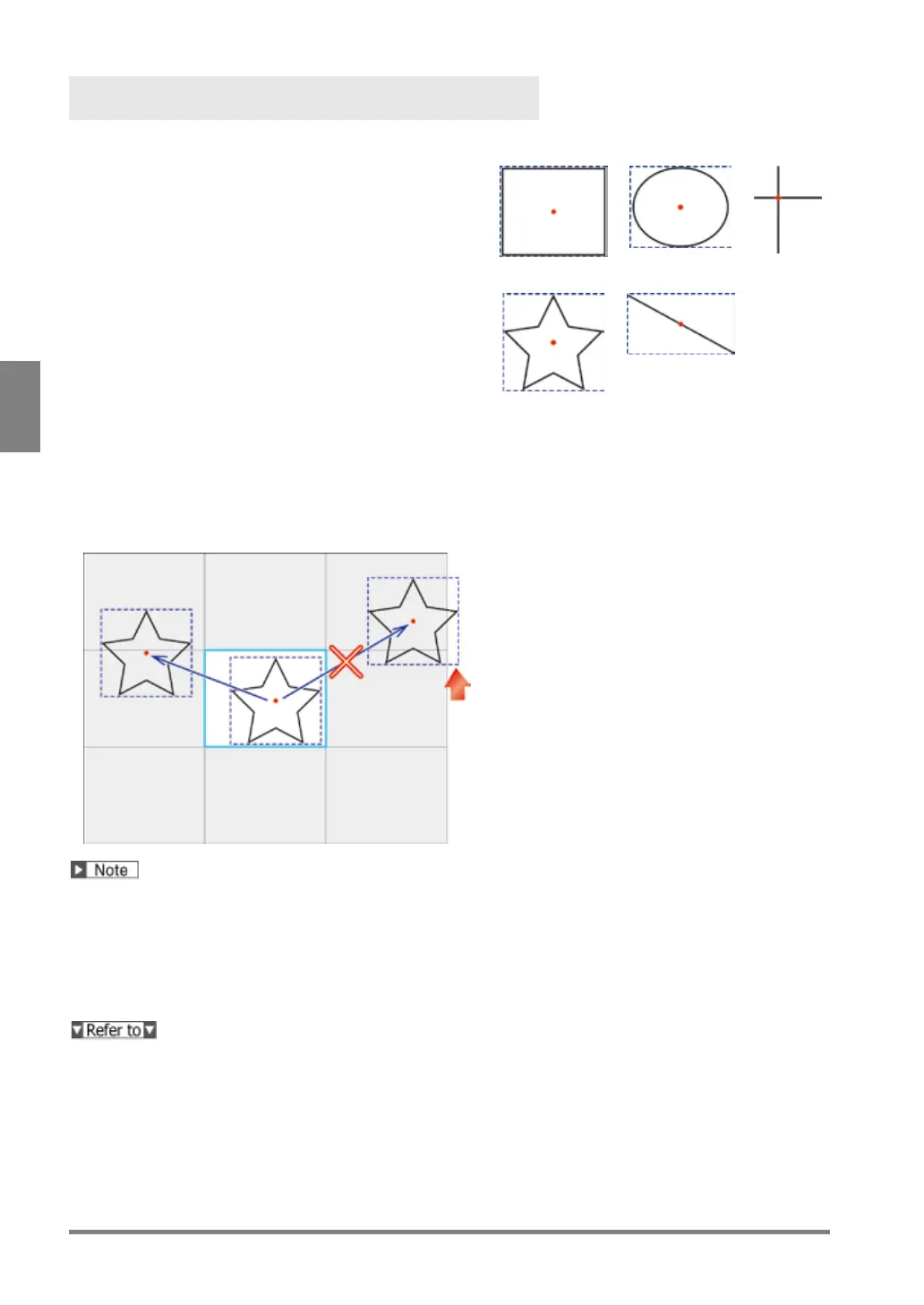
The position of the marker is based on the coordinate of
the middle point of the circumscribing rectangle of the
marker (the intersection point of two lines for Shape:
Cross line).
In the example on the right, the solid line shows the
created marker, the dotted line shows the circumscribing
rectangle of the marker, and the point in the center shows
the middle point. The circumscribing rectangle and the
middle point are not displayed on the screen window.
Movable range
As a result of moving through the distance specified with the command parameter from the current position, if
the circumscribing rectangle of the marker (the intersection point of two lines in the case of cross line) is located
within the nine screens (which are the captured image and eight surrounding screens), the marker can be
moved.
As a result of the move, if only a part of the circumscribing rectangle goes out of the nine screens, the
marker cannot be moved and an error occurs
• Moving the marker is performed by specifying the moving distance from the current position. It is not
possible to specify the coordinate of the destination to move.
• The position to be read and the specified moving distance is in units of pixel. It is not possible to read and
specify the moving distance in the unit after calibration.
• Reading the marker position and writing the moving distance is performed with a set of X and Y coordinates.
Reading (writing) is not available by specifying only X coordinate or Y coordinate.
(*1) Read Command and Write Command: From page 403


 To Next Page