404
Control with Communication Port
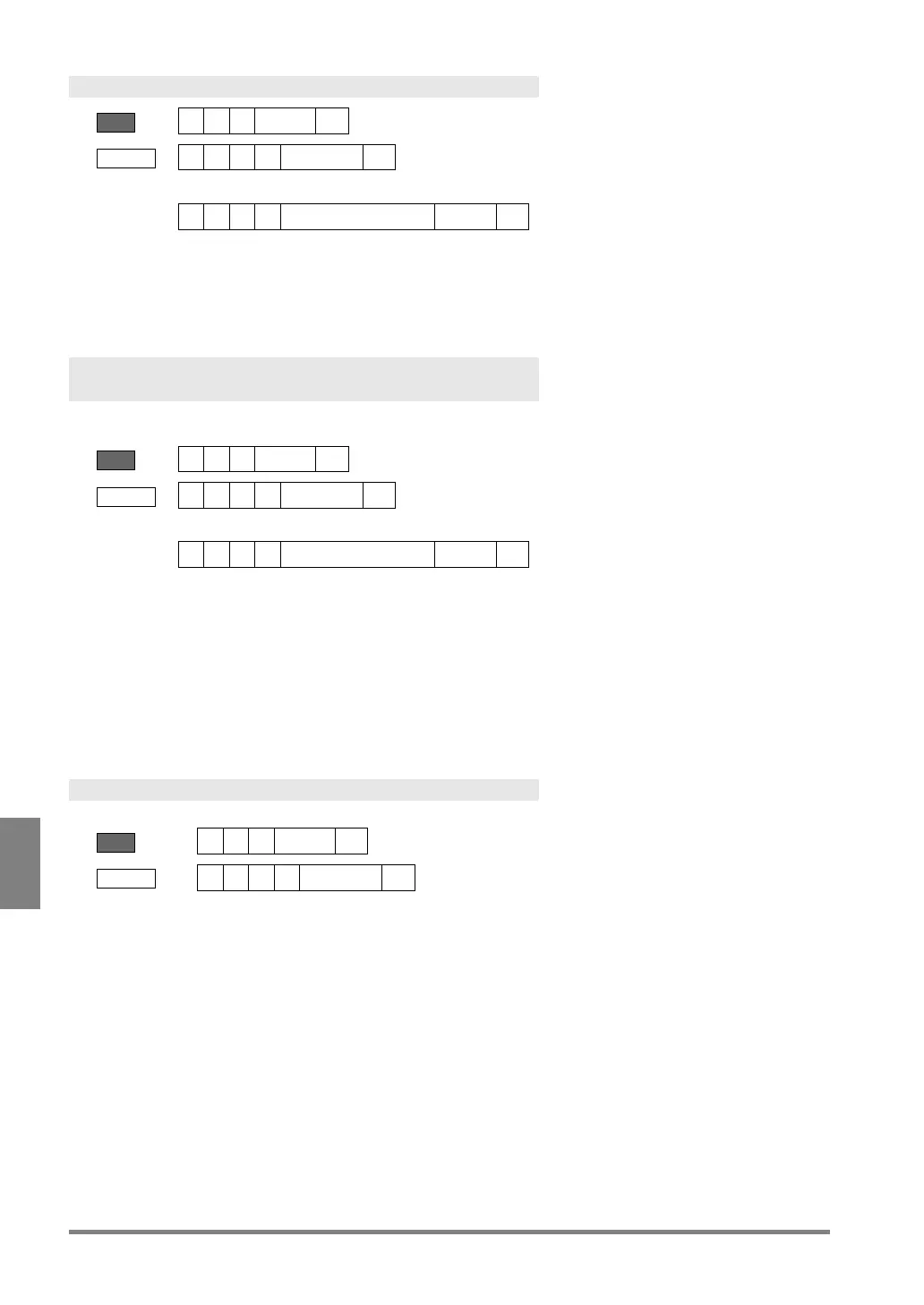
Abort Save/Read Setting Data
BCC=22 or **
Receive
Error (ERROR 1 signal = ON)
Error code
• Saving or reading setting data is not executed.
Saving Images Stored in the Image Memory of PV
into a SD Memory Card
Data is saved into free area of the SD memory card. (A destination number cannot be specified.)
Send
BCC = 25 or **
Receive
Error (ERROR 1 signal = ON)
Error code
• No SD memory card is attached or cannot be accessed.
• Capacity of the SD memory card is used up.
• The SD memory card is write-protected.
• No blank folder exists in the destination. (All of 00-99 folders are used.)
• No image is saved in the image memory.
Clearing the Image Memory Stored in PV
Execute “SAVE/READ” -> “Clear Image Memory” in SETUP menu.
BCC = 24 or **


 To Next Page