1020 Indicator
4.1. First use of indicator -Weigher Settings - continue-
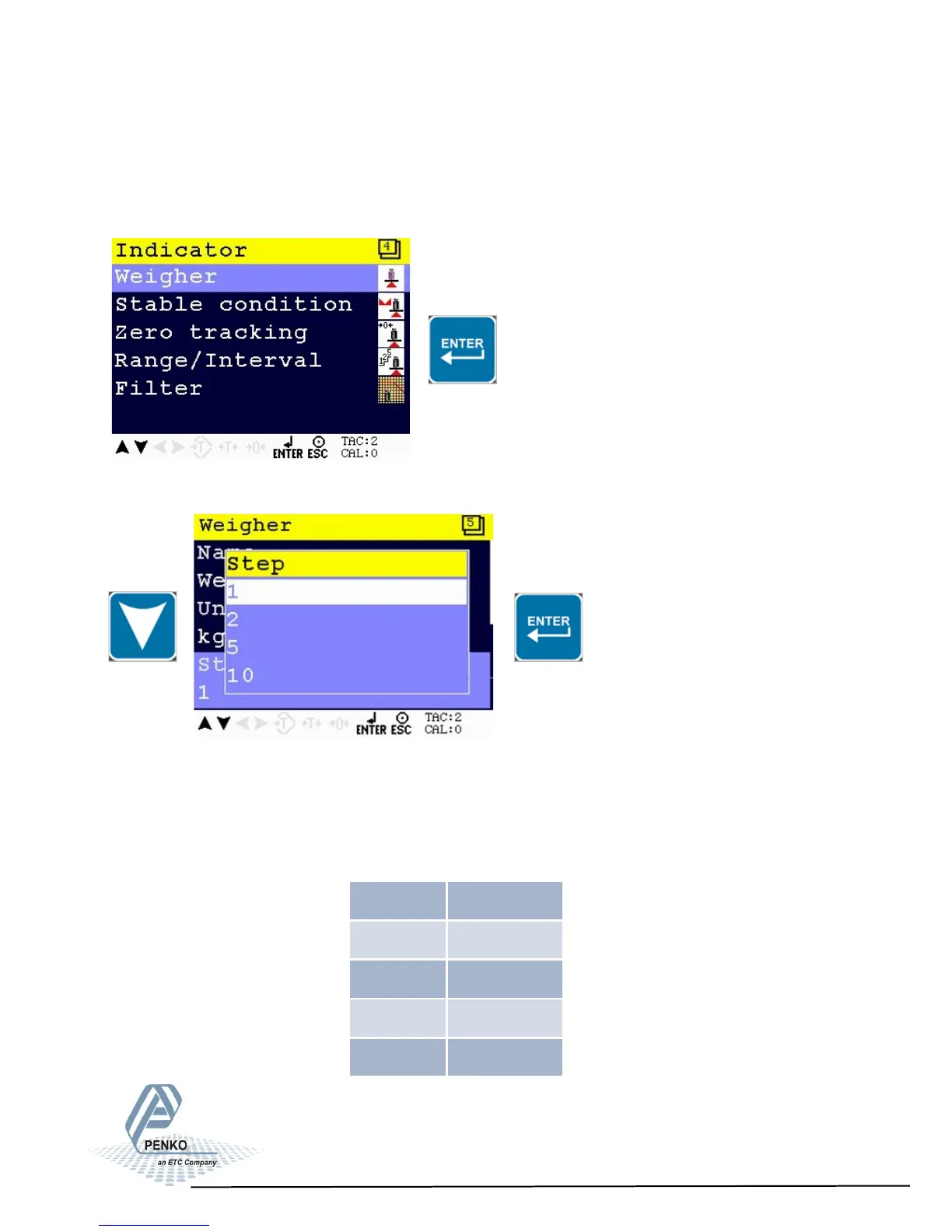
Step size
Select Weigher and press Enter
Use the DOWN key to select Step and confirm with Enter
The step size defines the scaled parts of the weight value. The display value will
be rounded off to the nearest value with a valid step size. Step size can be 1, 2,
5, 10, 20, 50,100, 200.
Example step size:
weigher value is 2005 kg
Step Size Weight (kg)
1 2005
2 2006
5 2005
10 2010
17



 To Next Page