5.2. Menu Settings -Totals-
1020 Indicator
Totals
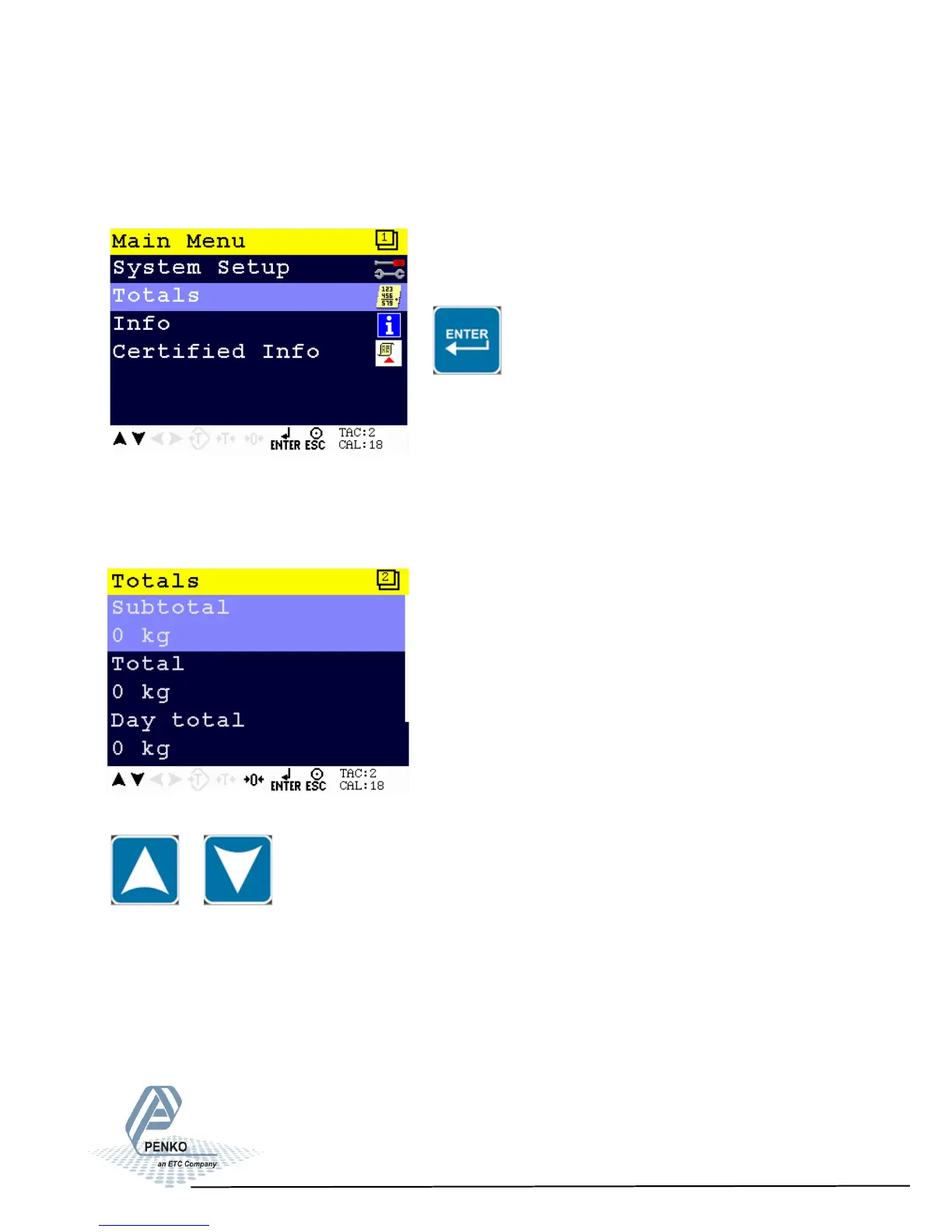
From the main screen, press Enter to get into the Totals menu.
The selected totals values will be printed on the selected printer when pressed
Enter.
The Totals options are Subtotal, Total, Day Total and Batch Total.
Scroll through the menu options by using the UP or DOWN key.
Select the desired Totals option using the UP or DOWN key. Press the ZERO key
to clear the value. Confirm the clearing by pressing Enter of leave the menu by
pressing ESC.
82



 To Next Page