5.1.2. Menu Settings -System Setup - Indicator Setup - continue-
1020 Indicator
The Max. Load value will be provided by the supplier of the load cells.
Enter the type of load cells.
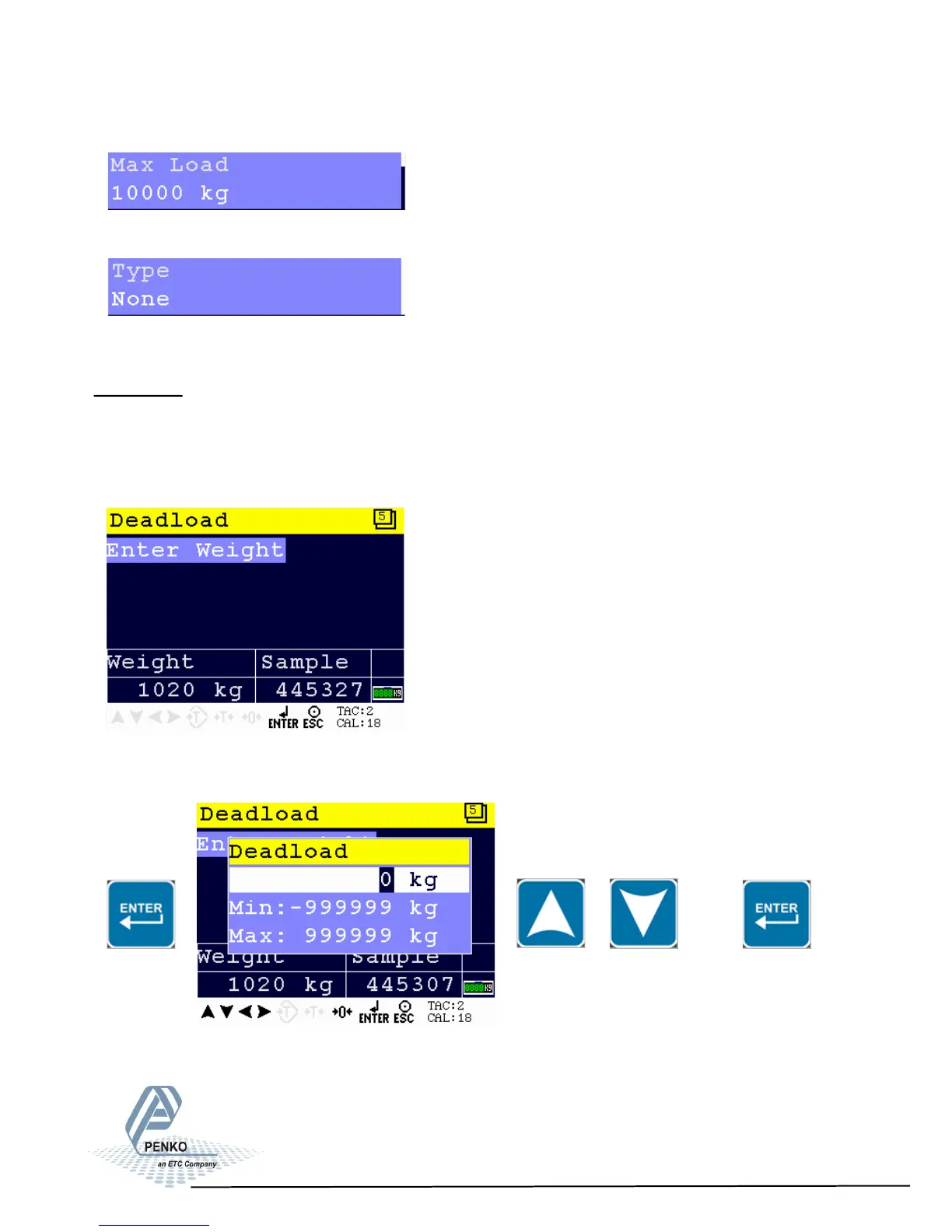
Deadload
In this menu, the deadload can be set to pull the whole weighing line back to
zero. The zero point could be different because of some modification on the scale
or dirt.
Make sure the weigher is empty. Press Enter to enter weight. Set the dead-
load value by using the UP and DOWN key and confirm with Enter.
49



 To Next Page