1020 Indicator
6. Software Tool
Connections
USB Connection
Install PI Mach II on you computer from the technical support page on
www.penko.com. Connect the USB cable to your computer and the PENKO 1020
and follow the install wizard. When necessary install the driver manually through
system control. Start PI Mach II and select USB in the ’Environment’ menu. Select
the ’1020 instrument’.
Ethernet Connection
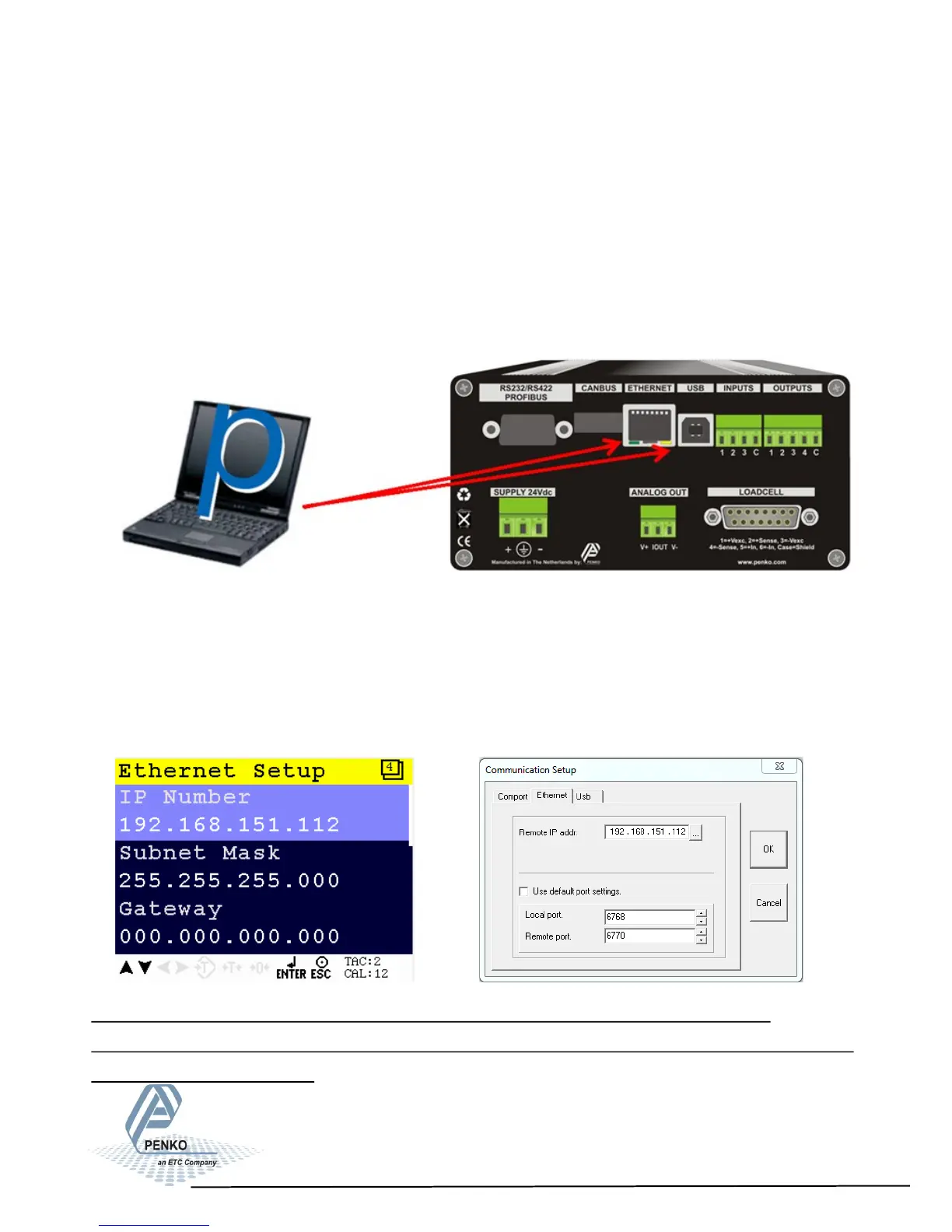
Install PI Mach II on you computer from the technical support page on
www.penko.com. Connect the ethernet cable to your computer and the PENKO
1020. Check/change the IP address of the 1020, see page 15 and 16.
Start PI Mach II and slect Ethernet in the ‘Environment’ menu. Enter the IP address
of the PENKO 1020. Click the button next to the address to ping the connection.
NOTE: The IP Address must be in the PC range or it will not start to communicate.
If communicaon does not start change the IP address of the indicator or change the range
of the IP address in the PC.
96



 To Next Page