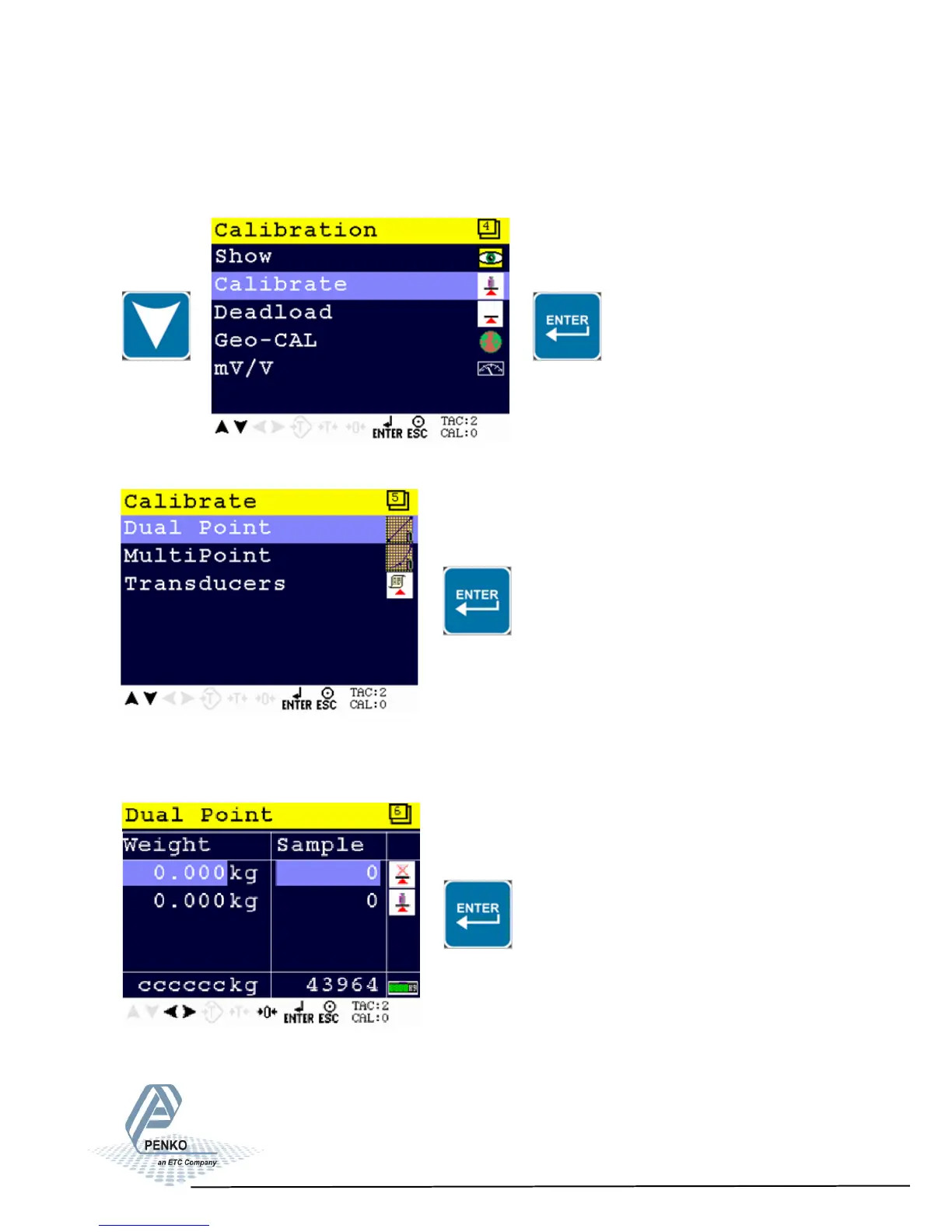
Before you proceed, make sure the weigher is unloaded.
First calibrate the zero point with the unloaded weigher by pressing Enter
1020 Indicator
4.2. First use of indicator -Calibration - continue-
Setting calibration points
Use the DOWN key to select Calibration and press Enter
Select dual point and press Enter
21



 To Next Page