5. Menu Settings
1020 Indicator
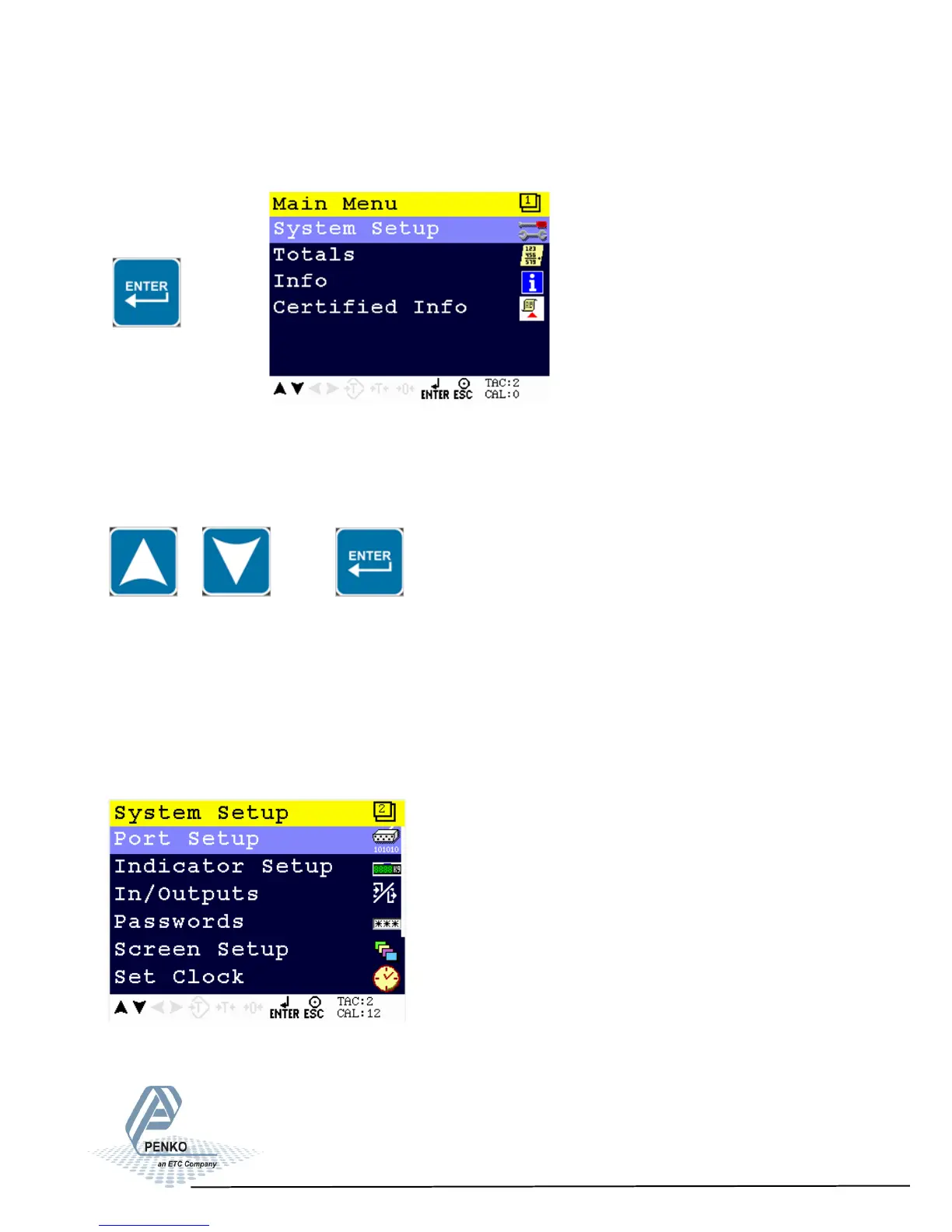
Press ENTER for more than 2 seconds to get in to Main Menu screen
> 2 s
The main menu options are: System Setup, Totals, Info and Certified Info.
To enter one of the menu options, select the correct option with the UP or DOWN
key and press Enter
System Setup
The System Setup options are Port Setup, Indicator Setup, In/Outputs, Password,
Screen Setup, Set Clock, Printer, System Recall and Software update.
23
5.1. Menu Settings -System Setup-



 To Next Page