1020 Indicator
4.1. First use of indicator -Weigher Settings - continue-
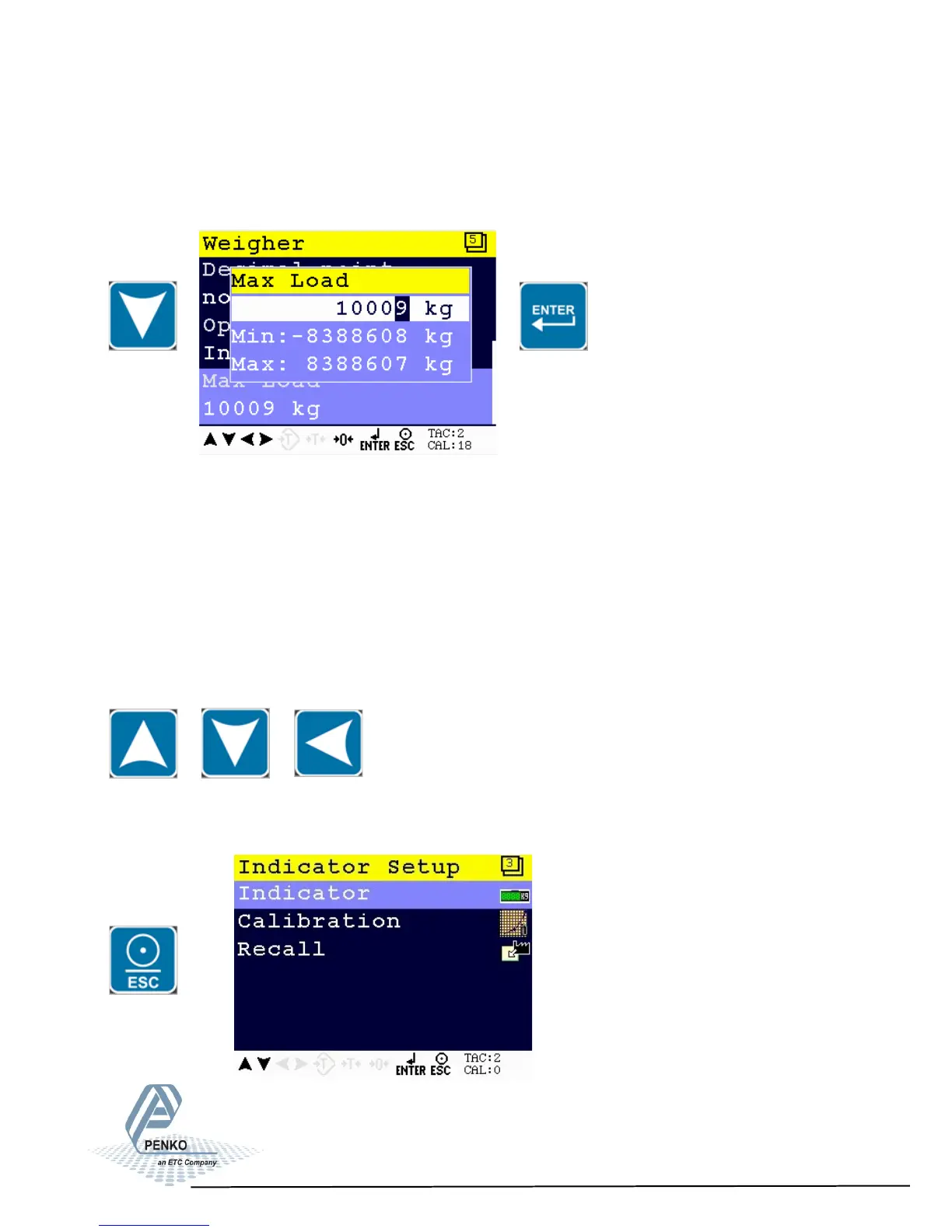
Maxload
Use the DOWN key to select Maxload and press Enter.
The max load prevents overload by user. Any weight above this set value will not
be shown. If there is an overload, display shows the error code ======.
Note: In certified mode the max. load is not allowed to be more then the maxi-
mum load + 9 scale parts.
Use the UP, DOWN and LEFT key to enter the reference value. The UP and
DOWN keys are used for changing the number (1-9), the LEFT key is used for
changing the position of the cursor.
Press ESC twice to go back to the Indicator Setup Menu
x 2
19



 To Next Page