5.1.7. Menu Settings -System Setup - Printer - continue-
1020 Indicator
x2
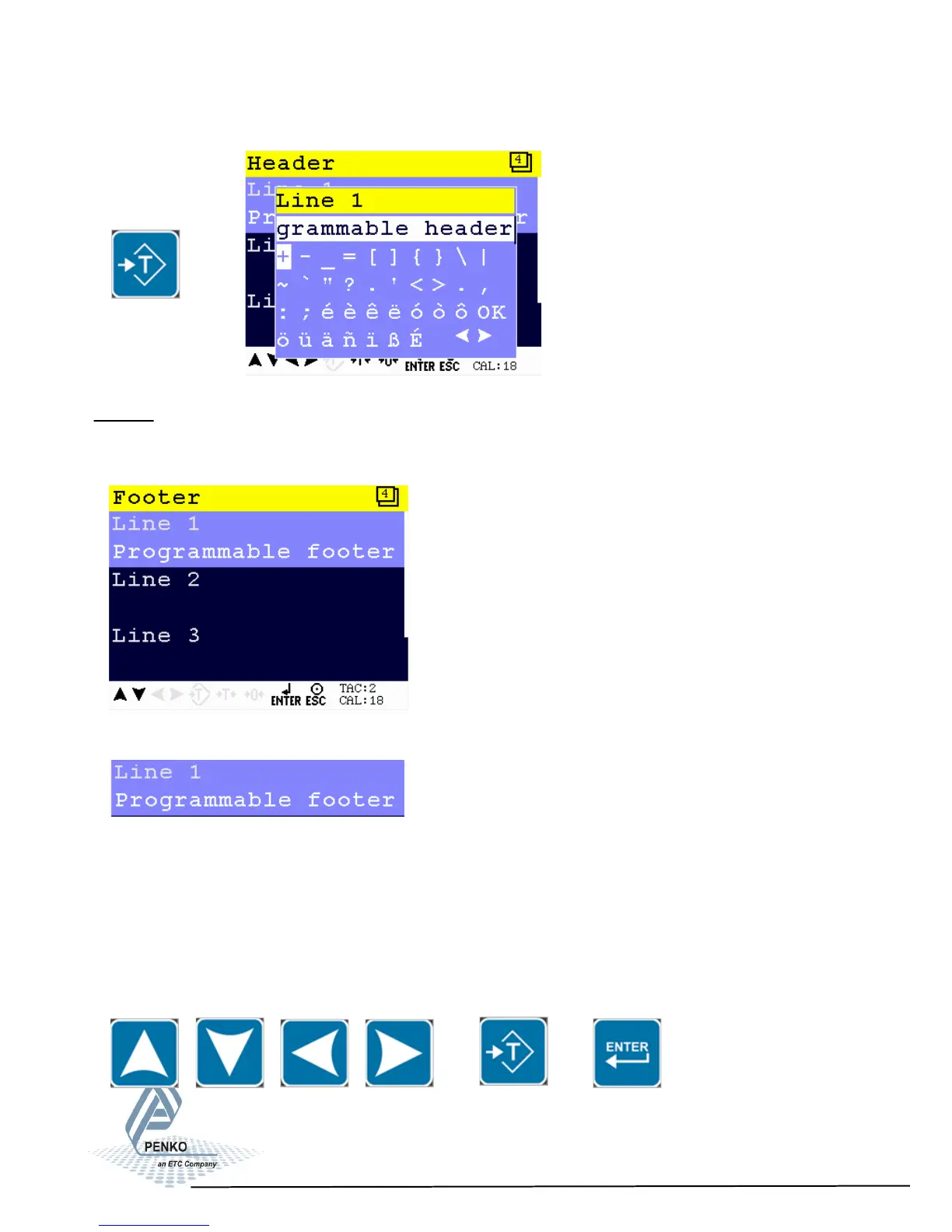
Footer
In this menu, the footers for the printer ticket can be set. In total, 4 footers for
printer tickets can be set.
Setting in the Footer menu
For Line 1, 2, 3 and 4 enter the desired printer footer. Maximum number of cha-
racters per line: 32
Use the UP, DOWN, LEFT and RIGHT key to enter the footer. The UP and
DOWN keys are used for changing from line, the LEFT and RIGHT key is used
for changing the position of the cursor within the line. The ZERO key is used for
deleting a character. Different character set are obtained by pressing the Preset
Tare key. Confirm the footer with Enter.
75



 To Next Page