5.4. Menu Settings –Certified Info-
1020 Indicator
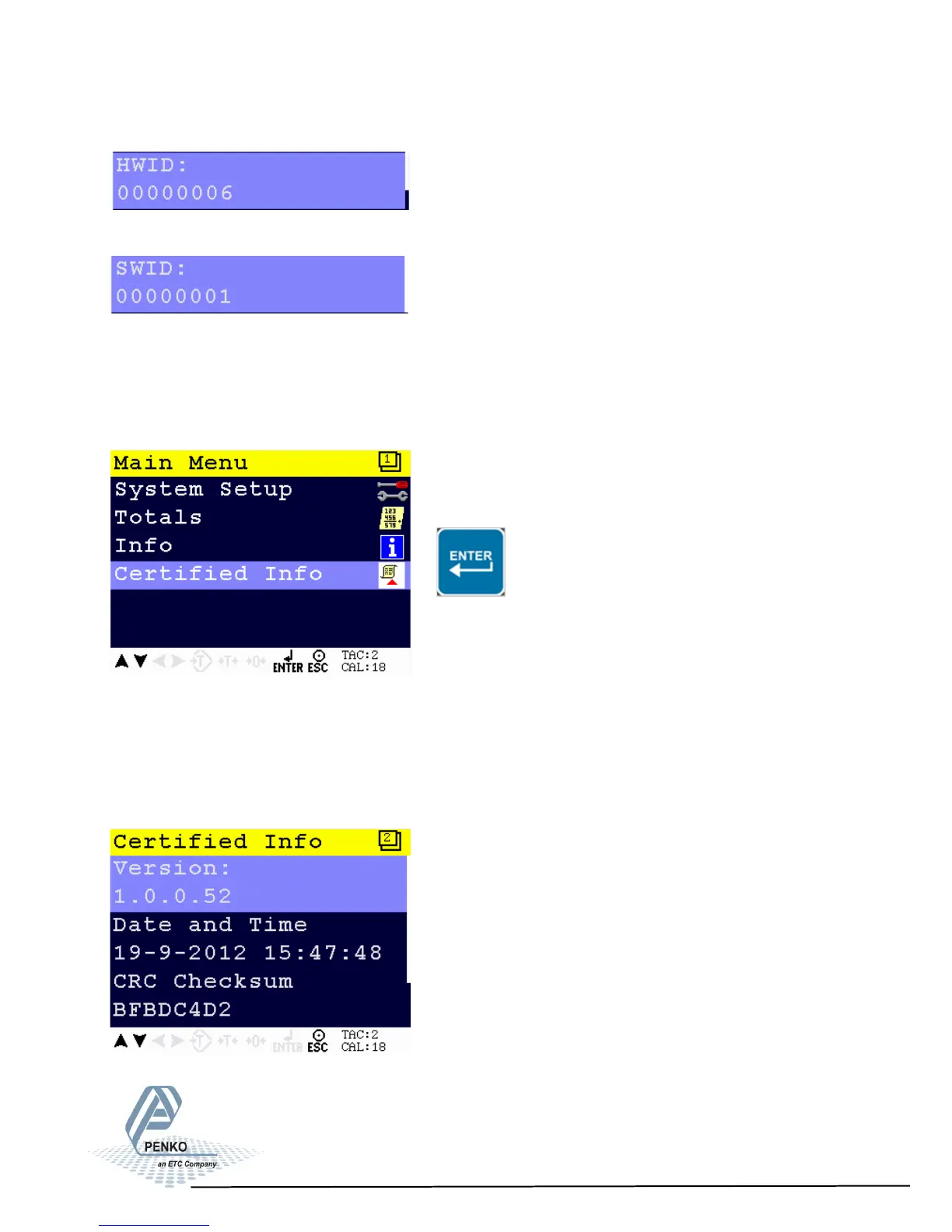
Shows the hardware ID number.
Shows the software ID number.
Certified Info
From the main screen, press Enter to get into the Certified Info menu.
The certified information for when the PENKO 1020 is used as a certified weigher
is shown.
The Certified Info options are Version, Date and Time, CRC Checksum and
Software Counter.
85



 To Next Page