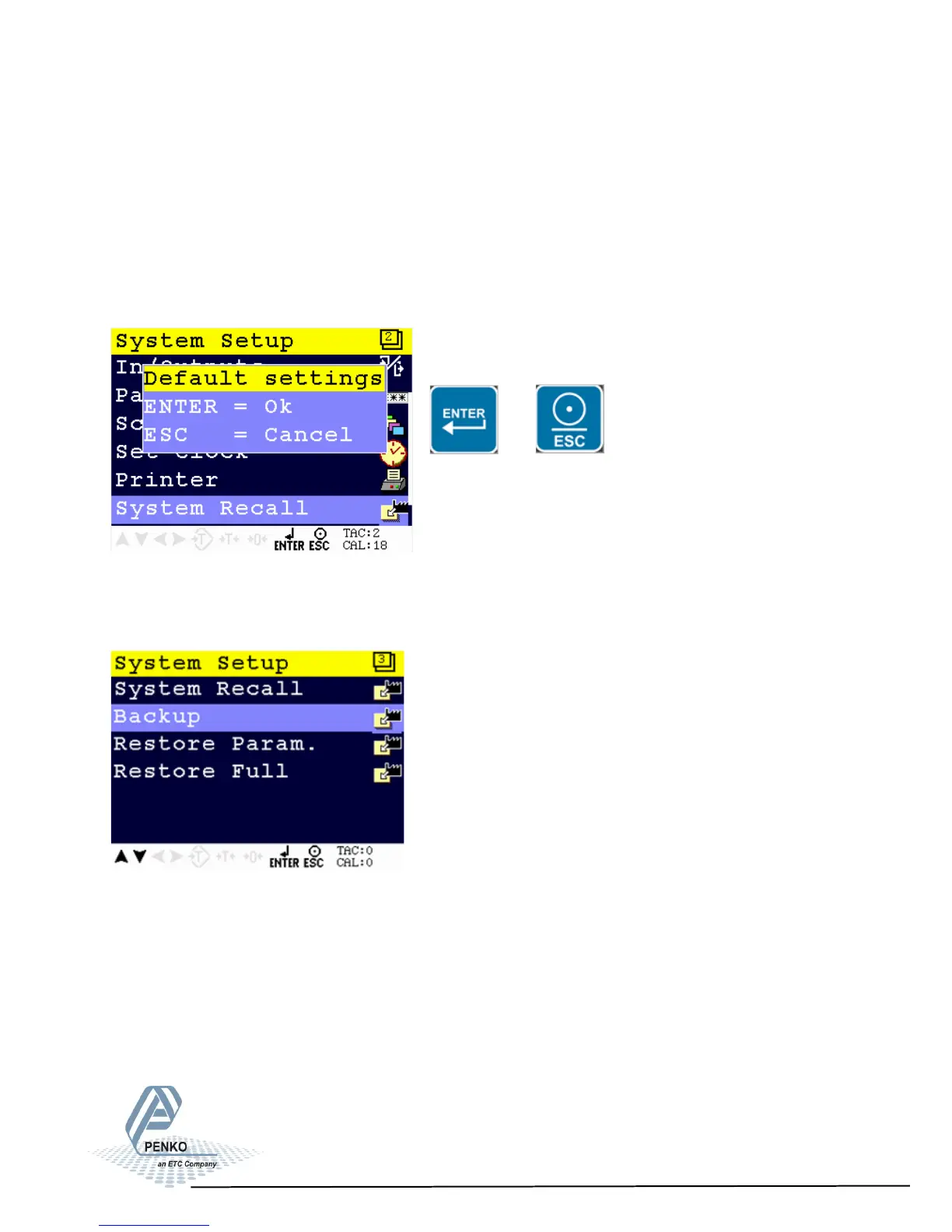
5.1.8. Menu Settings -System Setup - Software Recall-
1020 Indicator
System Recall
This menu allows to set all indicator parameters back to factory settings.
See page 92 for factory settings.
Note: calibration values remain in memory.
Confirm the recall by pressing Enter of leave the menu by pressing ESC.
or
Starting at firmware version 1.5.0.9.0.3 a backup of the device configuration can
be made within the device.
A password is required for the backup. Contact PENKO for this password.
When using Pi Mach II manage to make a backup, first enter this password in the
service code field.
.
77



 To Next Page