5.1.2. Menu Settings -System Setup - Indicator Setup - continue-
1020 Indicator
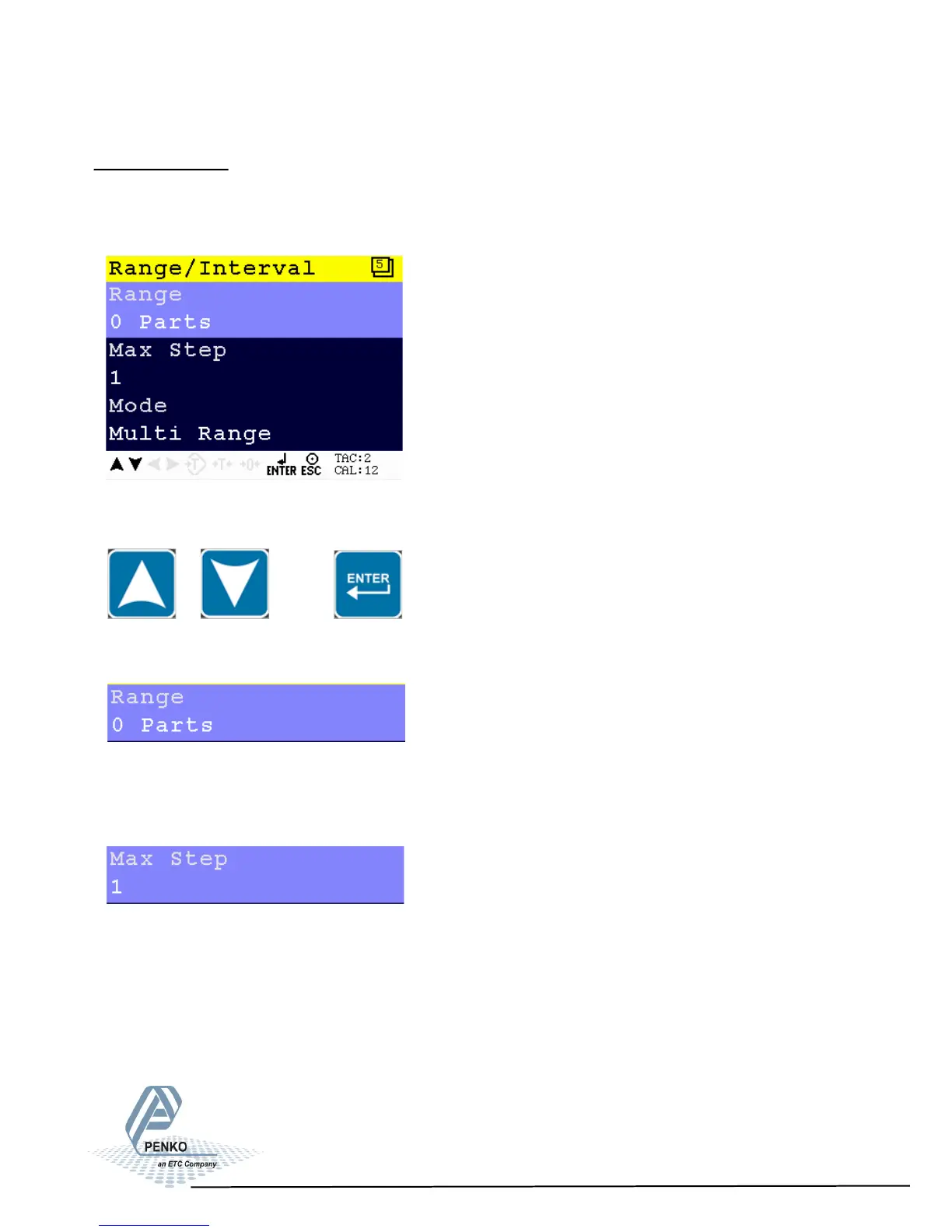
Range/Interval
Set the indicator to change its step size when the weigher signal reaches a
certain value.
Scroll through the Range/Interval menu using the UP or DOWN key. Press Enter
for editing the setting.
Settings in the Range/Interval menu
Set the number of divisions when the indicator has to display with the next step
size. Auto ranging is disabled when range size is set to 0. Choose a value
between 0 and 8388607.
Set the biggest step size allowed. Choose between 1, 2, 5, 10, 20, 50, 100 and
200.
37



 To Next Page