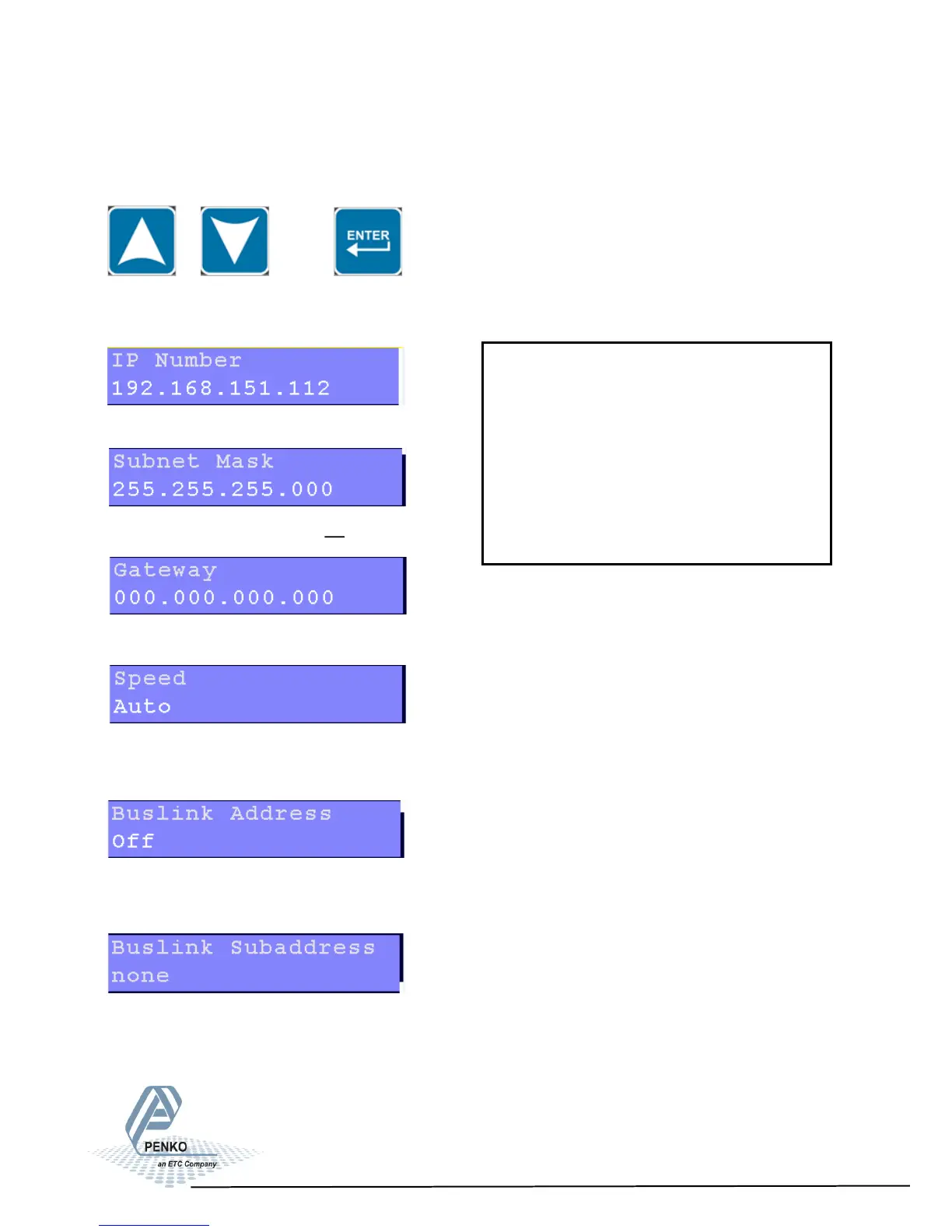
5.1.1. Menu Settings -System Setup - Port Setup - continue-
1020 Indicator
Scroll through the Ethernet Setup menu using the UP or DOWN key. Press Enter
for editing the setting.
Settings in the Ethernet Setup menu
Edit the Ethernet IP number.
Edit the Ethernet Subnet IPmask.
Edit the Ethernet Gateway.
Set the speed of the Ethernet communication. Choose between 10 Mbps,
100 Mbps and Auto.
Set the Buslink Address. Up to 8 devices can communicate with each other,
sharing inputs, outputs, markers and indicator. Choose between Off and 1-8.
Set the Buslink subaddress. When using a subaddress up to 40 devices can
communicate with each other. Choose between None and 1-5.
25
ASCII over Ethernet
Starng at rmware version 1.4.0.9.0.5
the PENKO ASCII protocol is available
over TCP at port 23. This feature is
automacally enabled when both
RS232 and RS422 are not set to ASCII.



 To Next Page