1020 Indicator
5.1.2. Menu Settings -System Setup - Indicator Setup - continue-
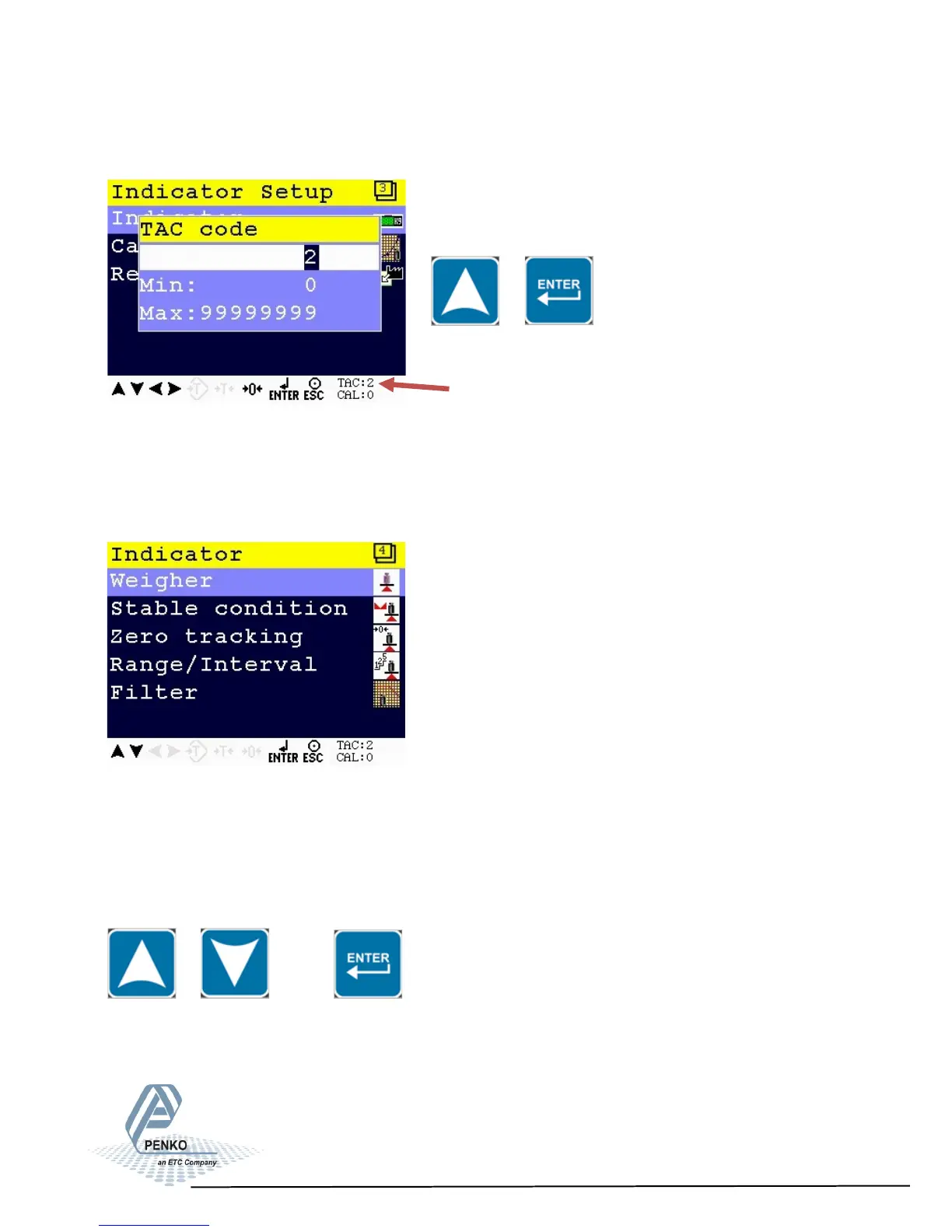
Enter TAC (number) by using the UP key and confirm with Enter
TAC (Traceable Access Code) shows on lower right of the screen.
Every time settings are changed, the TAC automatically levels up by 1.
Example TAC:2
The Indicator menu is now visible.
The Indicator menu options are Weigher, Stable condition, Zero tracking, Range/
Interval and Filter.
Scroll through the menu options by using the UP or DOWN key and press Enter to
select the chosen option.
TAC
32



 To Next Page