1020 Indicator
5.1.2. Menu Settings -System Setup - Indicator Setup - continue-
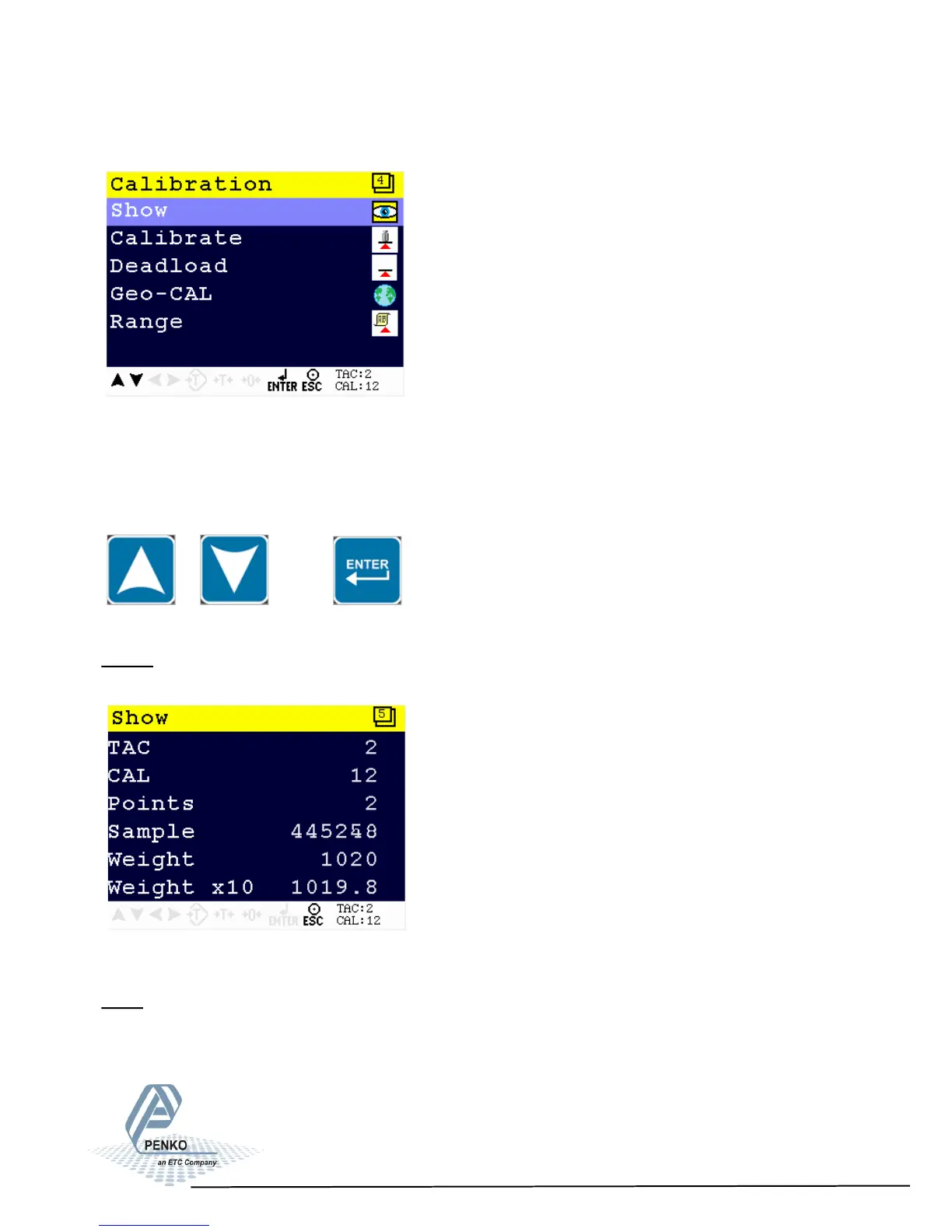
The calibration menu is now visible:
The calibration menu options are Show, Calibrate, Deadload, Geo-CAL and Range.
Scroll through the menu options by using the UP and DOWN keu and press Enter to
select the chosen option.
Show
This menu shows all calibration information
Explanation of the Show menu
TAC: ‘Traceable access code’ is the number of time the Indicator menu is entered.
When an indicator gets certified, this number will be written on the device and is
used by the controlling agency to see if the settings aren’t changed after sealing.
43



 To Next Page