5.1.2. Menu Settings -System Setup - Indicator Setup - continue-
1020 Indicator
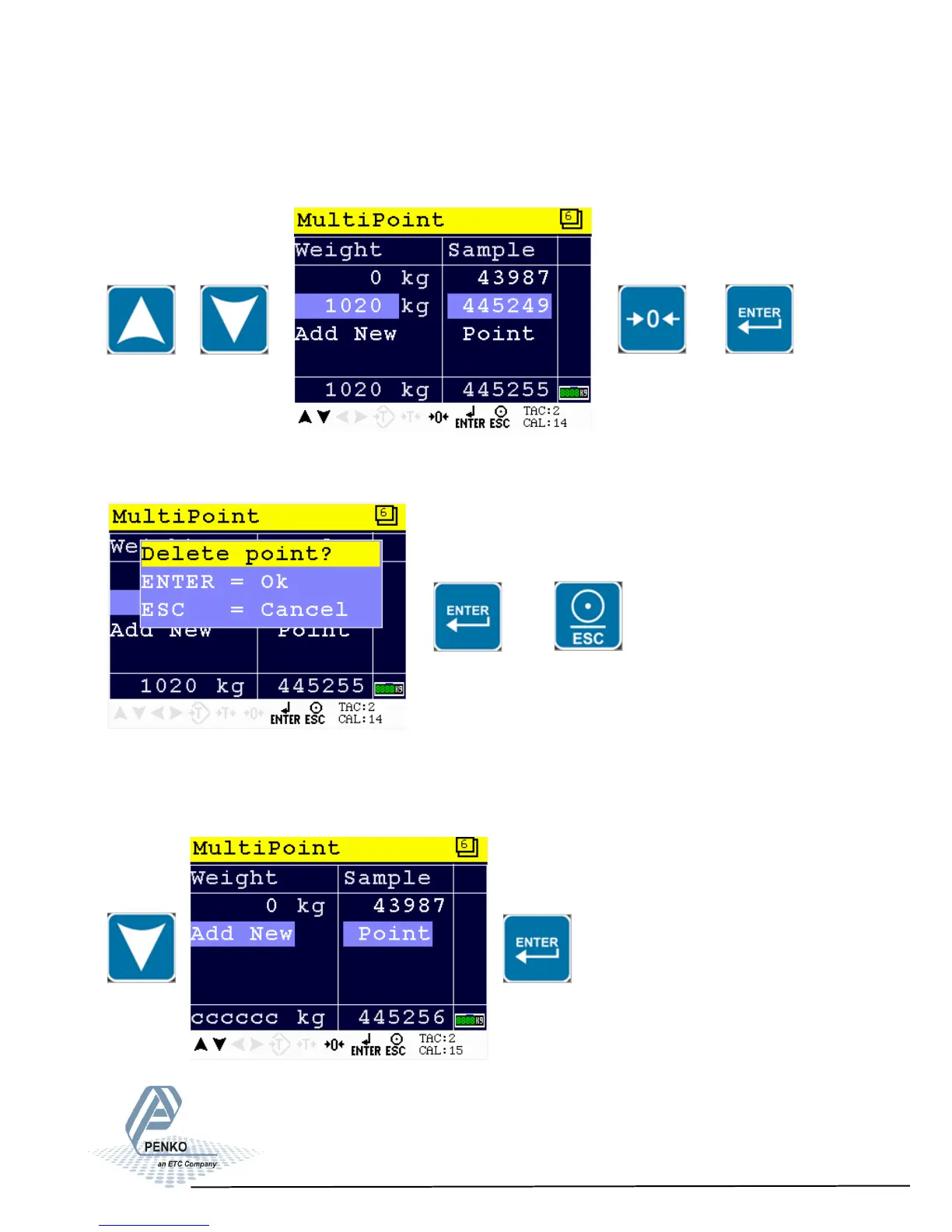
Select the ‘to be deleted’ calibration point by using the UP or DOWN key, press 0
to remove the calibration points and confirm by Enter.
Confirm deletion by Enter of cancel deletion by ESC.
or
Adding a new calibration point:
Select ‘Add New’ by using the DOWN key and confirm by Enter.
46



 To Next Page