109
Polyend Play+ Manual Rev 2
NOTES
6.4 Introduction to Pattern Mode.
Pattern mode also uses the multi-functional 8 x 16 grid. The normal default
view is sequencing mode where an individual pattern is created or edited.
Pattern mode offers control over the entire set of 128 patterns, where each
grid button represents an individual pattern in a project.
A pattern should be selected for editing and sequencing. By default pattern
1 represented by the rst, upper left pad is selected. Patterns can be
copied and pasted in pattern mode. In pattern mode, patterns can be
chained for sequential playback all together or in sections.
▌ SELECTING PATTERNS IN PATTERN MODE
1. Press [Patterns] from sequencer mode to select pattern mode. If in
pattern mode already, pressing [Patterns] will toggle to the sequencer
mode.
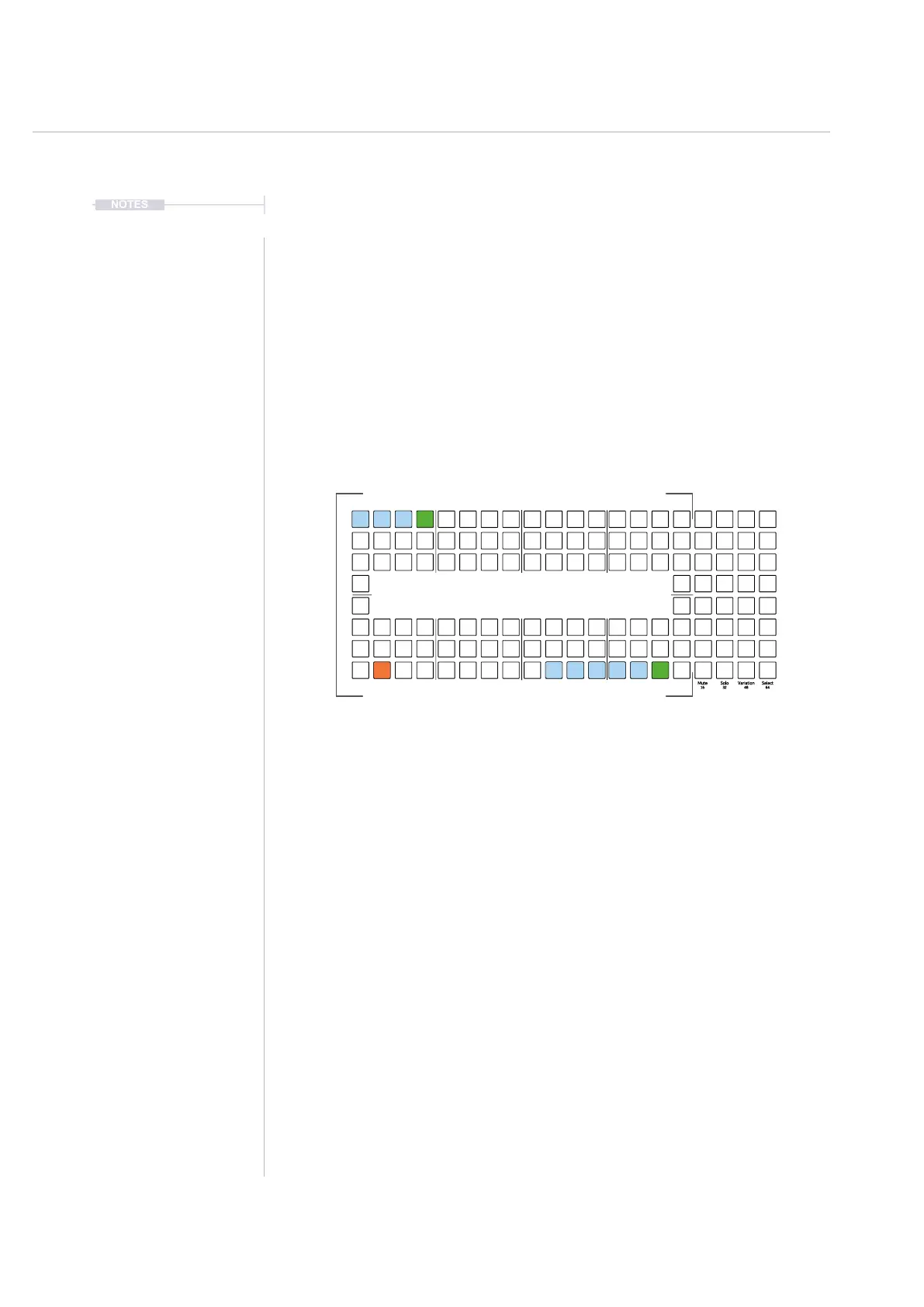
2. To select a pattern, Press [Pad] for the pattern to edit or play. Pads are
laid out across the 8 x 16 grid with a total of 128 pattern slots available.
Empty patterns are dimmed green, available patterns are blue and the
currently active pattern will be lit orange.
3. The selected pattern can now be played or edited in sequencing mode,
selected by pressing [Patterns] from pattern mode.
Press [Patterns] to access the Pattern Mode.
To play a chained series of patterns: Hold [Shift] + Press [Play]
The currently active pattern is lit ⬛ Orange and other available patterns
lit ⬛ Blue. Dimmed ⬛ Green Pads signify empty patterns. Flashing
pads indicate a pattern pending play.
Each [Pad] Represents an individual pattern. A
maximum of 128 patterns are available per project
16
32
48
64
112
80
96
17
33
49
65
81
1
128113
97
Sequencing Patterns
6



 To Next Page