177
Polyend Play+ Manual Rev 2
Effects
9
NOTES
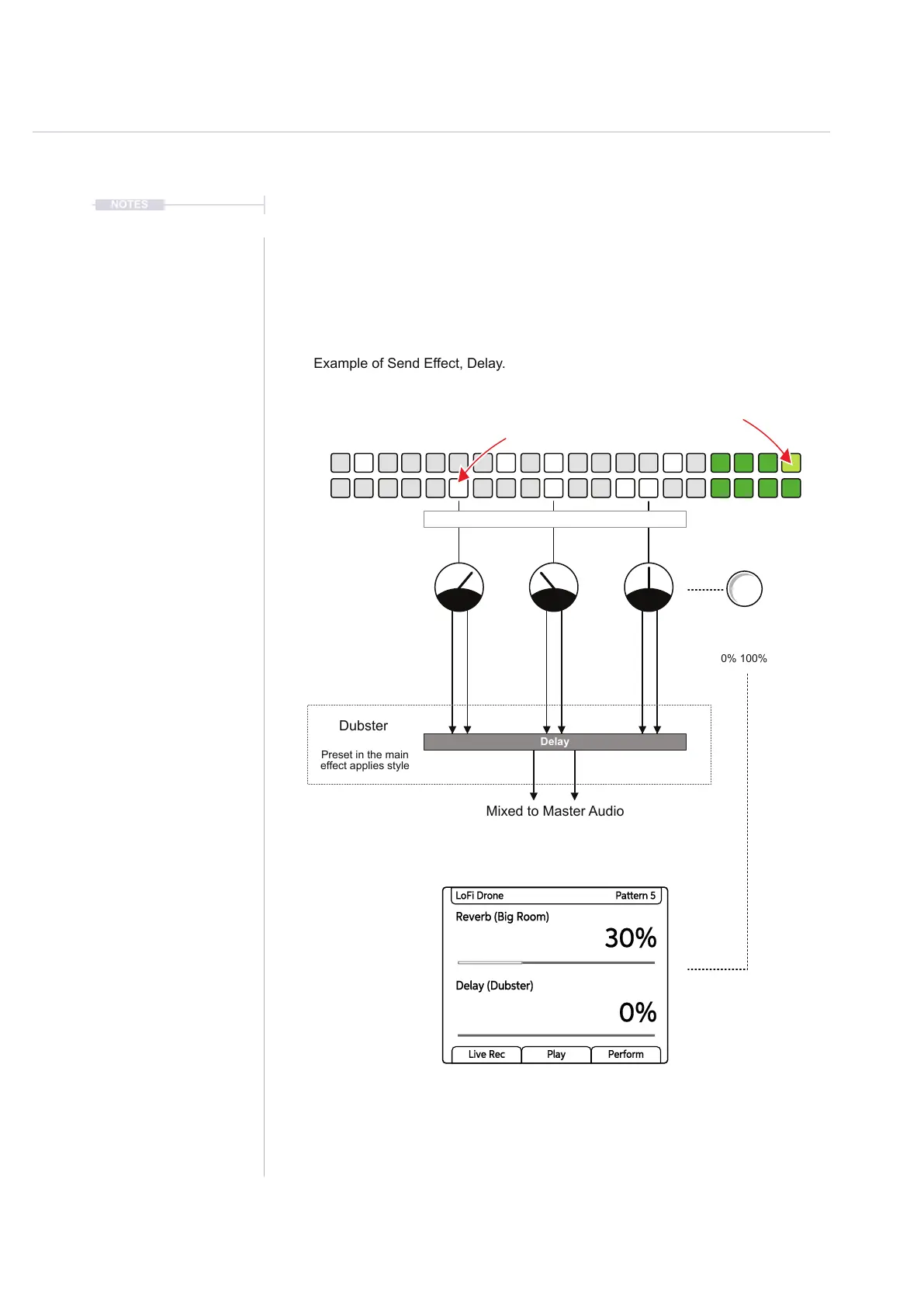
9.4 Send Effects.
The delay and reverb effects are both send effects. This means that a
selected amount of audio signal can be controlled and sent to the main
effect. A parameter knob exists to control the send amount which can be
applied to individual steps or full tracks.
Delay Send
Delay
Example of Send Effect, Delay.
Preset in the main
effect applies style
0% 100%
Dubster
Mixed to Master Audio
The send effect amount can be set
per step or per track
Reverb Send
Delay Send
80% 40% 50%
Reverb (Big Room)
30%
0%
LoFi Drone Pattern 5
Delay (Dubster)
Live Rec Play Perform



 To Next Page