12
Polyend Play+ Manual Rev 2
NOTES
Overview
1
1.6 QWERTY Keyboard.
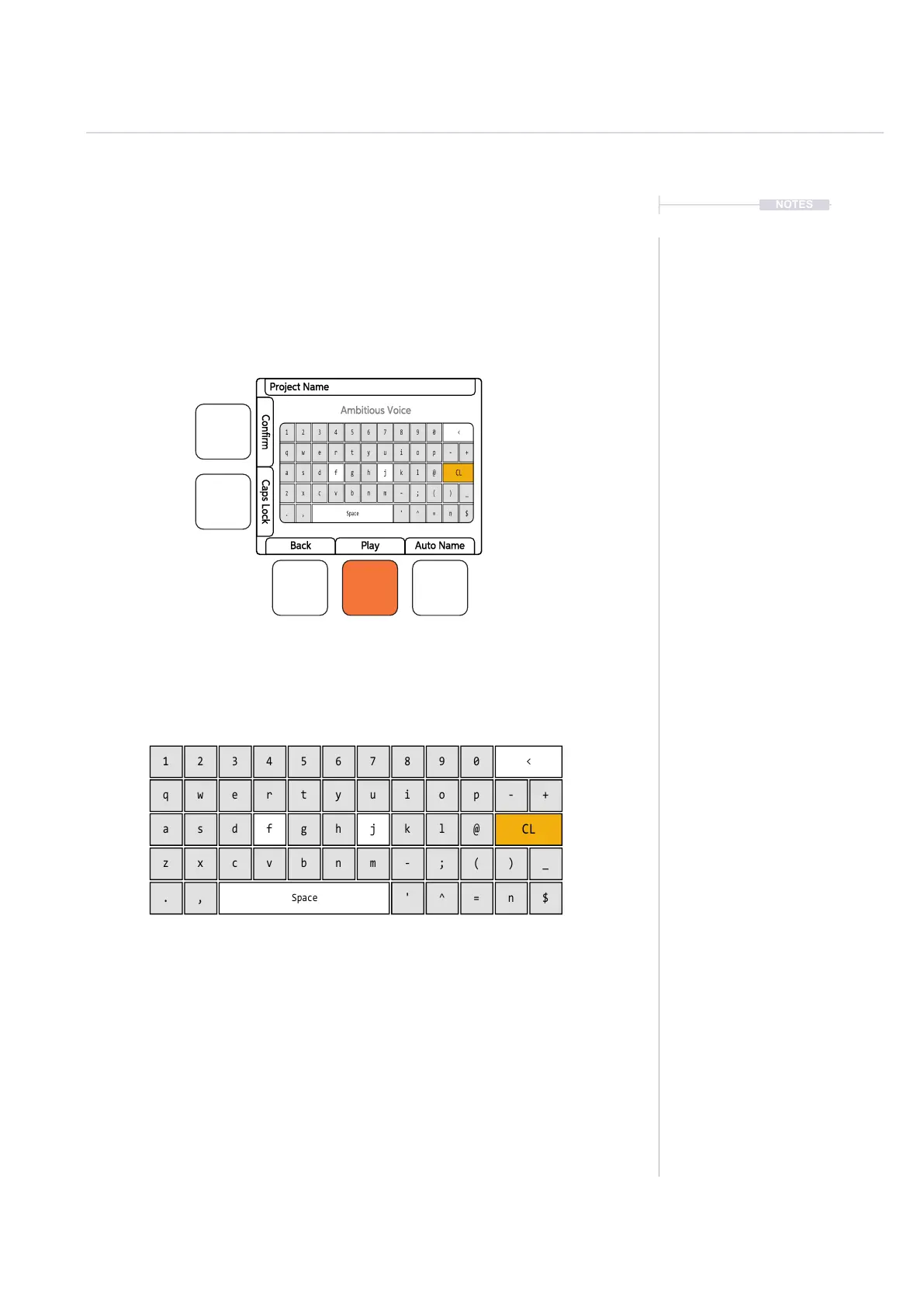
Some pages will require text editing for naming items i.e. projects. The
same functionality applies whenever the Alpha numeric pop-up editor is
used. The screen will display the QWERTY keys and the text to edit, while
part of the 8 x 16 pad grid will act as the keyboard’s keys. The dynamic
screen buttons are used to Conrm, Caps Lock, Back or Auto Name.
The screen will display the keys which are represented by the grid pads.
The ‘f’ and ‘j’ keys are highlighted to give a reference between the pads
and the screen characters. Current character is lit orange. Text can be
typed in to enter.
The following Play+ buttons also operate in the naming editor when the
naming screen is presented:-
• The characters can also be selected by turning (Screen).
• Press (Screen) to add the highlighted character at the current cursor
position.
• Press [Fill] to backspace delete the character before the cursor
• Move character cursor left / right within in the text name to edit by
holding [Shift] + Turn (Screen)
1
q
z
a
.
4
r
v
f
^
7
u
m
j
$
0
p
(
-
)
+
_
@
2
w
x
s
,
5
t
b
g
=
8
i
-
k
<
CL
Space
3
e
c
d
'
6
y
n
h
n
9
o
;
l
Project Name
Ambitious Voice
Back
Confirm
Play
Caps Lock
Auto Name



 To Next Page