70
Polyend Play+ Manual Rev 2
5.1 Sample Pool.
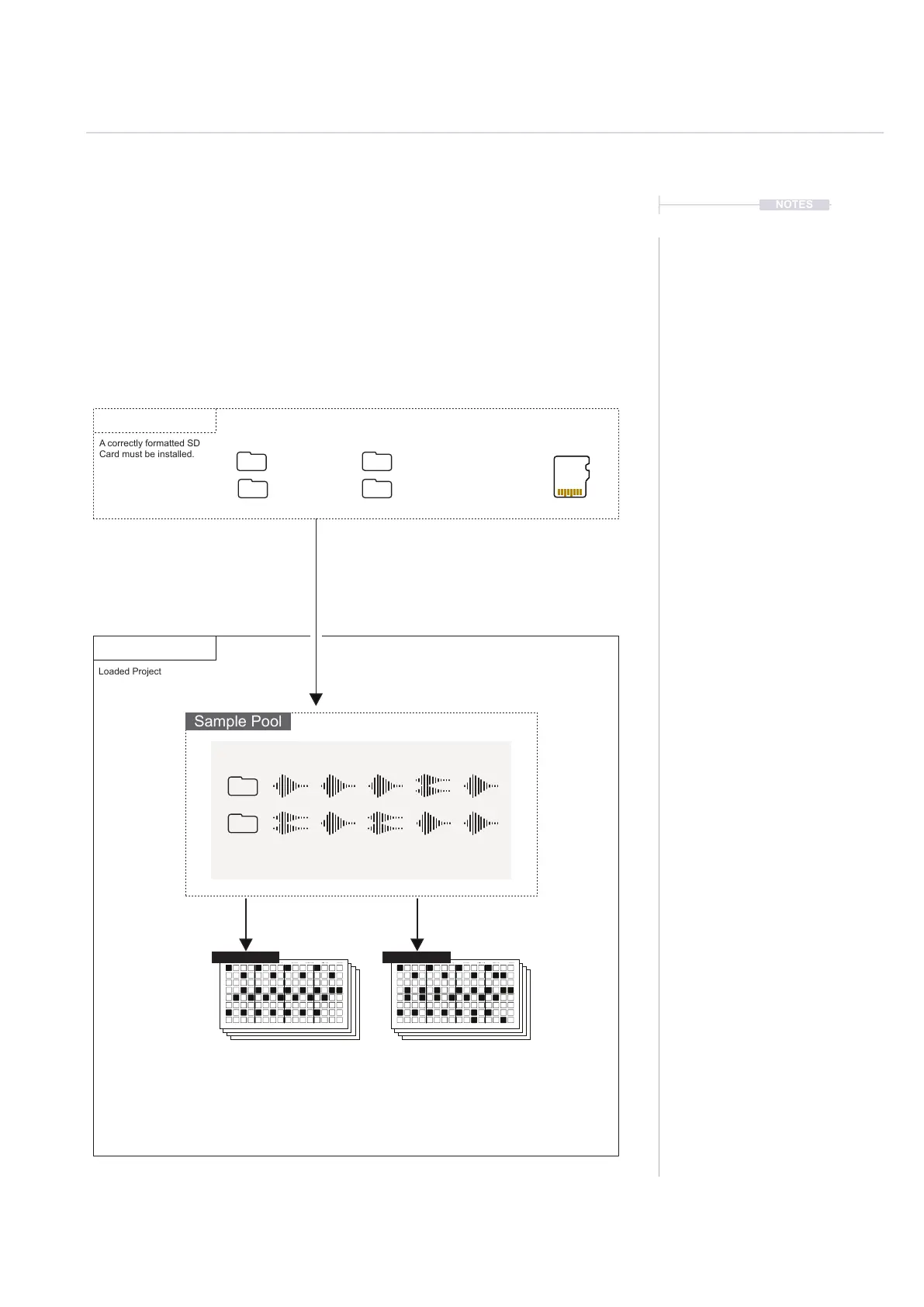
Each project uses samples located within the projects sample pool. In order
to build a pattern a projects sample pool must be loaded with a sample
pack or user samples, or both. Samples can be mono or stereo and can be
loaded during playback. The normal workow requires samples to be
copied from the SD card to the sample pool of the project. Sample Packs
are formatted specically to operate and integrate into Play+ functions. The
Fill command, for example uses sample packs intelligently.
Projects
Sample Packs
Sample Packs and/or Samples must be
copied from the SD Card into the project
sample pool in order to build patterns.
Samples can be placed from the sample pool and onto any
track step in a pattern. Some tools such as Fill will automate
placement intelligently based on a sample pack format.
Micro SD Card
Project
Artist Samples
Samples
Sample Pool
A correctly formatted SD
Card must be installed.
Loaded Project
NOTES
Samples & Synths
5
Pattern 1 Pattern 2
255 Samples per Project, Max 20 Folders
Mono: Max Sample Time 6 Mins @ 44.1 kHz, 16-bit
Stereo: Max Sample Time 3 Mins @ 44.1 kHz, 16-bit



 To Next Page