42
Polyend Play+ Manual Rev 2
Projects & Tracks
3
NOTES
3.10 Tempo.
The overall global tempo of the project can be set between the dened
range of 10 - 400 BPM. Note that the MIDI clock input may also control the
Play+ global tempo. Equally Play+ can be a master clock for other MIDI
devices. Tempo can also be set per track, relative to the global tempo in
multiples or divisions.
Track Tempo Divider / Multiplier Options
1/1 Default for all tracks i.e. equals global tempo.
Examples and Notes:
Global Tempo 120 BPM, Track 1 Tempo multiplier 2/1. Track 1 will play twice as fast
as other tracks i.e. 240 BPM. Track 1 will play a 16 step pattern twice for every 16
step cycle as other tracks.
Global Tempo 120 BPM, Track 1 Tempo divider 1/2. Track 1 will play at half the
speed i.e. 60 BPM of the other tracks. Track 1 will play 8 steps of pattern where
other tracks play 16 steps.
Global Tempo 120 BPM, Track 1 Track Tempo ‘Pause’. The Paused track playhead
will stop on the active step. This would be step 1 when initially pressing [Play]. This
has several uses, but one example is that when a track is paused, the note step
samples can be played manually by holding (Screen) + Tapping the note steps.
Pause 1/16 1/8 1/6 1/4 1/3 1/2 2/3
1/1 3/2 3/2 2/1 3/1 4/1 6/1 8/1
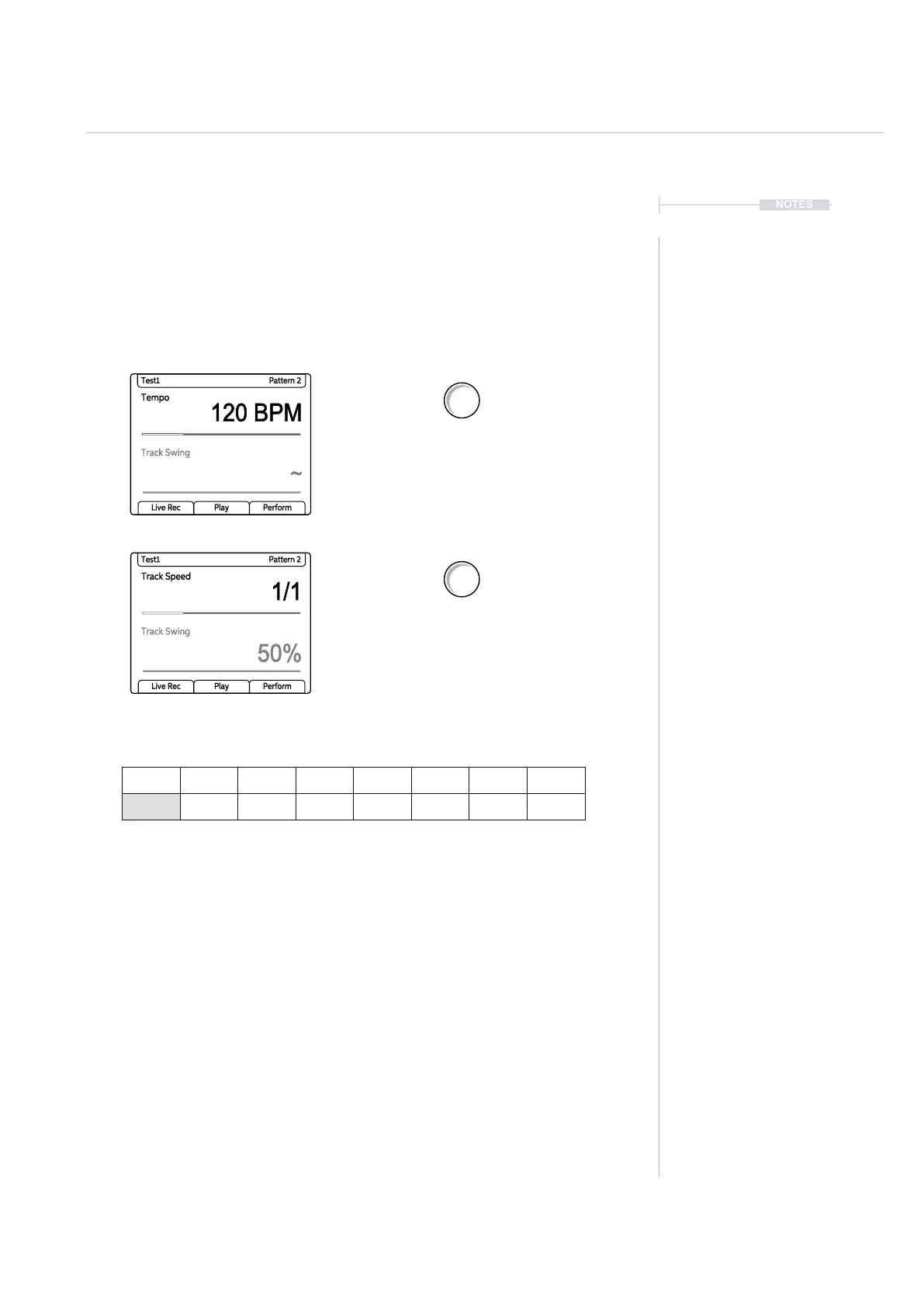
Turn (Tempo) to adjust the global tempo.
Ensure no track is individually selected
otherwise track tempo will be adjusted.
Select one or more tracks to adjust the track
speed with respect to the global tempo. Turn
(Tempo) to adjust the track tempo.
Tempo
120 BPM
~
Test1 Pattern 2
Track Swing
Live Rec Play Perform
Track Speed
1/1
50%
Test1 Pattern 2
Track Swing
Live Rec Play Perform
Tempo
Swing
Tempo
Swing



 To Next Page