34
Polyend Play+ Manual Rev 2
Projects & Tracks
3
NOTES
3.3 Track Structure Overview.
Play+ has 16 tracks, 8 for MIDI / Synths and 8 sample tracks, each of which
can be congured with unique step patterns made up of one or more
sample combinations. Tracks are structural elements represented by pad
rows that operate in parallel. Each track can have different settings and can
consist of up to 64 steps. A set of control functions are available, accessed
using the last 4 pad columns on the right, which includes mute, solo,
variation and select.
View Mode sets the function pads as a chromatic style keyboard layout
where the pads allow manual notes to be entered.
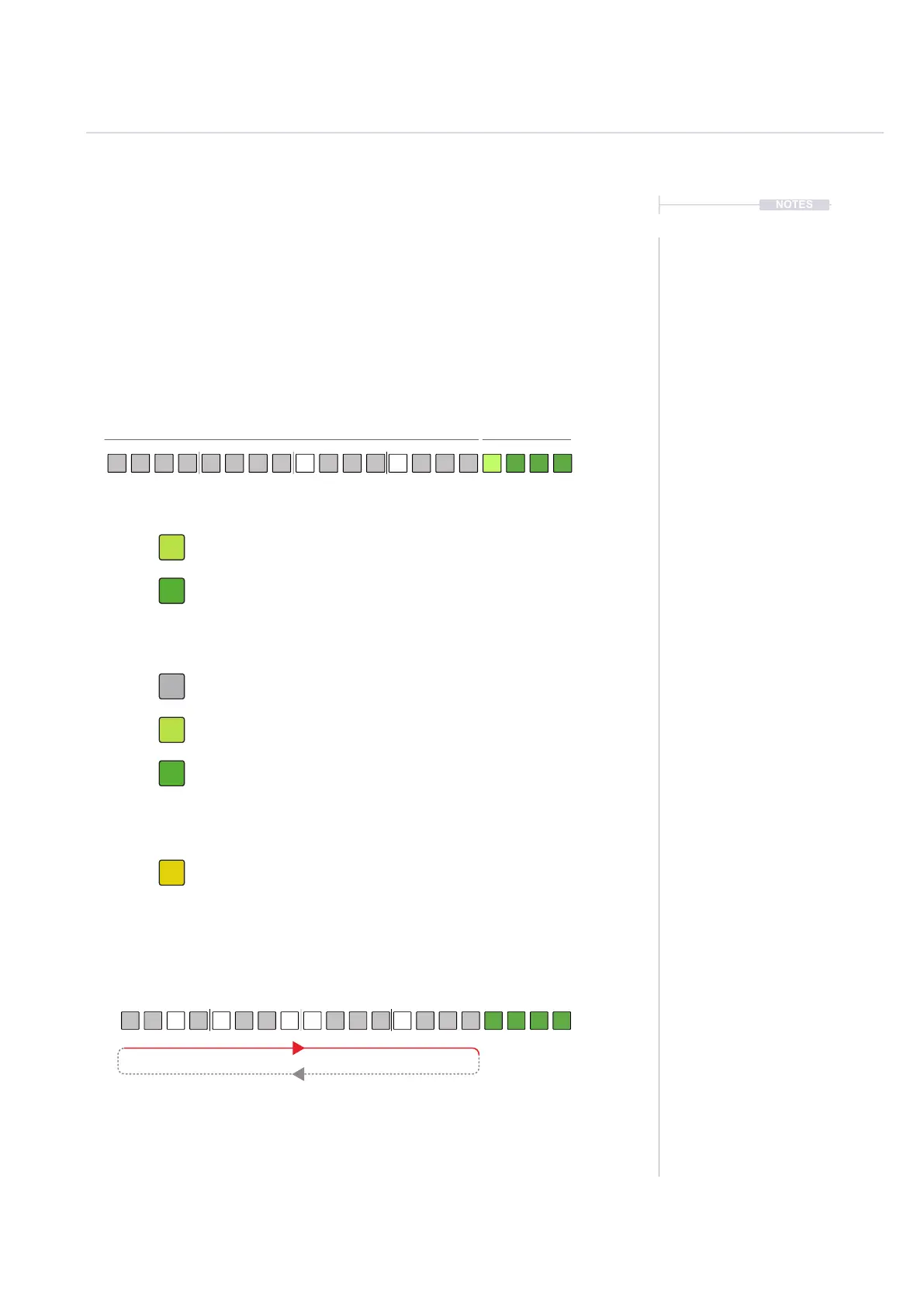
Rows represent 8 tracks (example sample tracks)
Green. Mute, Solo, Variation, Select Function selected. Tap [Pad].
Track Functions - 8x4 Grid Pad Colors. Default mode.
Track Length - 8x4 Grid Pad Colors - Hold [Shift] to Select.
View Mode - 8x4 Grid Pad Colors - Press [View]
Playback Direction, Default is Forward - Press [Play]
Function rows are lit green for sample audio tracks and purple when in MIDI / Synth mode.
Tracks will play through the dened step length by default, forwards. Playback
will then loop back to play from the start to end. Tracks play on loop.
Dim Green. Function available, not selected.
Off. Step count page not selected. [Shift] + [Pad]
Notes. Available keyboard style notes for input. [View] to select.
Dim Green. Available Step Page, Not currently selected. Hold [Shift] + [Pad]
Green. Step Page Currently Active. Hold [Shift] + [Pad].
Steps Functions



 To Next Page