198
Polyend Play+ Manual Rev 2
NOTES
10.8 MIDI Fill.
Fills can automatically populate selected MIDI tracks with pre-dened
patterns based on selected genres. This can be applied the same way as
Audio lls where the Beat Fill applies Kick, Snare and HiHat patterns and
the Melody Fill can apply chord and bass lines. This is especially useful for
controlling other gear with quick and creative compositions. Ensure the
correct connections and settings are applied for the MIDI set up used.
▌ DEFINING MIDI OUTPUT CHANNELS FOR FILL INSTRUMENTS
1. Press (Select) to open the main menu and Turn to highlight ‘Settings’.
2. Press (Select) and navigate by turning to highlight ‘Fill Cong’. Press to
select the sub menu.
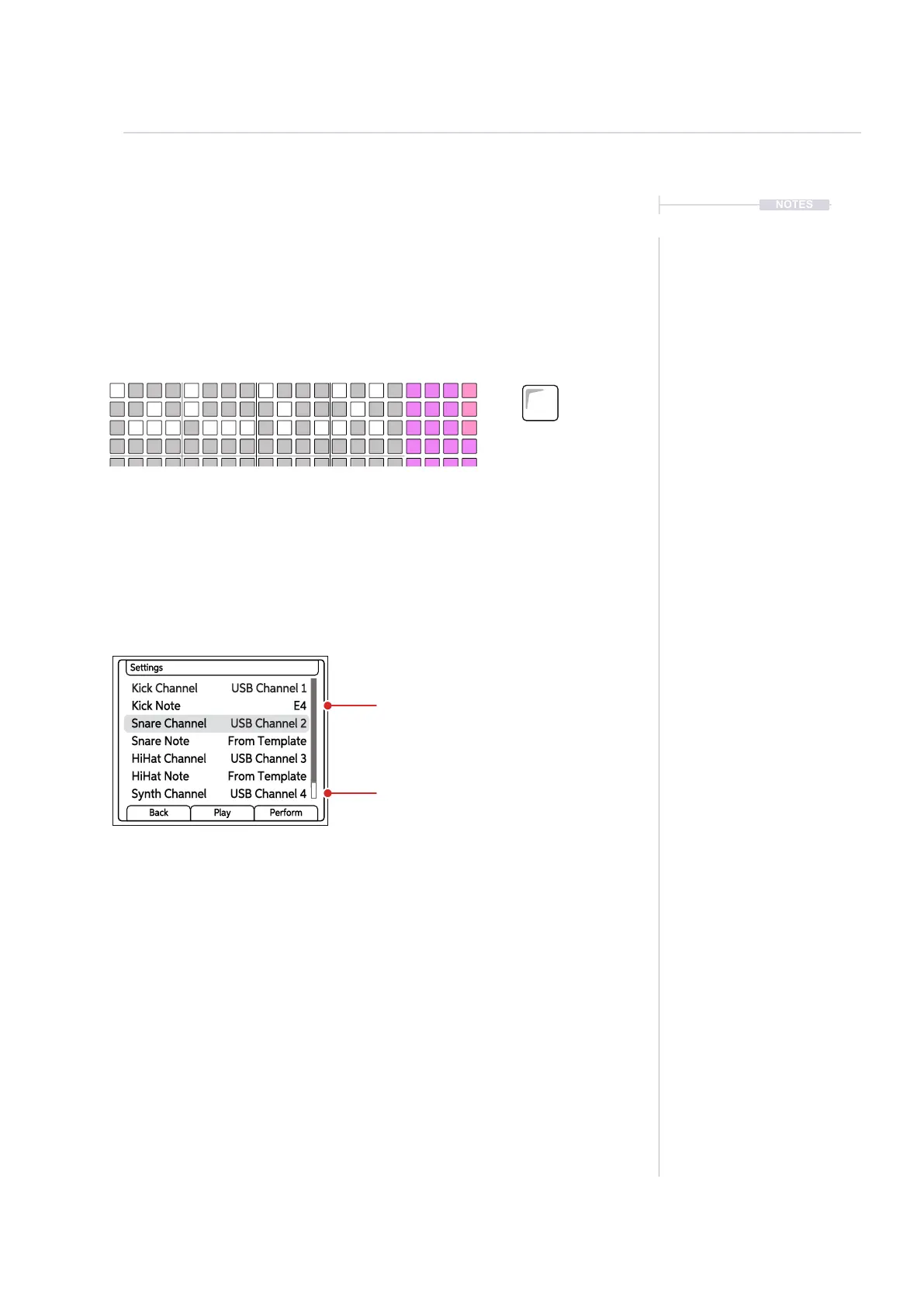
3. The available options for Kick, Snare and HiHat allow the setting of the
specic note to use when populating steps or from the template.
4. The available options for Kick, Snare, HiHat, Synth and Bass allows the
setting of the independent MIDI channel for the Fill instrument output.
Fills can be applied to MIDI tracks in the same way as applied in Audio tracks.
Select MIDI Mode and use the [Fill] command. Genre based templates will
determine the pattern and notes.
As well as the dened notes for Kick, Snare and HiHats, the MIDI Output
channel can be dened individually for these instruments plus the Chord and
Bass instruments. These are all used with beat and melody lls.
MIDI
10
Fill
Delete
Reverb Send
Delay Send
Note
Microtune
Master Volume
Limiter
Save
Reset
Overdrive
Bit Depth
Volume
Panning
Tempo
Swing
View
Master FX
Repeat Type
Repeat Grid
Filter Cutoff
Resonance
Track Length
Play Mode
Patterns
Audio/MIDI
Chance
Action
Sample
Folder
Copy
Paste
Randomize
Randomize Type
Sample Start
Sample End
ShiftMove
Micromove
Sample Attack
Sample Decay
Fill
Delete
Kick Channel USB Channel 1
Snare Channel USB Channel 2
HiHat Channel USB Channel 3
Kick Note E4
Snare Note From Template
HiHat Note From Template
Synth Channel USB Channel 4
Settings
Back Play Perform
MIDI Channel Output for
Fill instrument tracks
Example shows all Fill instruments with independent USB MIDI Channels.
Beat Fill Note. Use
template or a dened note.



 To Next Page