207
Polyend Play+ Manual Rev 2
NOTES
MIDI
10
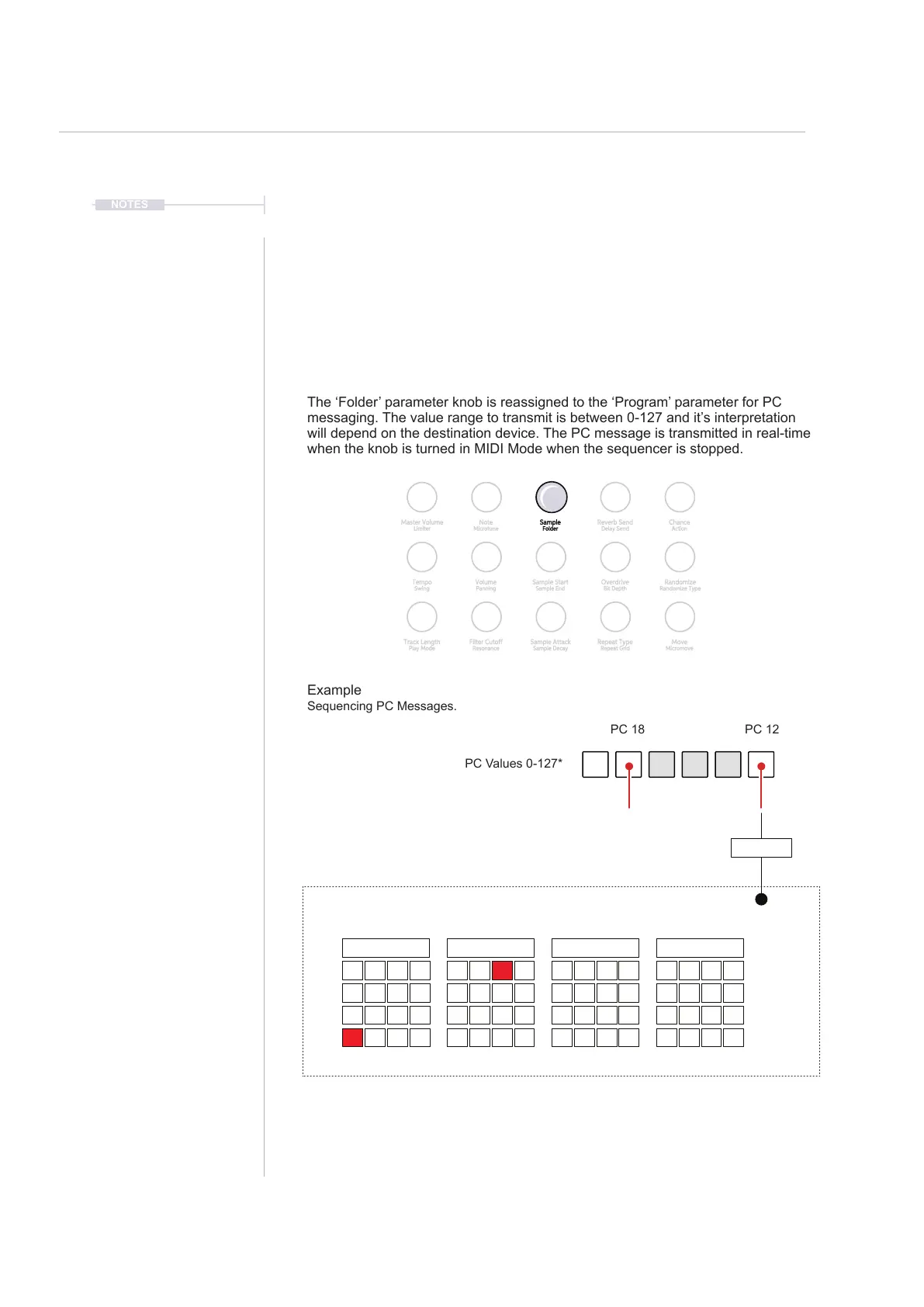
Example of different preset / patch structures 12 = A13, 18 = B3 i.e. 18=15+3, Play+ Starts at 0*.
PC messages can be applied to steps the same way as applying CC values.
Manual transmission of MIDI PC Knob, as with CC is suspended when the
sequencer is running. The external device may be completely different
conguration of patches than the simple 0-127 messages transmitted from Play+.
Trial and error may be needed to establish the destination structure alignment.
0-15* 32-47*16-31* 48-63*
External Device
MIDI In
Bank A Bank B Bank C Bank D
1 1 1 1
5 5 5 5
9 9 9 9
13 13 13 13
2 2 2 2
6 6 6 6
10 10 10 10
14 14 14 14
3 3 3 3
7 7 7 7
11 11 11 11
15 15 15 15
4 4 4 4
8 8 8 8
12 12 12 12
16 16 16 16
10.12 Program Change.
Play+ has the ability to send Program Change messages, also called PC
Messages. PC Messages trigger a change to a patch, program, bank or
preset on the destination device. The behaviour of the destination unit will
vary between devices as this relies heavily on the functional design of each
individual device. Program Change messages are controlled by the (Folder)
knob, the secondary option to sample parameter and cannot be muted.
Reverb Send
Delay Send
Note
Microtune
Master Volume
Limiter
Overdrive
Bit Depth
Volume
Panning
Tempo
Swing
Repeat Type
Repeat Grid
Filter Cutoff
Resonance
Track Length
Play Mode
Chance
Action
Sample
Folder
Randomize
Randomize Type
Sample Start
Sample End
Move
Micromove
Sample Attack
Sample Decay
The ‘Folder’ parameter knob is reassigned to the ‘Program’ parameter for PC
messaging. The value range to transmit is between 0-127 and it’s interpretation
will depend on the destination device. The PC message is transmitted in real-time
when the knob is turned in MIDI Mode when the sequencer is stopped.
Example
Sequencing PC Messages.
PC Values 0-127*
PC 12PC 18



 To Next Page