11
Polyend Play+ Manual Rev 2
Overview
1
NOTES
1.5 User Interface Conventions.
Adjusting parameters and setting steps follows a dened process. Simply
tapping a pad will select / deselect. Parameter adjustments uses the knobs
which are touch capacitive meaning the parameter is automatically selected
when touched by hand. Behaviour can be changed in the global settings.
Notes on using the control interface
• The 15 Parameter knobs are touch sensitive and the primary parameter
is automatically selected when touched.
• Double tap any of the 15 knobs to switch between the primary and the
secondary parameter. The selected parameter is emphasised on the
display and the parameter deselected will display greyed out. This
behaviour can be changed in the settings menu.
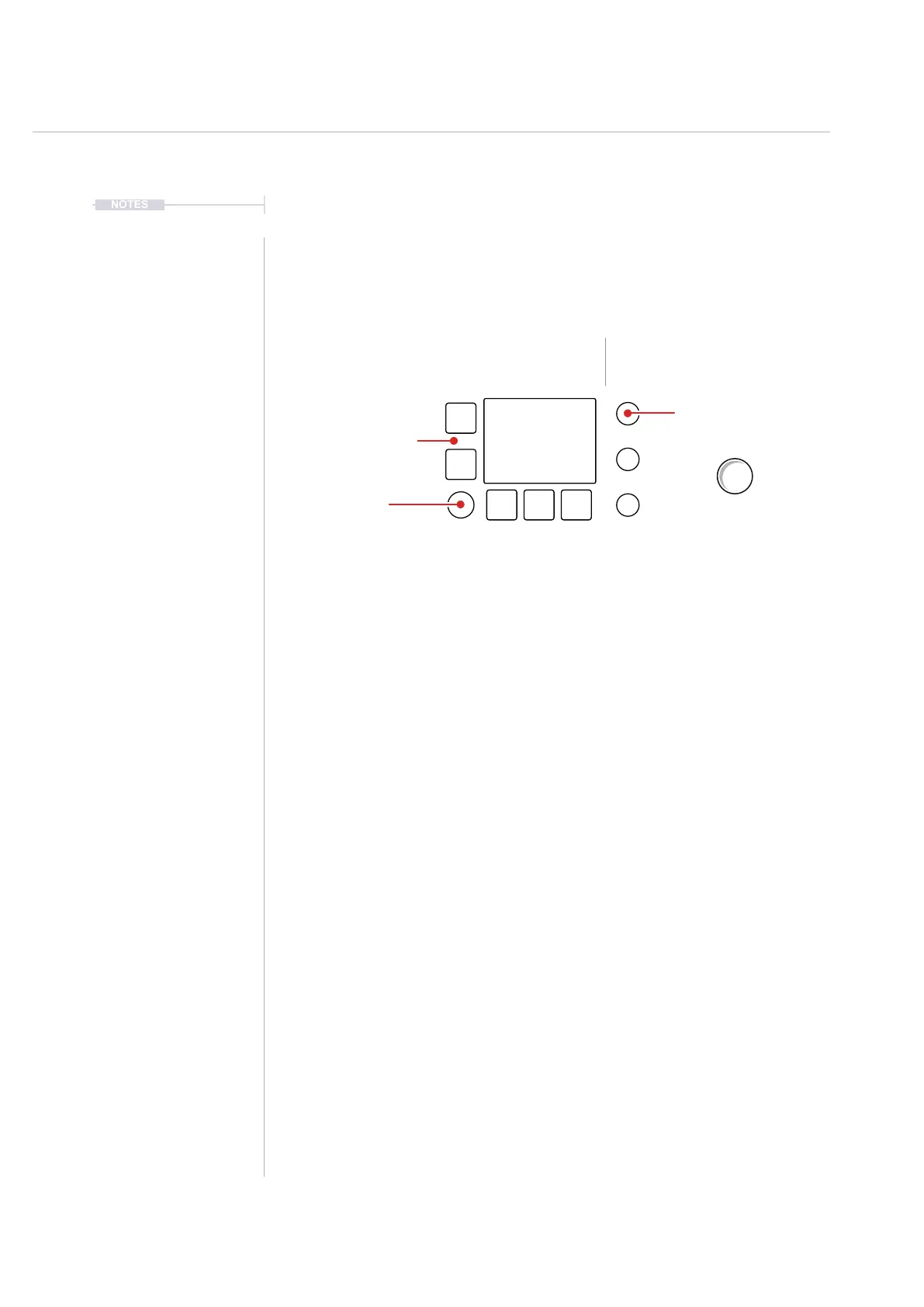
• The upper and lower left side screen buttons can select between the
primary and the secondary value.
• Turn a (Knob) to change its value.
• Press [Shift] + Turn (Knob) on some parameters to change the value
with a faster resolution of adjustment. This will increase the speed of
adjustment when changing values across its range. This precise
behaviour is dependant on the parameter selected.
• The (Screen) knob is not touch sensitive. The rotation has detent
control and is push clickable. Press (Screen) to select and to navigate
the global settings menu.
• The (Screen) knob will change any selected parameter value in the
same way as the parameter knob. It will also navigate within the global
settings menus.
Parameters.
Primary: Tap Knob
Secondary: Double Tap Knob
Double Tap Knob to toggle
between the primary and
secondary parameter.
Primary Parameter
Secondary Parameter
Buttons switch between
upper and lower
parameter. Double tap
to reset parameter.
15 Touch Selectable Knobs
Screen Knob.
Will adjust the parameter
selected and in focus on the
display. Knob is not touch
sensitive but can be pressed
to open the settings menu.
Master Volume
Limiter
[ ]
[ ]



 To Next Page