33
Polyend Play+ Manual Rev 2
Project & Tracks
3
NOTES
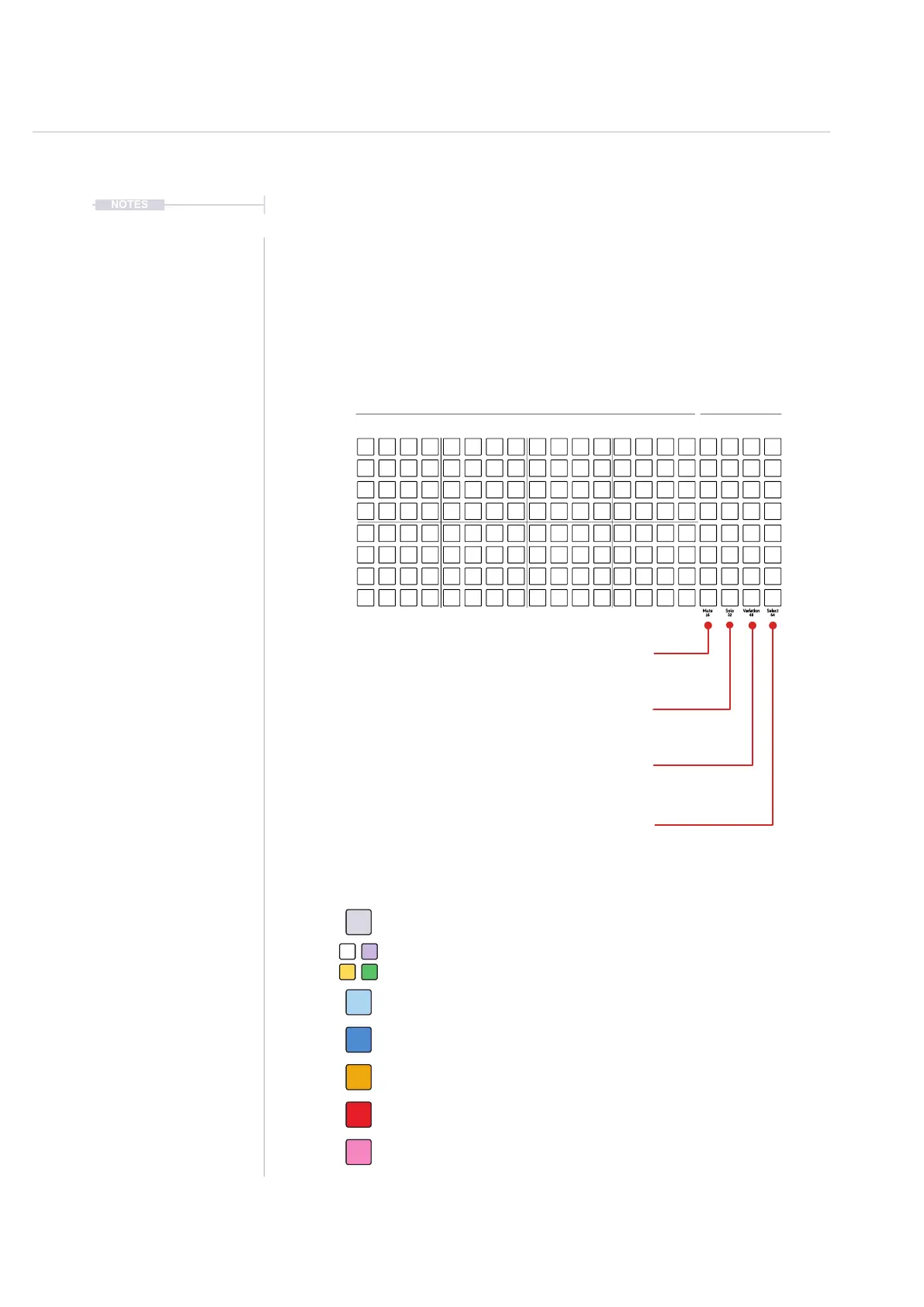
3.2 The Grid Overview.
The grid consist of 8 rows of 20 columns of pad buttons. The function of the
pads changes depending on the mode selected. Sequencing mode enables
sequencing of steps where each row represents a track. The rst 16
columns left to right represents steps. Rows represent notes when in piano
roll view mode.The last 4 right columns represent function pads, for mute,
solo, variation and to select each track. Also the function pads when in
View Mode, can operate as a keyboard or pad style note input controller.
Mute: Silence the selected tracks. Press [Pad]
16: Step Page 1 - Steps 1-16 - Press [Shift] + [Pad]
Solo: Plays only the selected tracks. Press [Pad]
32: Step Page 2 - Steps 17-32 - Press [Shift] + [Pad]
Variation: Mutes the selected track. Press [Pad]
48: Step Page 3 - Steps 33-48 - Press [Shift] + [Pad]
Select: Selects track to edit. Press [Pad]
64: Step Page 4 - Steps 49-64 - Press [Shift] + [Pad]
Off. Step is empty and does not trigger any event. Tap [Pad].
Sequencer - 8 x 16 Grid Pad Colors
White for Sample / Violet, Yellow, Green for Synth. Active note event. Tap [Pad].
Blue. Selected, note event step. Hold [Shift] + [Pad].
Orange. Playhead on currently active step for a track. [Play].
Dim Blue. Selected, empty step. Hold [Shift] + [Pad].
Red. Playhead on currently active step - Live Rec Mode. [Play].
Pink. Root Note Indicator - Piano Roll View Mode. Hold [View].
Track 1
Sequencer Track Steps Functions
1 9 5 13 16 17 20
Track 3
Track 5
Track 7
Track 2
Track 4
Track 6
Track 8



 To Next Page