9
Polyend Play+ Manual Rev 2
Overview
1
NOTES
1.3 Start Up.
Play+ is a low power user and can therefore be powered from the supplied
mains USB adapter or from a rechargeable battery power bank. When
restarting Play+ the previously open project will be re-opened
▌ POWERING ON / OFF PLAY+
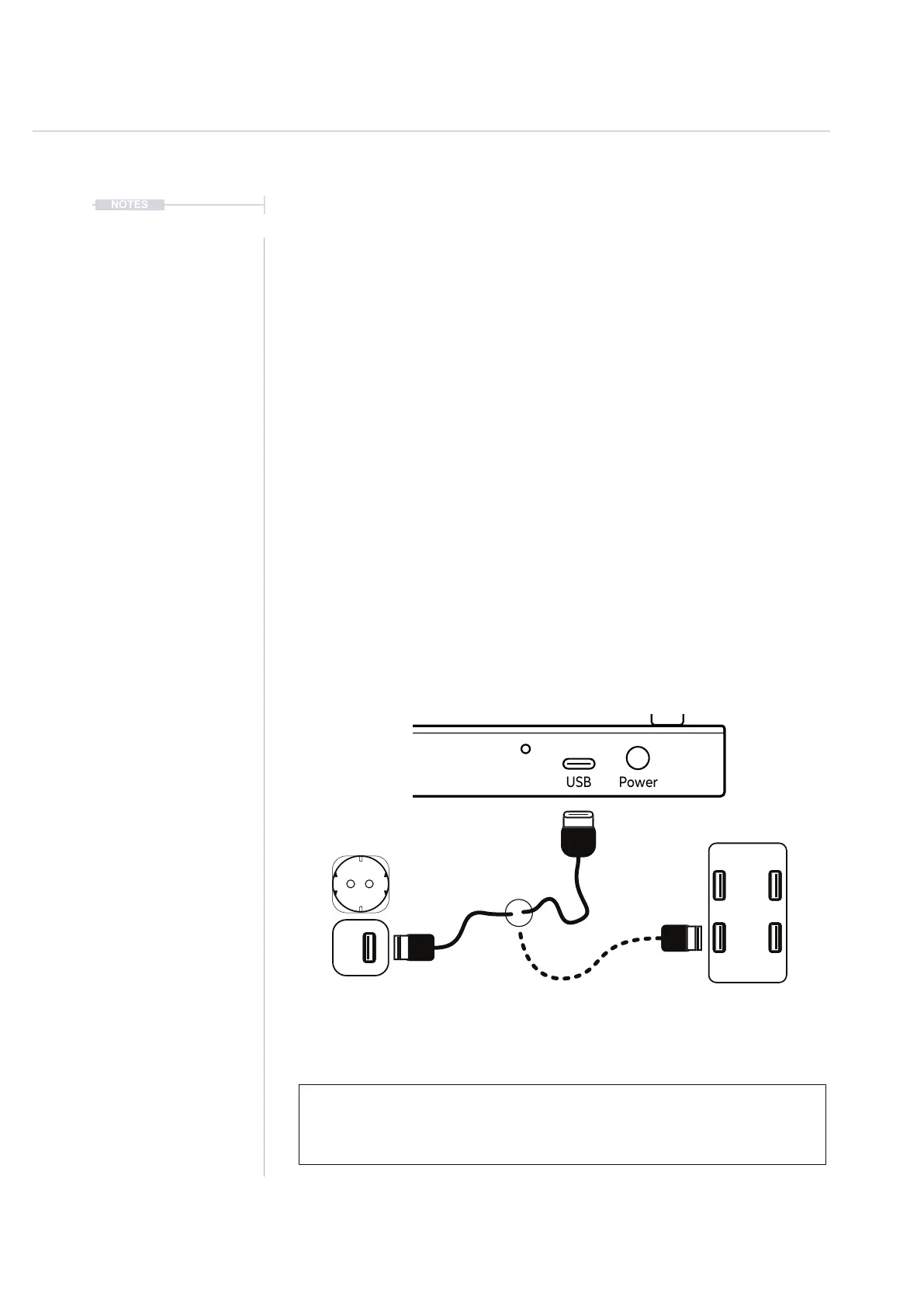
1. Connect the supplied USB-C Mains cable between Play+ and the
supplied USB plug. Also Play+ can operate with a portable USB power
bank*. Play+ requires a 5V, 1A rated supply.
2. Ensure the SD Card is installed correctly for Play+ to operate.
3. Quickly press the small power button located on the rear left (looking
from the top). Play+ will start up and the previous project reopened.
4. To power off, press and hold the small power button located on the rear
left (looking from the top) until the timer bar ends. Play+ will power off.
Supply is 5V, 1A from the supplied mains to USB adapter.
Alternatively use a battery power bank.
Start up instantaneous current is approx 1.2A with normal state around 0.5A
* It is recommended by Polyend to use a standard power bank without smart
features. Intelligent / smart power banks or PC / Mac power may have features
that interfere with the continuous supply required by Play+. USC - C to USB - A
cable supplied.



 To Next Page